
Your Sales team has three people in three rows, and the report wants them in one cell. The PostgreSQL array_agg function does that: array_agg(name) returned {"Hannah Brooks","Tyler Reed","Grace Miller"} in one row.
The catch: no rows gives NULL, not {}. And NULLs inside a group are kept.
The seven examples go from one column to a 2-D array, via ORDER BY, DISTINCT and NULL cleanup. Tested on PostgreSQL 18.6 for Windows, with psql in VS Code.
PostgreSQL ARRAY_AGG Function Syntax
Here’s the syntax. It has two forms:
array_agg ( anynonarray ORDER BY input_sort_columns ) → anyarray
array_agg ( anyarray ORDER BY input_sort_columns ) → anyarray| Argument | Required | What it means |
|---|---|---|
| anynonarray | Yes | A column or expression of any non-array type. NULL inputs stay in the result. |
| anyarray | Yes (2nd form) | Arrays of equal size, stacked into one more dimension. No NULL or empty arrays. |
| ORDER BY | No | Element order, written inside the parentheses. Without it, order is unspecified. |
Return value: an array of the input type (numeric in gives numeric[]), or NULL when no rows reach the aggregate.
Availability: every supported release; the array-input form arrived in PostgreSQL 9.5. Array columns are covered in PostgreSQL data types.
When to Use the ARRAY_AGG Function in PostgreSQL
Use ARRAY_AGG when you need to:
- list every member of a group in one row of a report
- build an array you’ll later split again with PostgreSQL UNNEST
Run this once; every example uses these tables:
DROP TABLE IF EXISTS staff, shift_hours;
CREATE TABLE staff (id int PRIMARY KEY, name text, dept text,
                    state char(2), salary numeric(8,2), badge text);
CREATE TABLE shift_hours (name text, hours int[]);
INSERT INTO staff VALUES
 (1, 'Hannah Brooks',  'Sales',   'OH', 72000, 'B-101'),
 (2, 'Tyler Reed',     'Sales',   'TX', 65000, NULL),
 (3, 'Grace Miller',   'Sales',   'OH', 81000, 'B-103'),
 (4, 'Marcus Bennett', 'Support', 'CA', 54000, NULL),
 (5, 'Olivia Carter',  'Support', 'CA', 58000, 'B-105'),
 (6, 'Ethan Walsh',    'Support', 'WA', 61000, 'B-106');
INSERT INTO shift_hours VALUES
 ('Hannah Brooks', '{8,8,6}'), ('Tyler Reed', '{7,9,8}');
Example 1: Aggregate a Column into an Array
Let’s start with the bare call. I want every Sales name in one array:
SELECT array_agg(name) AS sales_team
FROM staff
WHERE dept = 'Sales';
Output:
                  sales_team
-----------------------------------------------
 {"Hannah Brooks","Tyler Reed","Grace Miller"}
(1 row)
That returns one row with three names. Names with spaces get double quotes.
Example 2: Use ARRAY_AGG ORDER BY with GROUP BY
Now one array per department. The goal is each department’s names sorted by salary, highest first, so the best-paid person always sits in position 1:
SELECT dept,
       array_agg(name ORDER BY salary DESC) AS by_salary
FROM staff
GROUP BY dept
ORDER BY dept;
Output:
  dept   |                    by_salary
---------+--------------------------------------------------
 Sales   | {"Grace Miller","Hannah Brooks","Tyler Reed"}
 Support | {"Ethan Walsh","Olivia Carter","Marcus Bennett"}
(2 rows)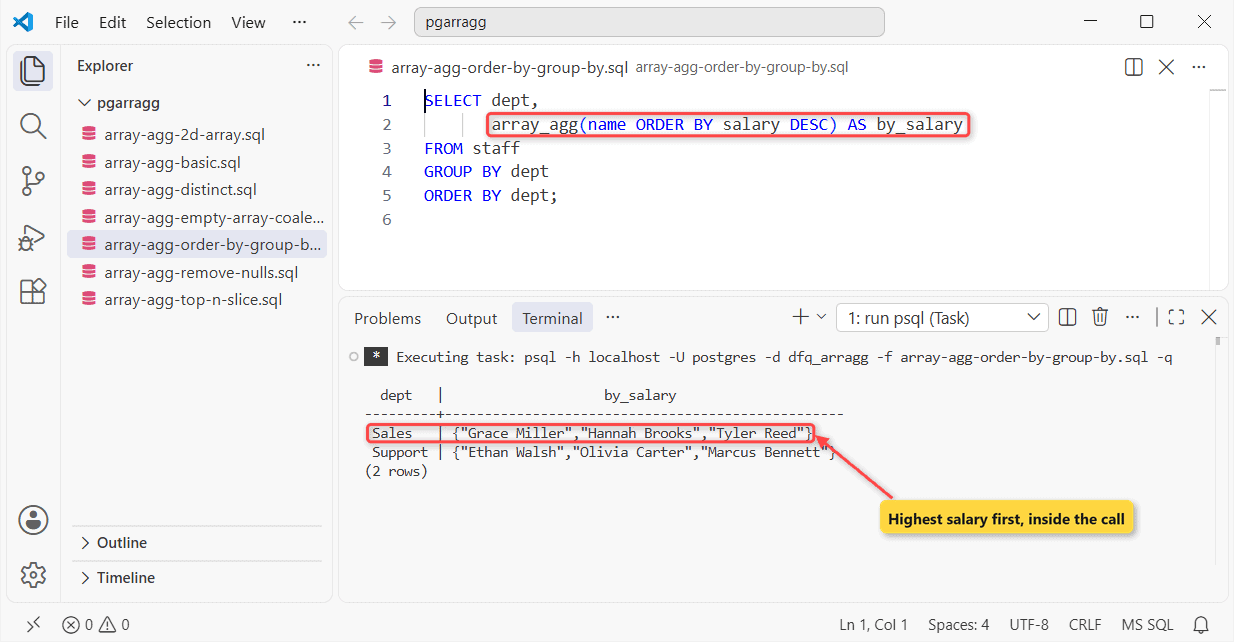
For Sales, this returns Grace Miller ($81,000) first and Tyler Reed ($65,000) last. The inner ORDER BY sorts the array; the outer one sorts rows. More grouping patterns are in my PostgreSQL GROUP BY tutorial.
Example 3: ARRAY_AGG DISTINCT Values
Two Sales reps live in Ohio. Say you need each state only once per department:
\set ON_ERROR_STOP off

SELECT dept, array_agg(DISTINCT state) AS states
FROM staff GROUP BY dept ORDER BY dept;

SELECT array_agg(DISTINCT state ORDER BY salary)
FROM staff;
Output:
  dept   | states
---------+---------
 Sales   | {OH,TX}
 Support | {CA,WA}
(2 rows)

psql:array-agg-distinct.sql:7: ERROR:  in an aggregate with DISTINCT, ORDER BY expressions must appear in argument list
LINE 1: SELECT array_agg(DISTINCT state ORDER BY salary)
                                                 ^
Sales returns {OH,TX} and Support returns {CA,WA}. They came back sorted; add ORDER BY state to guarantee it.
Important: with DISTINCT, ORDER BY can only use the aggregated column; sorting by salary failed.
Example 4: Remove NULLs from ARRAY_AGG in PostgreSQL
Tyler Reed has no badge yet. I want the Sales badges without the NULL:
\pset null '(null)'

SELECT array_agg(badge) AS plain,
       array_agg(badge) FILTER (WHERE badge IS NOT NULL) AS filtered,
       array_remove(array_agg(badge), NULL) AS removed
FROM staff
WHERE dept = 'Sales';
Output:
       plain        |   filtered    |    removed
--------------------+---------------+---------------
 {B-101,NULL,B-103} | {B-101,B-103} | {B-101,B-103}
(1 row)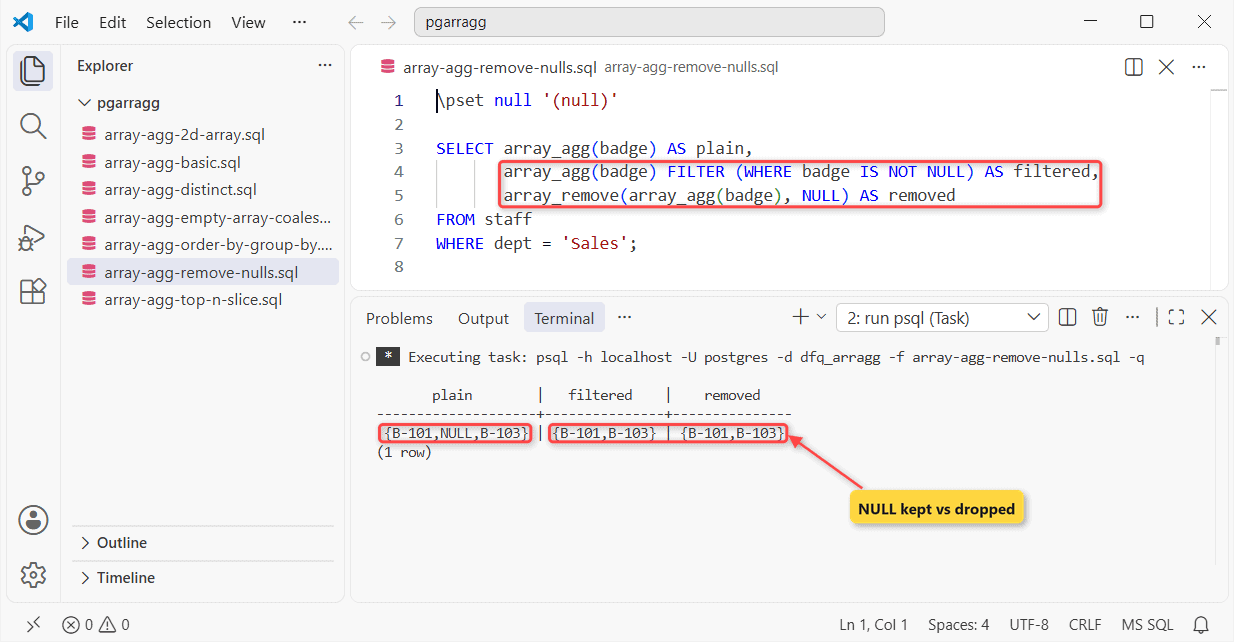
Plain array_agg in PostgreSQL returns {B-101,NULL,B-103}. Both fixes return {B-101,B-103}.
FILTER skips rows before collecting; array_remove cleans the finished array.
Example 5: Return an Empty Array Instead of NULL
Nobody works in Legal. The goal is {} and a count of 0, not NULL:
\pset null '(null)'

SELECT array_agg(name) AS raw,
       COALESCE(array_agg(name), '{}') AS fixed,
       cardinality(COALESCE(array_agg(name), '{}')) AS n
FROM staff
WHERE dept = 'Legal';
Output:
  raw   | fixed | n
--------+-------+---
 (null) | {}    | 0
(1 row)
The raw column shows (null); COALESCE gives {}, and cardinality gives 0. See my separate guide on PostgreSQL COALESCE.
Run it with dept = 'Sales' and you should see all three names in both columns.
Example 6: Get the Top N per Group with an Array Slice
Now a shortcut. I want the two highest-paid people per department:
SELECT dept,
       (array_agg(name ORDER BY salary DESC))[1:2] AS top_two,
       (array_agg(name ORDER BY salary DESC))[1] AS top_paid
FROM staff
GROUP BY dept
ORDER BY dept;
Output:
  dept   |             top_two              |   top_paid
---------+----------------------------------+--------------
 Sales   | {"Grace Miller","Hannah Brooks"} | Grace Miller
 Support | {"Ethan Walsh","Olivia Carter"}  | Ethan Walsh
(2 rows)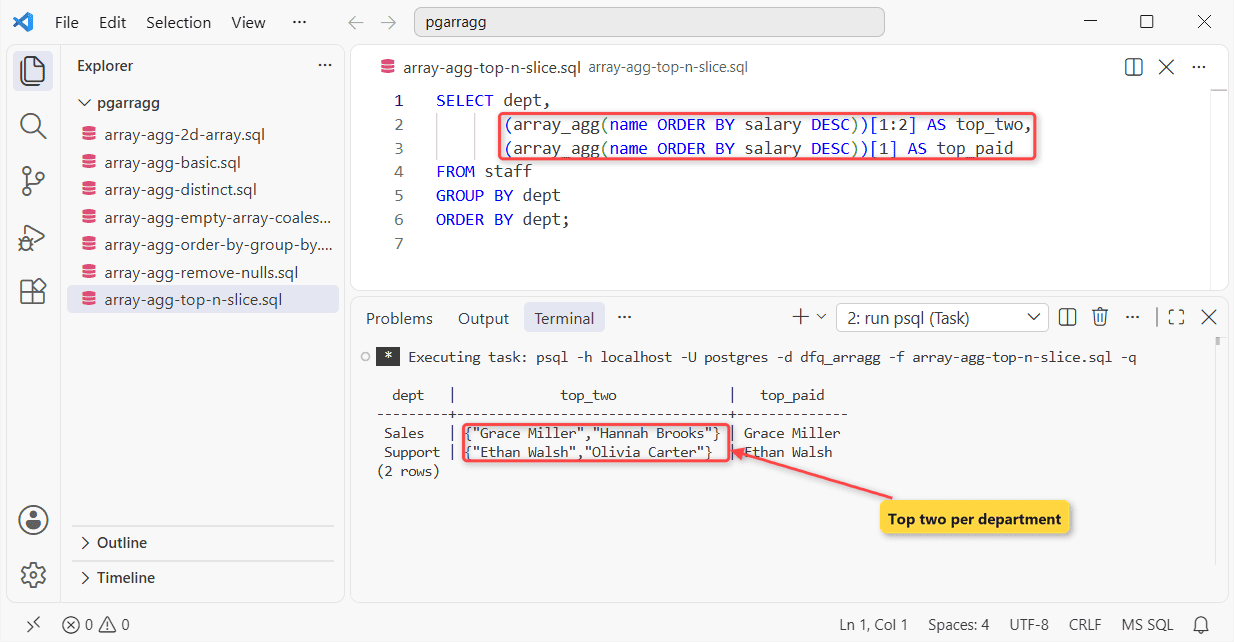
For Support, [1:2] returns Ethan Walsh and Olivia Carter, and [1] returns Ethan Walsh as text. The extra parentheses are required.
On big groups, ROW_NUMBER avoids building the full array.
Example 7: Aggregate Arrays into a 2-D Array in PostgreSQL
Last, the array input form. Each shift_hours row holds three daily hours. I want one grid:
\set ON_ERROR_STOP off

SELECT array_agg(hours ORDER BY name) AS grid
FROM shift_hours;

SELECT array_agg(h)
FROM (VALUES ('{8,8,6}'::int[]), ('{7,9}')) AS t(h);
Output:
       grid
-------------------
 {{8,8,6},{7,9,8}}
(1 row)

psql:array-agg-2d-array.sql:7: ERROR:  cannot accumulate arrays of different dimensionality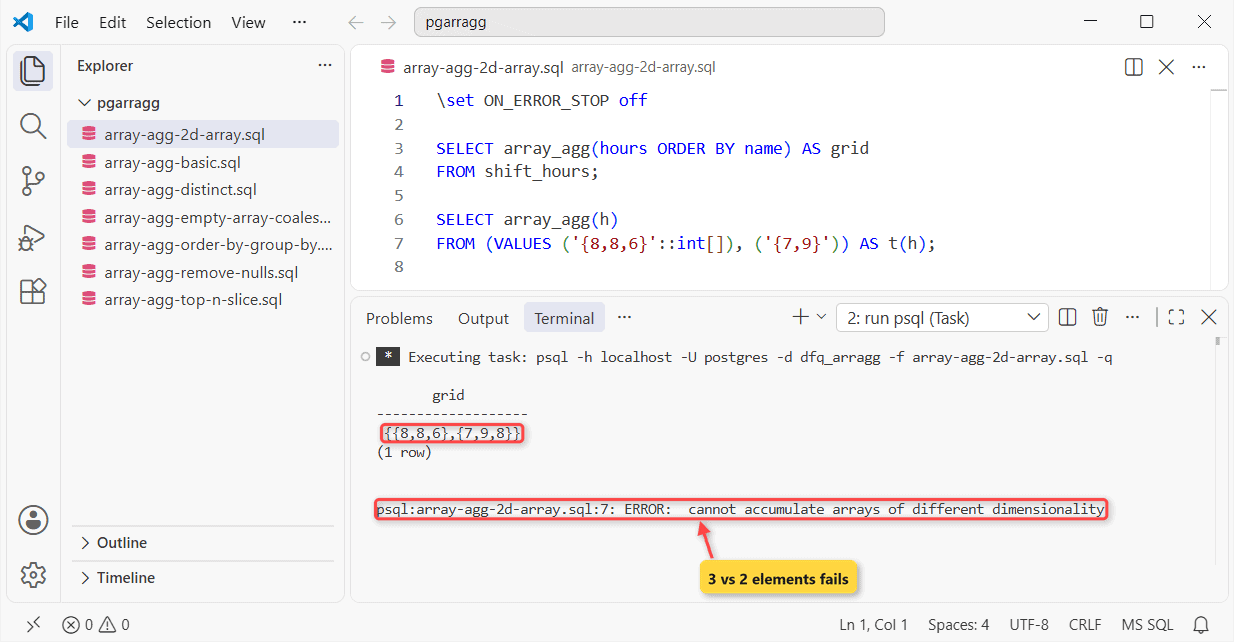
The first query returns {{8,8,6},{7,9,8}}. Mixing a 3-element and a 2-element array failed. Same size or nothing.
A NULL array gave cannot accumulate null arrays; an empty one gave the dimensionality error.
To measure each side, see array_length.
ARRAY_AGG vs STRING_AGG vs JSON_AGG: Which Should You Use?
| Feature | array_agg | string_agg | json_agg |
|---|---|---|---|
| Returns | text[] (any type[]) | text | json |
| NULL inputs | kept as NULL | skipped | kept as null |
| Best for | more SQL work | display, CSV | APIs |
Only string_agg drops NULLs. PostgreSQL built each one for a different consumer.
My rule of thumb: array_agg when the next step is SQL, string_agg for a readable list (my PostgreSQL group_concat post covers it), json_agg for the app.
Tips & Common Mistakes
- An ORDER BY clause after GROUP BY won’t sort the array. Put it inside the call.
ERROR: in an aggregate with DISTINCT, ORDER BY expressions must appear in argument listmeans you sorted by another column.- A sorted subquery usually works. Add a join outside, though, and the rows can be reordered before the aggregate ever sees them, so keep ORDER BY inside.
Wrapping Up
The PostgreSQL array_agg function rolls a group’s rows into one array. Copy Example 2 for sorted lists.
Next step: browse the complete list of PostgreSQL functions or the PostgreSQL 18 aggregate functions docs.
Two array guides to read after this one:
Frequently Asked Questions
Can you nest array_agg inside another aggregate?
No. Aggregate in a subquery first, then aggregate outside.
Does array_agg run in parallel?
Yes. Both forms support partial (parallel) aggregation.
How do I convert array_agg output to a comma-separated string?
Use array_to_string(array_agg(name), ‘, ‘) or string_agg.

Kumar Saurabh is a freelance software engineer who builds web and mobile apps with Next.js, React, Flutter and Python. From 2021 to 2024, Saurabh worked as an IT analyst and developer at TSInfo Technologies, writing technical articles on SQL and PostgreSQL. Saurabh writes the PostgreSQL, MySQL, MariaDB and MongoDB tutorials on DatabaseFAQs.com and holds a Master of Computer Applications (MCA) from Chandigarh University.