
Need to turn PostgreSQL rows into JSON for an API response? The PostgreSQL jsonb_build_object function does it in one call. jsonb_build_object('state', 'OH') returns the jsonb value {"state": "OH"}.
The catch: jsonb drops duplicate keys and reorders the rest, while json_build_object keeps every key in the order you typed it.
Five examples follow: columns, duplicates, nesting, NULLs and errors. Tested on PostgreSQL 18.6 for Windows, with psql in VS Code.
PostgreSQL jsonb_build_object Function Syntax
Here is the syntax:
jsonb_build_object ( VARIADIC "any" ) → jsonb
json_build_object ( VARIADIC "any" ) → json| Argument | Required | What it means |
|---|---|---|
| key | Yes, one per pair | Cast to text. A NULL key isn’t allowed. |
| value | Yes, one per key | Any type, converted like to_jsonb. NULL becomes JSON null. |
Return value: jsonb (or json). With no arguments you get {}.
Availability: both functions work in every supported PostgreSQL release. Numbers, booleans and other PostgreSQL data types keep their JSON type.
When to Use the jsonb_build_object Function in PostgreSQL
Use jsonb_build_object when you need to:
- return rows as JSON to a Node.js or Python API
- nest an address inside a customer record
- store a small audit payload in a jsonb column
Still choosing a column type? My PostgreSQL JSON vs JSONB comparison covers that. Run this once:
DROP TABLE IF EXISTS orders, customers;
CREATE TABLE customers (
  id       int PRIMARY KEY,
  name     text,
  city     text,
  state    char(2),
  phone    text
);
INSERT INTO customers VALUES
 (1, 'Hannah Brooks', 'Columbus', 'OH', '614-555-0142'),
 (2, 'Tyler Reed',    'Austin',   'TX', NULL),
 (3, 'Grace Miller',  'Dayton',   'OH', '937-555-0187');
CREATE TABLE orders (
  order_id    int PRIMARY KEY,
  customer_id int REFERENCES customers,
  total       numeric(8,2)
);
INSERT INTO orders VALUES
 (1001, 1, 89.99), (1002, 1, 45.50), (1003, 3, 120.00);
Example 1: Build JSON from Table Columns in PostgreSQL
The customers table has id, name, city, state and phone. I want one JSON object per Ohio customer:
SELECT jsonb_build_object('id', id, 'name', name, 'state', state)
       AS customer
FROM customers
WHERE state = 'OH';
Output:
                     customer
---------------------------------------------------
 {"id": 1, "name": "Hannah Brooks", "state": "OH"}
 {"id": 3, "name": "Grace Miller", "state": "OH"}
(2 rows)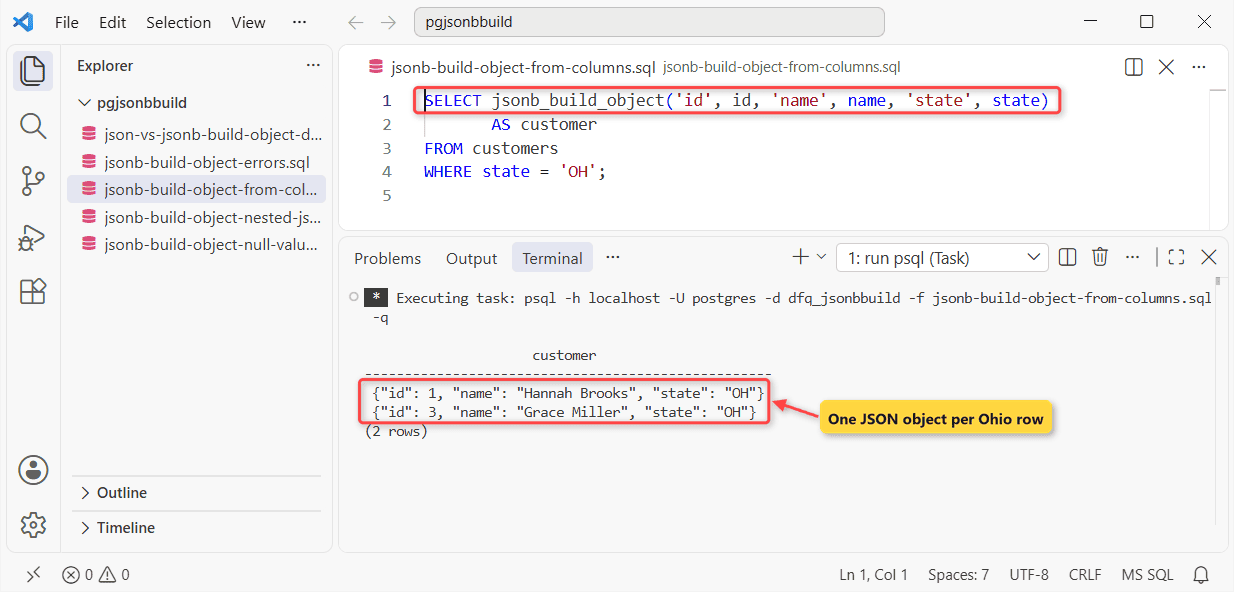
For Hannah Brooks, this returns {"id": 1, "name": "Hannah Brooks", "state": "OH"}. The id stays a number. The WHERE clause filters before any JSON gets built, so only two objects come back.
Example 2: jsonb_build_object vs json_build_object (Duplicate Keys)
Now the intro’s catch. Say you want to see what happens when state appears twice:
\x on
SELECT json_build_object('state', 'OH', 'city', 'Columbus',
                         'state', 'TX') AS json,
       jsonb_build_object('state', 'OH', 'city', 'Columbus',
                          'state', 'TX') AS jsonb;
Output:
-[ RECORD 1 ]------------------------------------------------
json  | {"state" : "OH", "city" : "Columbus", "state" : "TX"}
jsonb | {"city": "Columbus", "state": "TX"}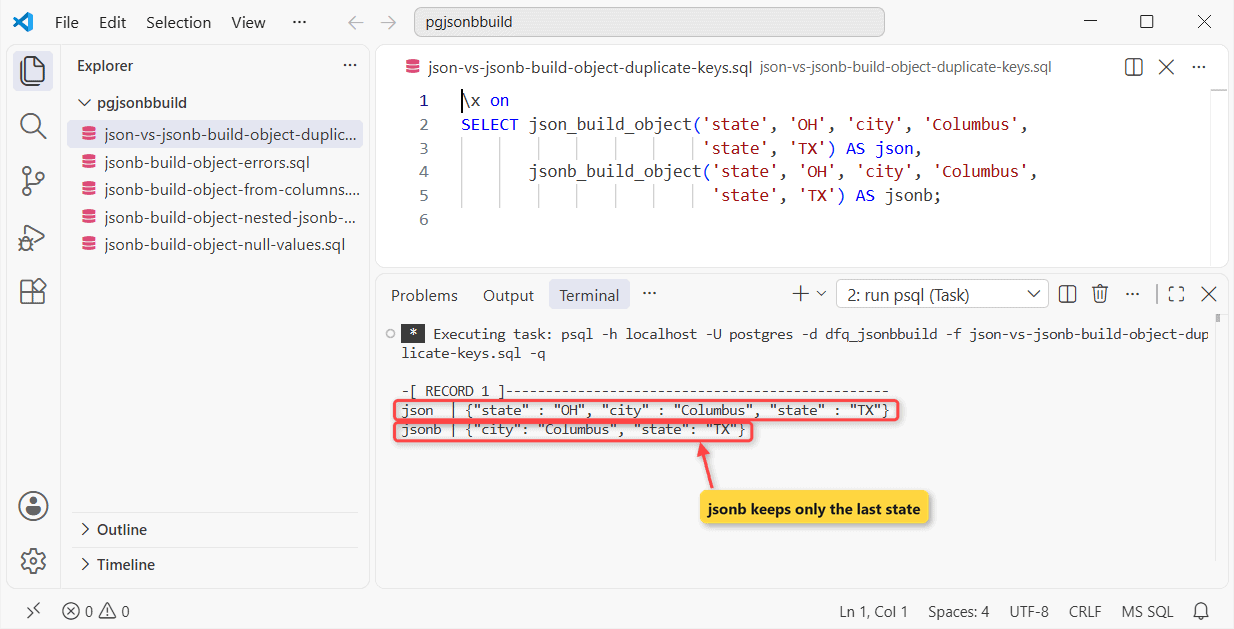
json_build_object gives both state keys in typed order. jsonb_build_object gives {"city": "Columbus", "state": "TX"}: the last value wins.
Example 3: Nested JSON Objects and Arrays (jsonb_agg)
The goal is one document for Hannah, with her address and every order:
\x on
SELECT jsonb_build_object(
         'customer', c.name,
         'address',  jsonb_build_object('city', c.city, 'state', c.state),
         'orders',   jsonb_agg(jsonb_build_object('id', o.order_id,
                                                  'total', o.total))
       ) AS doc
FROM customers c
JOIN orders o ON o.customer_id = c.id
WHERE c.id = 1
GROUP BY c.id;
Output:
-[ RECORD 1 ]----------------------------------------------------------------------------------------------------------------------------------------------
doc | {"orders": [{"id": 1001, "total": 89.99}, {"id": 1002, "total": 45.50}], "address": {"city": "Columbus", "state": "OH"}, "customer": "Hannah Brooks"}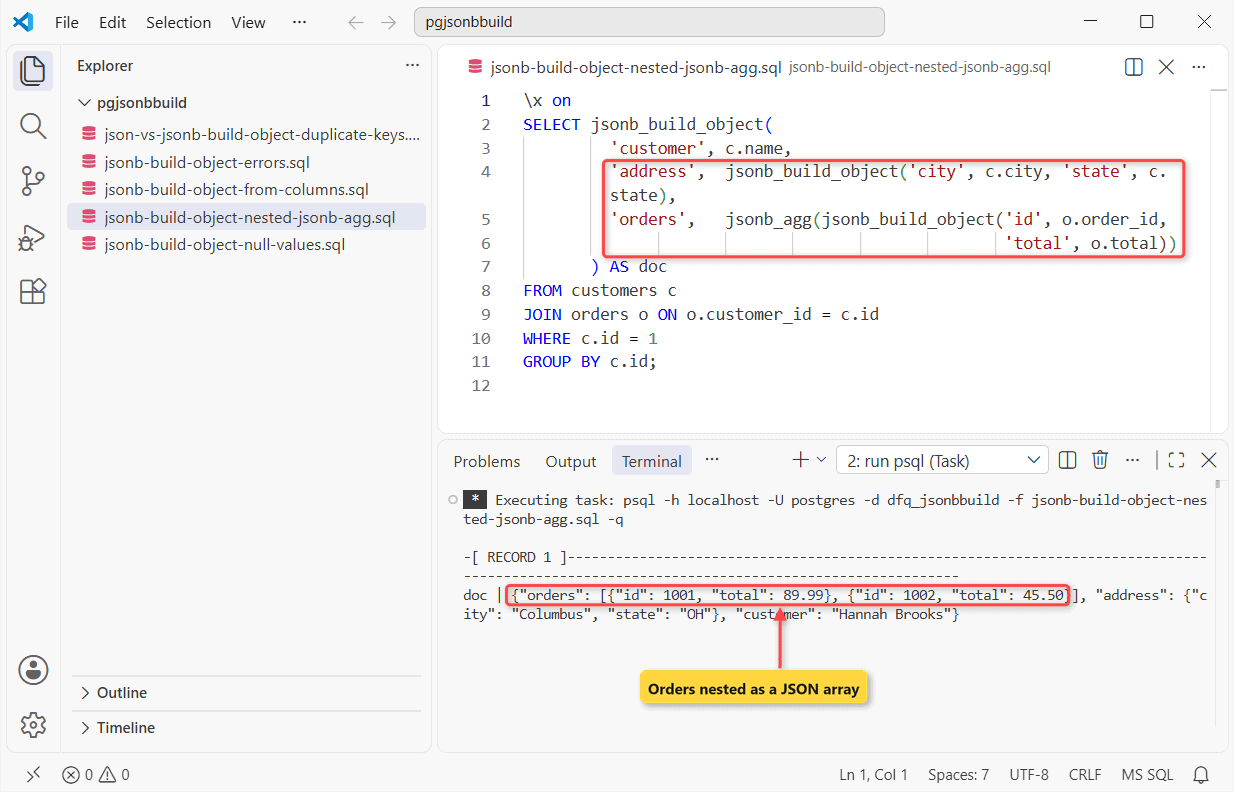
This returns orders 1001 and 1002 inside one array. Because jsonb_agg is an aggregate, the query needs a GROUP BY.
Example 4: Handle NULL Values (jsonb_strip_nulls)
Tyler Reed has no phone. I want that key gone, not set to null:
SELECT jsonb_build_object('name', name, 'phone', phone) AS raw,
       jsonb_strip_nulls(jsonb_build_object('name', name, 'phone', phone)) AS stripped,
       JSON_OBJECT('name': name, 'phone': phone ABSENT ON NULL) AS std
FROM customers
WHERE id = 2;
Output:
                  raw                  |        stripped        |           std
---------------------------------------+------------------------+-------------------------
 {"name": "Tyler Reed", "phone": null} | {"name": "Tyler Reed"} | {"name" : "Tyler Reed"}
(1 row)
The raw column shows "phone": null; the other two drop it. The SQL-standard JSON_OBJECT with ABSENT ON NULL needs PostgreSQL 16+. An empty string isn’t NULL, so wrap it in NULLIF first.
Example 5: Fix the Even Number of Arguments and NULL Key Errors
Last, errors. I want both on screen.
\set ON_ERROR_STOP off

SELECT jsonb_build_object('name', 'Tyler Reed', 'city');

SELECT jsonb_build_object(NULL, 'Austin');

SELECT jsonb_build_object(coalesce(NULL, 'city'), 'Austin') AS fixed;
Output:
psql:jsonb-build-object-errors.sql:3: ERROR:  argument list must have even number of elements
HINT:  The arguments of jsonb_build_object() must consist of alternating keys and values.
psql:jsonb-build-object-errors.sql:5: ERROR:  argument 1: key must not be null
       fixed
--------------------
 {"city": "Austin"}
(1 row)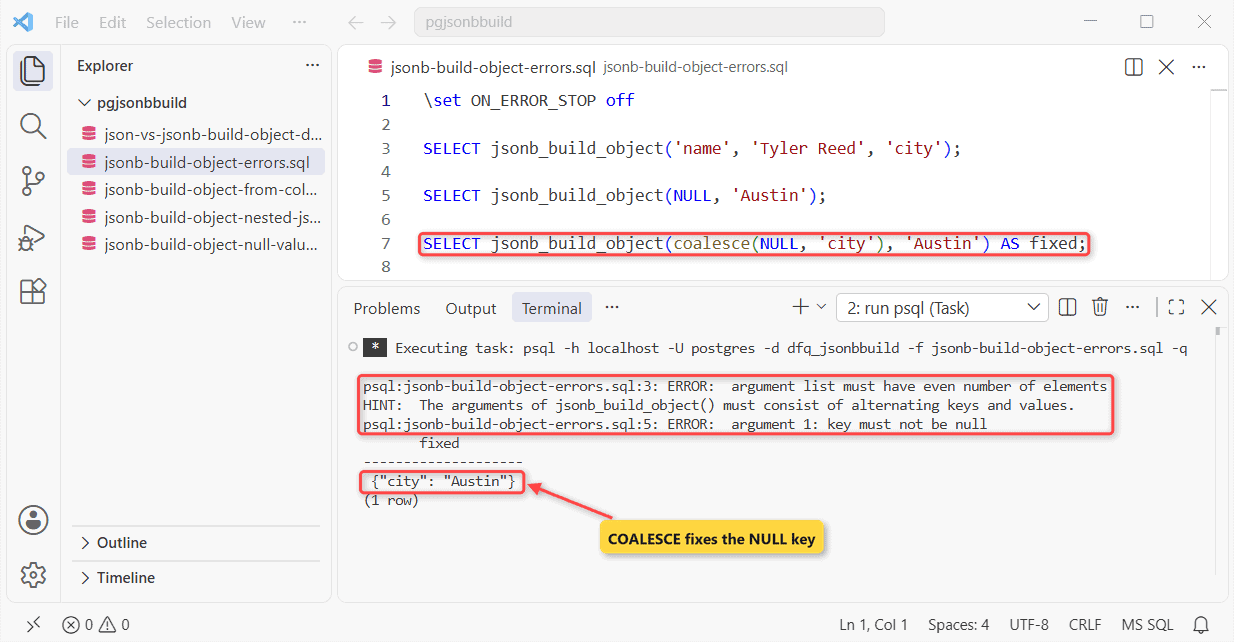
The third query gives {"city": "Austin"}, because COALESCE swaps the NULL for a fallback key. Run it again with your own column and you should see no error.
jsonb_build_object vs to_jsonb: Which Should You Use?
| Feature | jsonb_build_object | to_jsonb(row) / row_to_json |
|---|---|---|
| Pick keys | Yes, you name each one | All columns |
| Argument limit | 100 (50 pairs) | None |
My rule of thumb: build_object for API shapes, to_jsonb(c) - 'phone' for whole rows. To read a key back, see sorting by a JSON field.
Tips & Common Mistakes
- Past 50 pairs, PostgreSQL stops with
cannot pass more than 100 arguments to a function. Join two objects with||. - jsonb returned my keys shortest first, not in typed order.
- jsonb_strip_nulls keeps null array items unless you pass true (PostgreSQL 18+).
Wrapping Up
The PostgreSQL jsonb_build_object function covers most row-to-JSON jobs. Copy Example 3 for nested API output and Example 4 for optional fields.
Next step: browse the complete list of PostgreSQL functions or the PostgreSQL 18 JSON functions docs.
Two PostgreSQL array and text posts pair well with this one:
Frequently Asked Questions
What is the difference between jsonb_build_object and jsonb_object?
jsonb_object takes text arrays, so every value comes out as a JSON string.
How do I turn many rows into one JSON object keyed by id?
Use jsonb_object_agg(id, name). On the Ohio rows it returned {“1”: “Hannah Brooks”, “3”: “Grace Miller”}.
Does jsonb_build_object keep NULL values?
Yes. A NULL value becomes JSON null, so the key stays. Wrap the call in jsonb_strip_nulls() to drop those keys. In PostgreSQL 16 and later, JSON_OBJECT(… ABSENT ON NULL) does the same.

Kumar Saurabh is a freelance software engineer who builds web and mobile apps with Next.js, React, Flutter and Python. From 2021 to 2024, Saurabh worked as an IT analyst and developer at TSInfo Technologies, writing technical articles on SQL and PostgreSQL. Saurabh writes the PostgreSQL, MySQL, MariaDB and MongoDB tutorials on DatabaseFAQs.com and holds a Master of Computer Applications (MCA) from Chandigarh University.