
The PostgreSQL jsonb_set function returns a copy of a jsonb value with one key or array element replaced. jsonb_set(profile, '{plan}', '"Pro"') changes the plan and keeps every other key.
The catch: a SQL NULL as the new value makes the whole result NULL. My test UPDATE wiped Tyler’s entire profile.
Seven examples cover nested paths, arrays, jsonb_set_lax and jsonb_insert. Tested on PostgreSQL 18.6 for Windows, with psql in VS Code.
PostgreSQL jsonb_set Function Syntax
Here is the syntax:
jsonb_set ( jsonb_in jsonb, path text[], replacement jsonb [, create_if_missing boolean ] ) → jsonb| Argument | Required | What it means |
|---|---|---|
| jsonb_in | Yes | The document, usually a column |
| path | Yes | Keys or array indexes as text[]: '{address,city}' |
| replacement | Yes | The new jsonb value; strings need quotes: '"Pro"' |
| create_if_missing | No | Default true: add the last key if missing |
Return value: jsonb, one of the PostgreSQL data types built for documents. Any NULL argument returns NULL.
Availability: jsonb_set and jsonb_insert need PostgreSQL 9.5+, jsonb_set_lax 13+, subscripting 14+.
When to Use the jsonb_set Function in PostgreSQL
Use jsonb_set when you need to:
- change one setting in a stored profile
- fix a nested value like a city
- replace an array item by position
Picking a column type? See my PostgreSQL JSON vs JSONB comparison. Every example uses these three US customers:
CREATE TABLE customers (
  id      int PRIMARY KEY,
  name    text,
  profile jsonb
);
INSERT INTO customers VALUES
 (1, 'Hannah Brooks', '{"plan": "Basic", "address": {"city": "Denver", "state": "CO"}, "tags": ["new", "email"]}'),
 (2, 'Tyler Reed',    '{"plan": "Pro", "address": {"city": "Austin", "state": "TX"}, "tags": ["vip"]}'),
 (3, 'Grace Miller',  '{"plan": "Basic", "tags": []}');
Example 1: Update a JSONB Field in PostgreSQL
Let’s start with one key. I want Hannah’s plan changed from Basic to Pro.
Here’s the query:
UPDATE customers
SET profile = jsonb_set(profile, '{plan}', '"Pro"')
WHERE id = 1
RETURNING id, profile ->> 'plan' AS plan;
Output:
 id | plan
----+------
  1 | Pro
(1 row)
RETURNING shows Pro. Run SELECT profile again and you should see address and tags untouched. See my PostgreSQL UPDATE tutorial.
Example 2: Set a Nested Key with jsonb_set
Now a nested path. The goal is to set every customer’s city to Boise:
\pset null '(null)'

SELECT id, jsonb_set(profile, '{address,city}', '"Boise"')
           -> 'address' AS address
FROM customers ORDER BY id;
Output:
 id |             address
----+----------------------------------
  1 | {"city": "Boise", "state": "CO"}
  2 | {"city": "Boise", "state": "TX"}
  3 | (null)
(3 rows)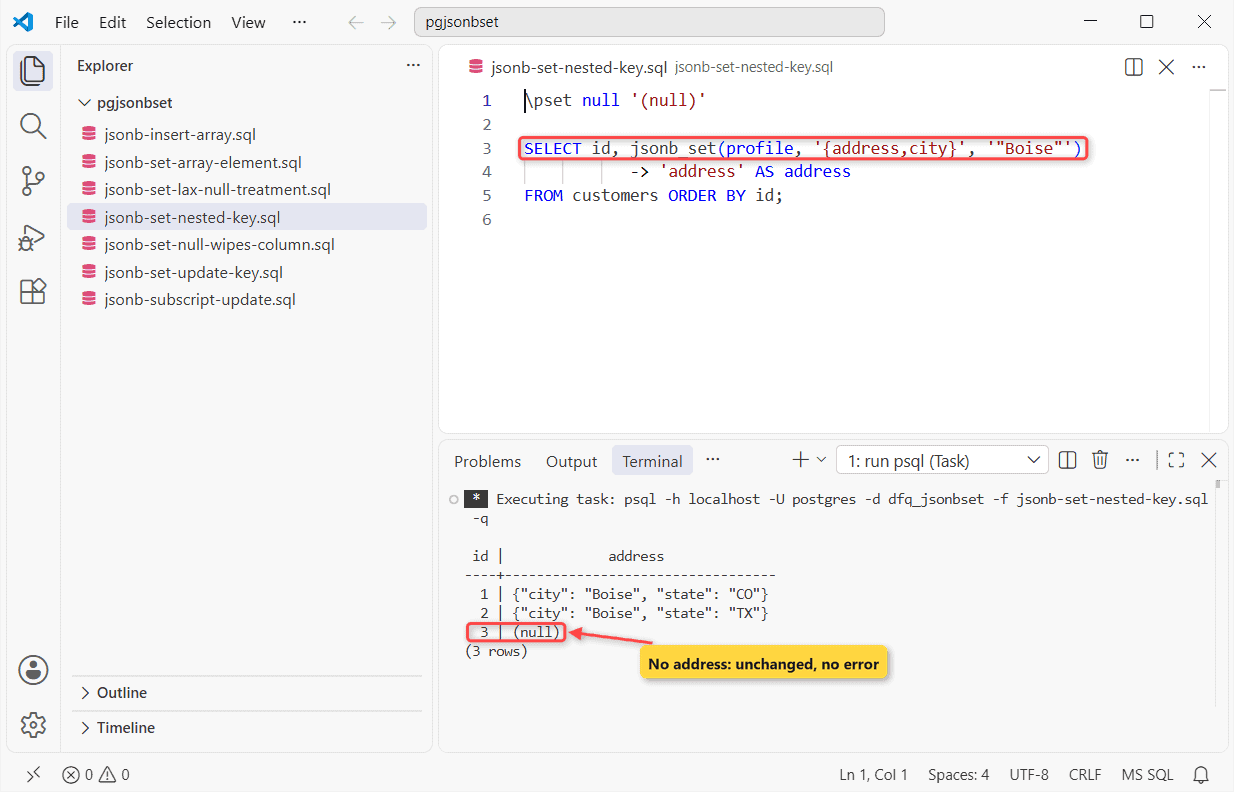
Ids 1 and 2 return Boise. Grace’s row gives (null), with no error.
create_if_missing only adds the last key, so a missing address parent leaves the whole document unchanged. A WHERE clause with profile ? 'address' skips them.
Example 3: Update a JSONB Array Element by Index
Say you need Hannah’s first and last tags replaced:
SELECT jsonb_set(profile, '{tags,0}', '"returning"') -> 'tags' AS first,
       jsonb_set(profile, '{tags,-1}', '"sms"') -> 'tags' AS last
FROM customers WHERE id = 1;
Output:
         first          |      last
------------------------+----------------
 ["returning", "email"] | ["new", "sms"]
(1 row)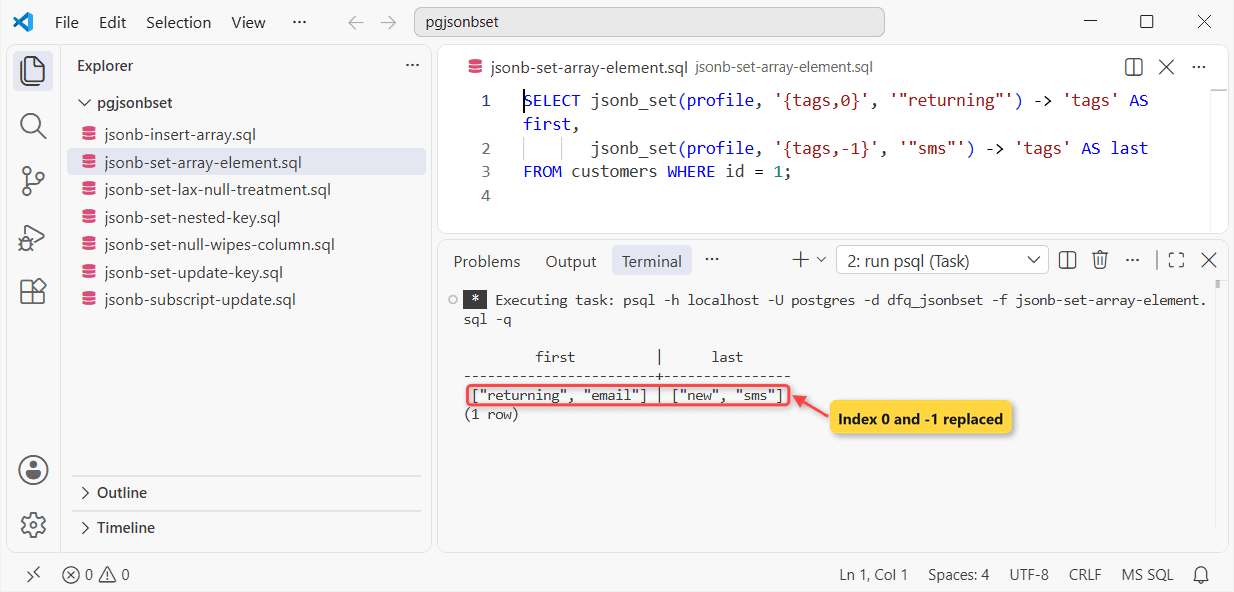
{tags,0} gives ["returning", "email"]; {tags,-1} gives ["new", "sms"].
Example 4: Why Does jsonb_set Return NULL?
I want Tyler’s plan cleared, so I pass a NULL:
\pset null '(null)'

UPDATE customers
SET profile = jsonb_set(profile, '{plan}', to_jsonb(NULL::text))
WHERE id = 2
RETURNING profile;
Output:
 profile
---------
 (null)
(1 row)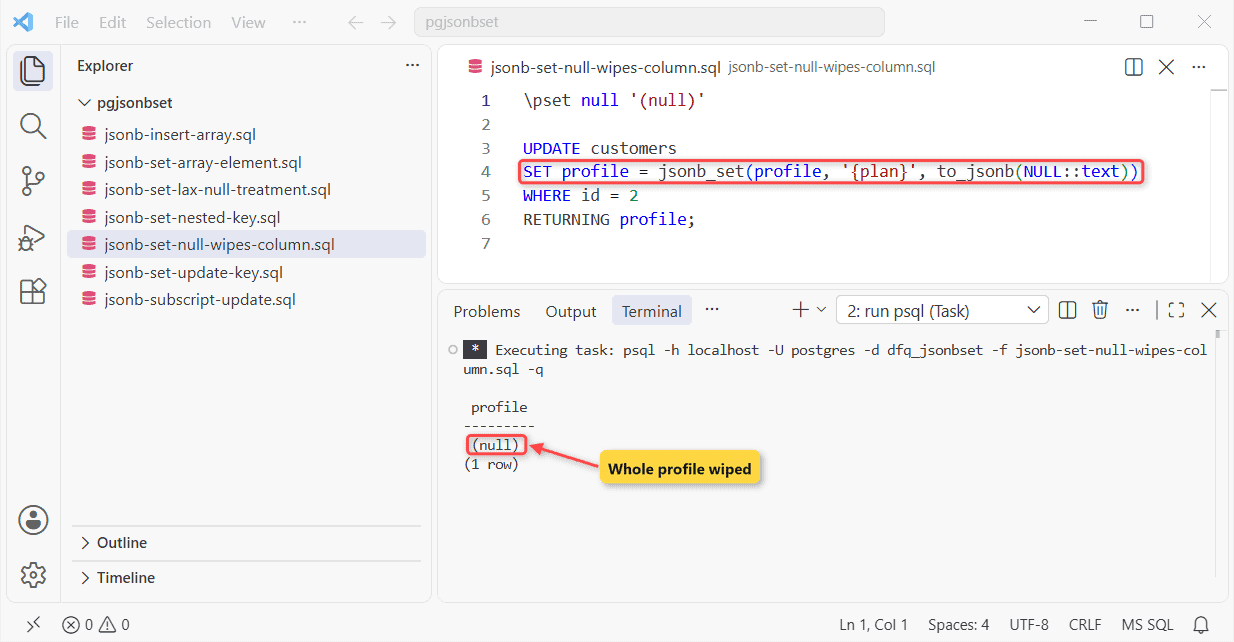
The profile comes back (null). jsonb_set is strict: one NULL argument nulls the result.
Example 5: Handle NULL Values with jsonb_set_lax
jsonb_set_lax lets you choose what a NULL does. I want three options on Grace’s row:
SELECT jsonb_set_lax(profile, '{plan}', NULL) AS json_null,
       jsonb_set_lax(profile, '{plan}', NULL, true, 'delete_key') AS deleted,
       jsonb_set_lax(profile, '{plan}', NULL, true, 'return_target') AS unchanged
FROM customers WHERE id = 3;
Output:
         json_null          |   deleted    |           unchanged
----------------------------+--------------+-------------------------------
 {"plan": null, "tags": []} | {"tags": []} | {"plan": "Basic", "tags": []}
(1 row)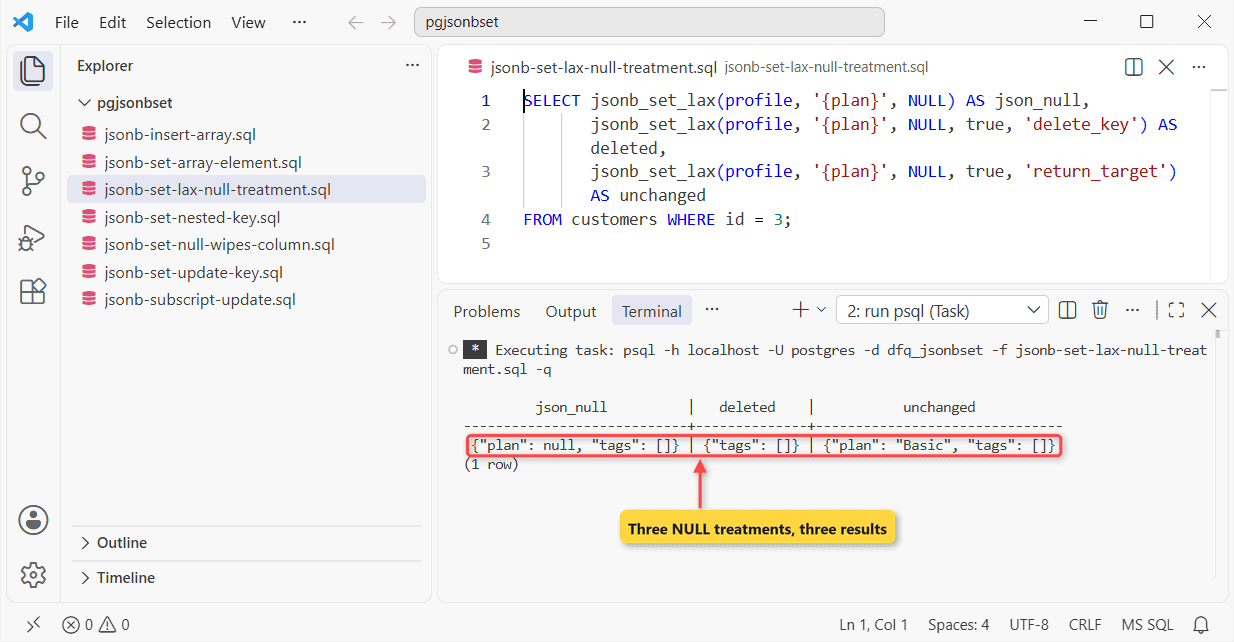
The default use_json_null gives "plan": null, delete_key drops it, return_target changes nothing. raise_exception fails with JSON value must not be null.
Example 6: Insert Into a JSONB Array with jsonb_insert
jsonb_set replaces; jsonb_insert adds. I want an sms tag next to Tyler’s vip:
SELECT jsonb_insert(profile, '{tags,0}', '"sms"') -> 'tags' AS before_0,
       jsonb_insert(profile, '{tags,0}', '"sms"', true) -> 'tags' AS after_0
FROM customers WHERE id = 2;
Output:
    before_0    |    after_0
----------------+----------------
 ["sms", "vip"] | ["vip", "sms"]
(1 row)
Without insert_after it returns ["sms", "vip"]; with true, ["vip", "sms"]. On an existing key it errors: cannot replace existing key. I have a separate tutorial on inserting rows in PostgreSQL.
Example 7: Update JSONB with Subscripting in PostgreSQL 14+
Subscripting is the shorter alternative. Same Boise task on Grace’s row:
UPDATE customers
SET profile['address']['city'] = '"Boise"'
WHERE id = 3
RETURNING profile -> 'address' AS address;
Output:
      address
-------------------
 {"city": "Boise"}
(1 row)
This returns {"city": "Boise"}. Unlike Example 2, subscripting created the missing address object. I have a separate tutorial on how to check your PostgreSQL version.
Tips & Common Mistakes with PostgreSQL jsonb_set
- Quote strings as JSON:
'Gold'fails withinvalid input syntax for type json. Useto_jsonb('Gold'::text). - The path is an array.
'plan'givesmalformed array literal; write'{plan}'. - Build a missing parent with COALESCE:
coalesce(profile -> 'address', '{}'). - Keep null_value_treatment a constant. Fed from a column on 18.6, rows after a
use_json_nullrow all behaved as use_json_null. ||merges only top-level keys.
Wrapping Up
The PostgreSQL jsonb_set function is the safe way to change one JSON value in place. Copy Example 2 for nested keys, Example 5 for NULLs.
Next step: sort rows by those values with ORDER BY on a JSON field, or browse the complete list of PostgreSQL functions. See the PostgreSQL 18 JSON functions docs too.
Where these JSON columns lead in PostgreSQL next:
Frequently Asked Questions
Does jsonb_set work on a json column?
No. Cast it with col::jsonb first.
How do I remove a key from a jsonb column?
Use - for a top-level key or #- with a path: profile #- '{address,city}'.
Can jsonb_set update several keys at once?
Nest the calls: jsonb_set(jsonb_set(p, '{a}', '1'), '{b}', '2').

Kumar Saurabh is a freelance software engineer who builds web and mobile apps with Next.js, React, Flutter and Python. From 2021 to 2024, Saurabh worked as an IT analyst and developer at TSInfo Technologies, writing technical articles on SQL and PostgreSQL. Saurabh writes the PostgreSQL, MySQL, MariaDB and MongoDB tutorials on DatabaseFAQs.com and holds a Master of Computer Applications (MCA) from Chandigarh University.