
Here’s the surprise: the PostgreSQL NULLIF function creates NULLs. NULLIF(orders, 0) returns NULL when both values match, otherwise the first value.
The catch: the result type isn’t always the first argument’s. In my run, NULLIF(1, 2.2) came back numeric.
Six examples follow: division by zero, blanks, COALESCE, averages without zeros and type errors. Tested on PostgreSQL 18.6 for Windows.
NULLIF Function Syntax
Here is the syntax:
NULLIF(value1, value2)| Argument | Required | What it means |
|---|---|---|
value1 | Yes | Returned when they don’t match |
value2 | Yes | Turned into NULL, tested as value1 = value2 |
Return value: NULL if they’re equal, else value1, in value1’s type (or a promoted one).
Availability: every supported release, including 18. Both arguments need comparable PostgreSQL data types.
When to Use the NULLIF Function
Use NULLIF when you need to:
- divide by a count that can be 0
- treat blank strings as missing
- keep placeholder zeros out of AVG
- clean placeholders in a PostgreSQL UPDATE
Run this once; every example uses these five US stores:
CREATE TABLE store_sales (
  store      varchar(12) PRIMARY KEY,
  revenue    numeric(8,2),
  orders     int,
  promo_code varchar(8),
  rating     int
);
INSERT INTO store_sales VALUES
 ('Columbus OH', 18450.00, 410, 'FALL10', 4),
 ('Austin TX',    9200.00,   0, '',       0),
 ('Denver CO',   13490.00, 284, NULL,     5),
 ('Tampa FL',        0.00,   0, '',       3),
 ('Boise ID',     7310.25, 162, 'fall10', 0);
Example 1: Basic NULLIF Call with Equal and Different Values
Let’s start with literals. I want each outcome plus the result type:
\pset null '(null)'

SELECT NULLIF(5, 5)    AS same,
       NULLIF(5, 3)    AS different,
       NULLIF(NULL, 5) AS null_first,
       pg_typeof(NULLIF(1, 2.2)) AS result_type;
Output:
  same  | different | null_first | result_type
--------+-----------+------------+-------------
 (null) |         5 |     (null) | numeric
(1 row)
NULLIF(5, 5) returns NULL, NULLIF(5, 3) returns 5, and the type is numeric.
Odd, right? There’s no integer = numeric operator, so PostgreSQL promotes 1 before comparing.
Example 2: Avoid Division by Zero with NULLIF
Now store_sales, where Austin and Tampa have 0 orders. The goal is the average order value per store:
\set ON_ERROR_STOP off
\set VERBOSITY terse
\pset null '(null)'

SELECT revenue / orders FROM store_sales;

SELECT store,
       round(revenue / NULLIF(orders, 0), 2) AS avg_order
FROM store_sales
ORDER BY store;
Output:
psql:nullif-division-by-zero.sql:5: ERROR:  division by zero
    store    | avg_order
-------------+-----------
 Austin TX   |    (null)
 Boise ID    |     45.13
 Columbus OH |     45.00
 Denver CO   |     47.50
 Tampa FL    |    (null)
(5 rows)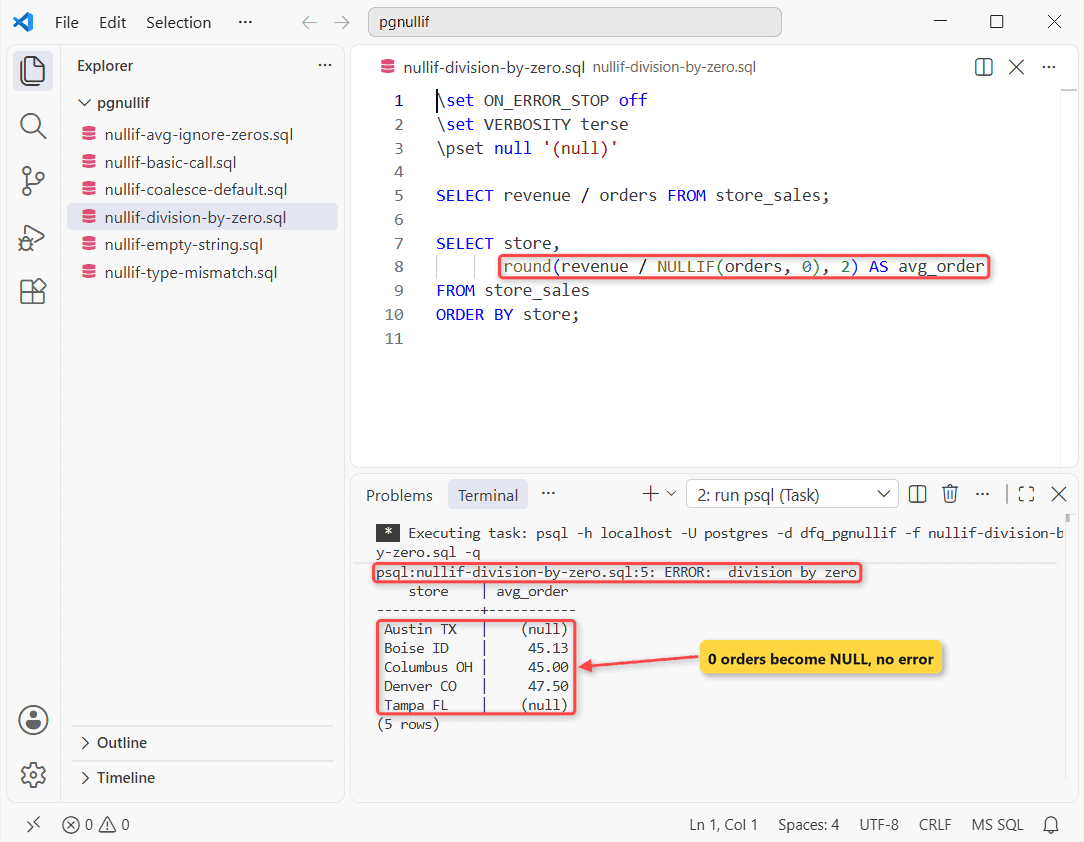
The first SELECT fails with division by zero. The second returns 47.50 for Denver and NULL for Austin and Tampa.
Why? Dividing by NULL gives NULL, so a store with no sales shows a blank average instead of killing the report.
Example 3: Convert Empty Strings to NULL with NULLIF(col, ”)
Austin and Tampa stored promo_code as ''. Say you need the stores with a real code:
\pset null '(null)'

SELECT count(promo_code)             AS raw_count,
       count(NULLIF(promo_code, '')) AS real_codes
FROM store_sales;
Output:
 raw_count | real_codes
-----------+------------
         4 |          2
(1 row)
count(promo_code) returns 4, yet only 2 stores have a code.
count() skips NULL, not blanks. Blanks act the same in PostgreSQL text vs varchar columns.
Example 4: Use COALESCE(NULLIF(…)) to Replace Blanks and NULLs
You want none wherever the code is NULL or blank:
SELECT store,
       COALESCE(NULLIF(promo_code, ''), 'none') AS promo
FROM store_sales
ORDER BY store;
Output:
    store    | promo
-------------+--------
 Austin TX   | none
 Boise ID    | fall10
 Columbus OH | FALL10
 Denver CO   | none
 Tampa FL    | none
(5 rows)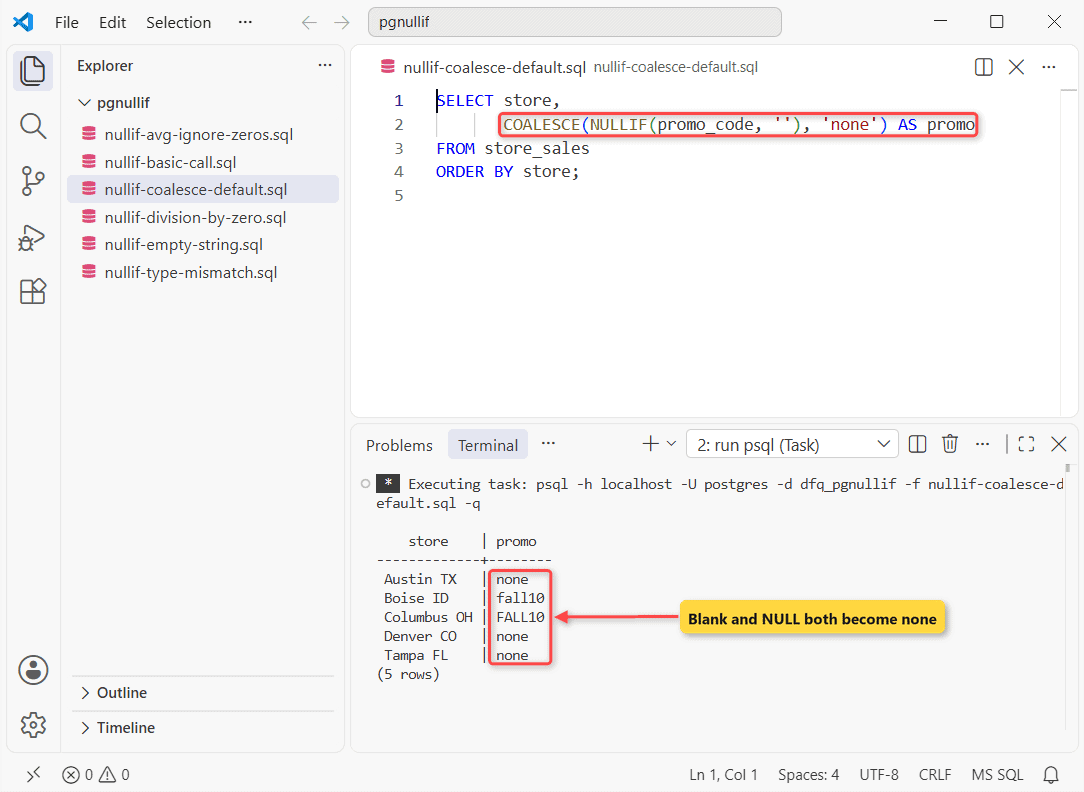
Austin, Denver and Tampa all return none. Boise keeps fall10.
NULLIF turns '' into NULL; COALESCE replaces every NULL. I have a separate guide on the PostgreSQL COALESCE function.
Example 5: Use NULLIF with AVG to Ignore Zeros
A rating of 0 means not rated yet. The goal is the average of real ratings:
SELECT round(avg(rating), 2)            AS raw_avg,
       round(avg(NULLIF(rating, 0)), 2) AS rated_avg
FROM store_sales;
Output:
 raw_avg | rated_avg
---------+-----------
    2.40 |      4.00
(1 row)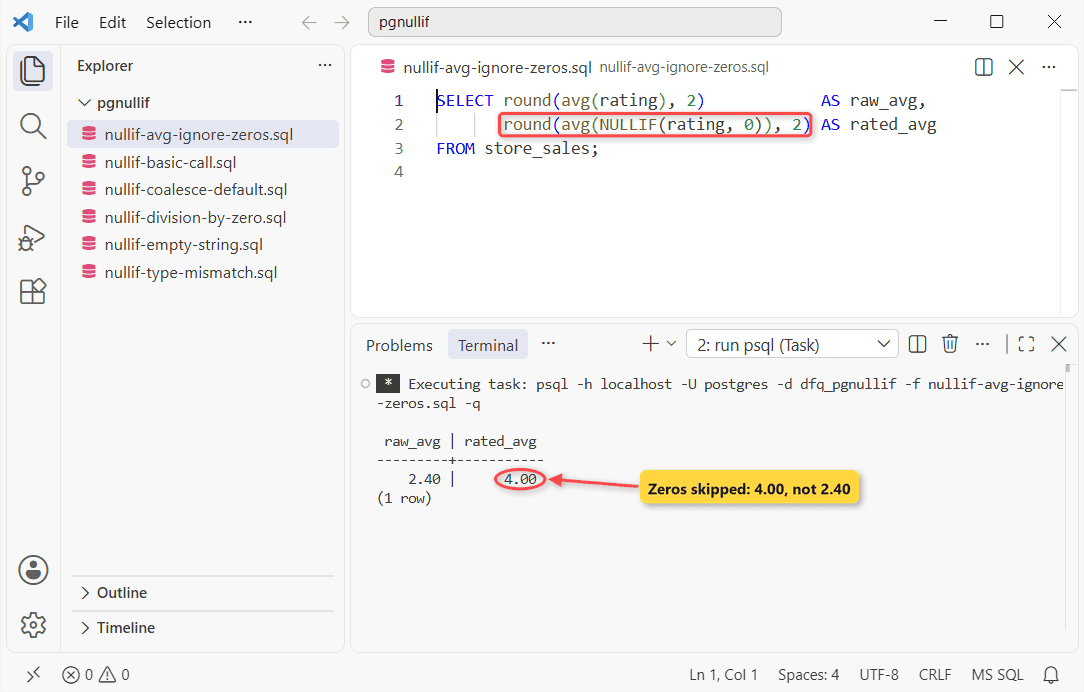
raw_avg returns 2.40, while rated_avg returns 4.00 from 3 rated stores.
avg() ignores NULLs, so zeros leave the sum and the count. Remove NULLIF from rated_avg, run the SELECT again and you should see 2.40 twice. I have a separate guide on PostgreSQL AVG.
Example 6: Fix NULLIF Type Mismatch Errors
This one fails on purpose. I want to compare integer orders with varchar values:
\set ON_ERROR_STOP off
\set VERBOSITY terse

SELECT NULLIF(orders, '') FROM store_sales;
SELECT NULLIF(orders, promo_code) FROM store_sales;
SELECT NULLIF(orders::text, promo_code) AS fixed
FROM store_sales WHERE store = 'Denver CO';
Output:
psql:nullif-type-mismatch.sql:4: ERROR:  invalid input syntax for type integer: "" at character 23
psql:nullif-type-mismatch.sql:5: ERROR:  operator does not exist: integer = character varying at character 8
 fixed
-------
 284
(1 row)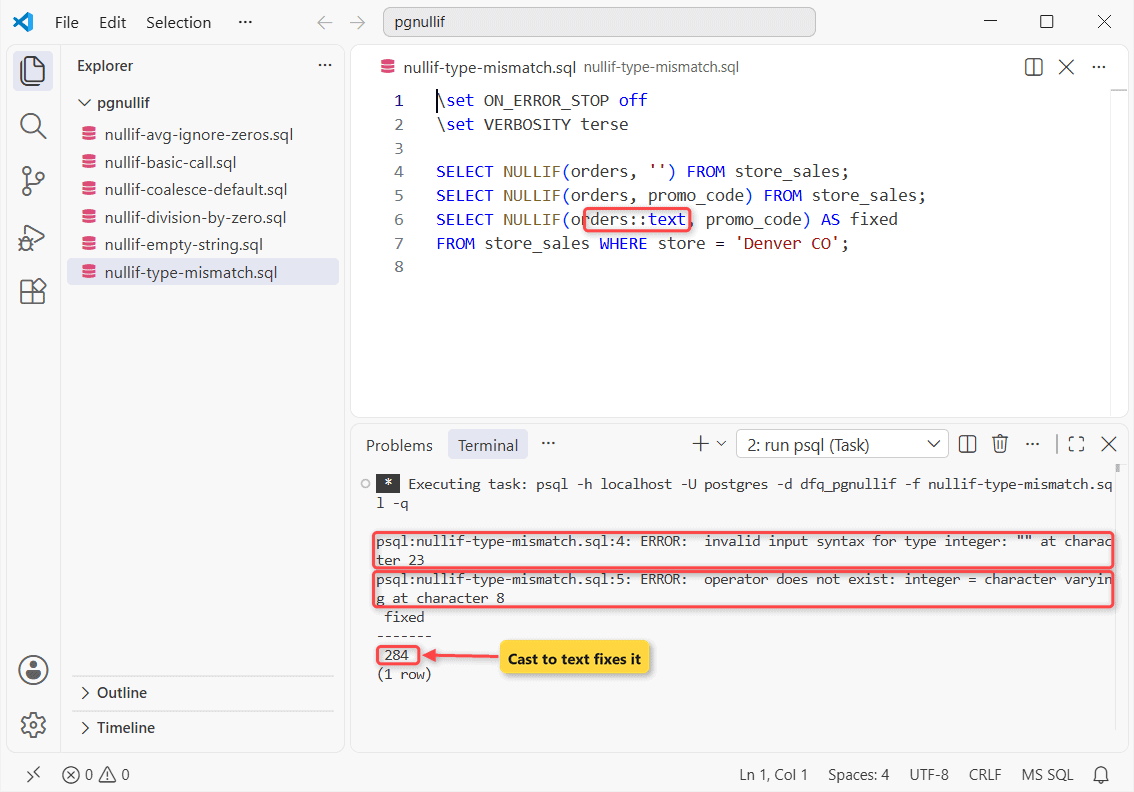
Two errors, then the cast returns 284 for Denver. Cast one side, as in PostgreSQL CAST to integer.
NULLIF vs CASE: Which Should You Use?
NULLIF(a, b) is shorthand for this, and both gave identical rows in my run:
CASE WHEN a = b THEN NULL ELSE a END| Feature | NULLIF | CASE |
|---|---|---|
| Test | Equality only | Any condition (<, IN, LIKE) |
My rule of thumb: NULLIF for one value, a PostgreSQL CASE expression for the rest.
Tips & Common Mistakes
- It’s case-sensitive:
NULLIF(promo_code, 'FALL10')kept Boise’s fall10. - char(n) ignores trailing spaces.
NULLIF('NY '::char(5), 'NY')returned NULL; varchar didn’t. - Mixed types fail:
operator does not exist: integer = character varying. WHERE NULLIF(code, '') IS NULLskips a plain index (see PostgreSQL CREATE INDEX).
Wrapping Up
You’ll use NULLIF(divisor, 0) most. Copy Example 4 for blanks.
Next step: the PostgreSQL SUM function, or browse the complete list of PostgreSQL functions and the PostgreSQL 18 conditional expressions docs.
Two more PostgreSQL reads that pair well with NULLIF:
Frequently Asked Questions
Can NULLIF take more than two arguments in PostgreSQL?
No. NULLIF(1, 2, 3) fails with syntax error at or near “,”. Nest calls instead.
What does NULLIF return when both values are NULL?
NULL, because NULL = NULL isn’t true.
Does NULLIF work with dates in PostgreSQL?
Yes. NULLIF(ship_date, DATE ‘1900-01-01’) turns a placeholder date into NULL.

Kumar Saurabh is a freelance software engineer who builds web and mobile apps with Next.js, React, Flutter and Python. From 2021 to 2024, Saurabh worked as an IT analyst and developer at TSInfo Technologies, writing technical articles on SQL and PostgreSQL. Saurabh writes the PostgreSQL, MySQL, MariaDB and MongoDB tutorials on DatabaseFAQs.com and holds a Master of Computer Applications (MCA) from Chandigarh University.