
Need one row per item from an array column? The PostgreSQL unnest function does that in one call. unnest(ARRAY['Hoodie','Mug']) returns two rows, one per element, as a set of the array’s element type.
The catch showed up on my first run. An empty or NULL array returns zero rows, so the whole order vanishes. No error, no NULL row, just a shorter list.
The eight examples below go from one array literal to positions, zipped arrays, comma lists and keeping those empty orders. Tested on PostgreSQL 18.6 for Windows.
UNNEST Function Syntax
Here is the syntax:
unnest ( anyarray ) → setof anyelement
unnest ( anyarray, anyarray [, ... ] ) → setof anyelement, anyelement [, ... ]| Argument | Required | What it means |
|---|---|---|
anyarray | Yes | The array to expand, of any element type. NULL or {} gives zero rows. |
| more arrays | No | Extra arrays, even of different types. The shorter ones are padded with NULLs. FROM clause only. |
Return value: one row per element, read out in storage order. A multidimensional array comes out fully flattened.
Availability: unnest(anyarray) has been in every supported release. The multi-array form needs PostgreSQL 9.4 or later. Array types themselves are covered in PostgreSQL data types.
When to Use the UNNEST Function
Use UNNEST when you need to:
- report on each item stored in a
text[]orint[]column - split a comma-separated tag list into rows you can GROUP BY
- number the elements of an array in their original order
- send many rows from an app as two or three arrays (the same job as inserting multiple rows in PostgreSQL)
- rebuild an array sorted, reversed or deduplicated
You’ll reuse one small orders table from a US online store in every example below, and order 1004 has an empty array while 1005 has NULL, on purpose. Run this once:
CREATE TABLE orders (
  order_id int PRIMARY KEY,
  customer varchar(20) NOT NULL,
  items    text[],
  qtys     int[],
  tags     varchar(30)
);
INSERT INTO orders VALUES
 (1001, 'Hannah Brooks',  '{Hoodie,Mug,Cap}', '{2,1,3}', 'gift,rush'),
 (1002, 'Tyler Reed',     '{Sticker Pack,Mug}', '{5}', 'rush'),
 (1003, 'Grace Miller',   '{Tote Bag}', '{1}', 'gift, wholesale ,repeat'),
 (1004, 'Marcus Bennett', '{}', '{}', NULL),
 (1005, 'Olivia Carter',  NULL, NULL, '');
Example 1: Turn an Array into Rows with unnest
Let’s start with the bare call on a literal. I want each item as its own row:
SELECT unnest(ARRAY['Hoodie', 'Mug', 'Cap']) AS item;Output:
  item
--------
 Hoodie
 Mug
 Cap
(3 rows)
You get 3 rows: Hoodie, Mug, Cap.
One input value, many output rows. Without AS item the column would be named unnest. Otherwise it’s an ordinary PostgreSQL SELECT statement.
Example 2: Expand an Array Column into Rows
Now the real table, where each order keeps its products in the items array. The goal is one row per order and item:
SELECT order_id, unnest(items) AS item
FROM orders
ORDER BY order_id;
Output:
 order_id |     item
----------+--------------
     1001 | Hoodie
     1001 | Mug
     1001 | Cap
     1002 | Sticker Pack
     1002 | Mug
     1003 | Tote Bag
(6 rows)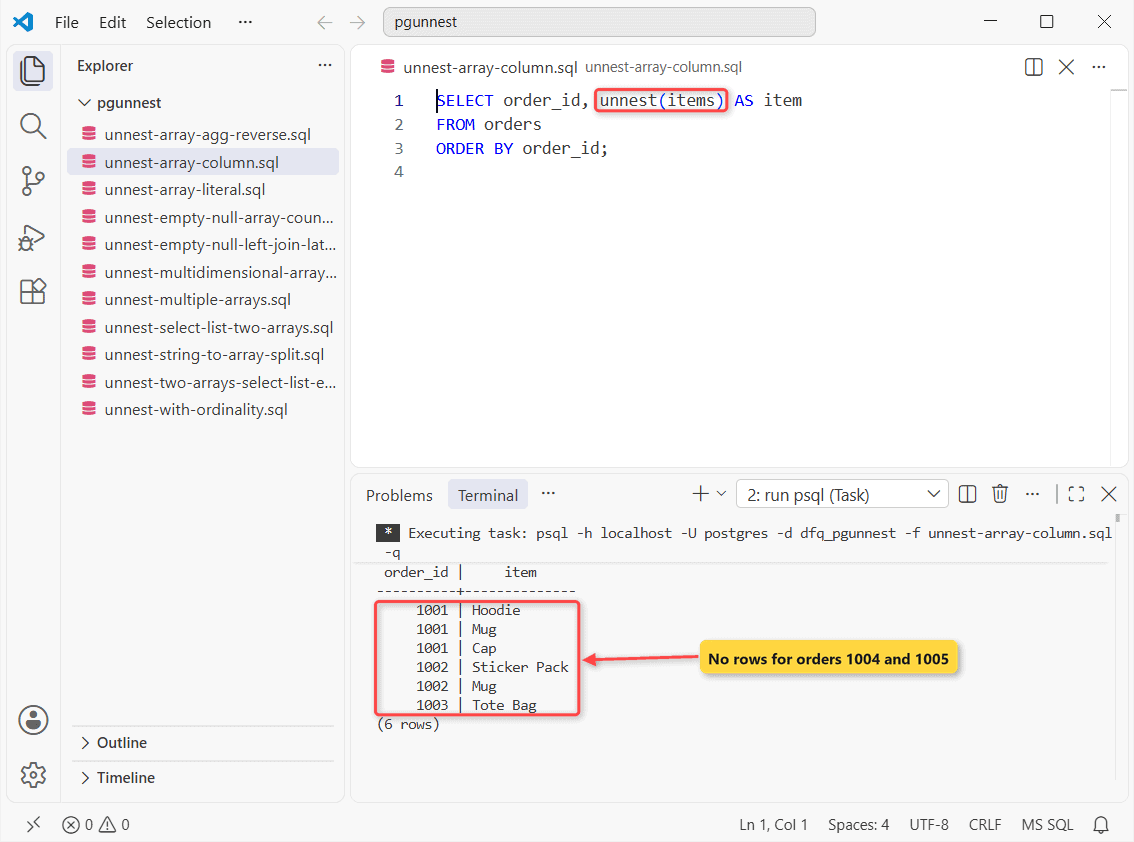
That returns 6 rows. Order 1001 shows up three times, and orders 1004 and 1005 don’t show up at all.
PostgreSQL repeats order_id once for every element it finds in the array, so an order with no elements gets no row at all. Example 8 fixes that.
I have a separate guide on PostgreSQL generate_series, the other set-returning function you’ll use most.
Example 3: Number Each Element with unnest WITH ORDINALITY
Next, the position. Say you need a line number for every item, 1 for the first product in each order. Here’s the query:
SELECT o.order_id, li.line_no, li.item
FROM orders AS o
CROSS JOIN LATERAL
     unnest(o.items) WITH ORDINALITY AS li(item, line_no)
ORDER BY o.order_id, li.line_no;
Output:
 order_id | line_no |     item
----------+---------+--------------
     1001 |       1 | Hoodie
     1001 |       2 | Mug
     1001 |       3 | Cap
     1002 |       1 | Sticker Pack
     1002 |       2 | Mug
     1003 |       1 | Tote Bag
(6 rows)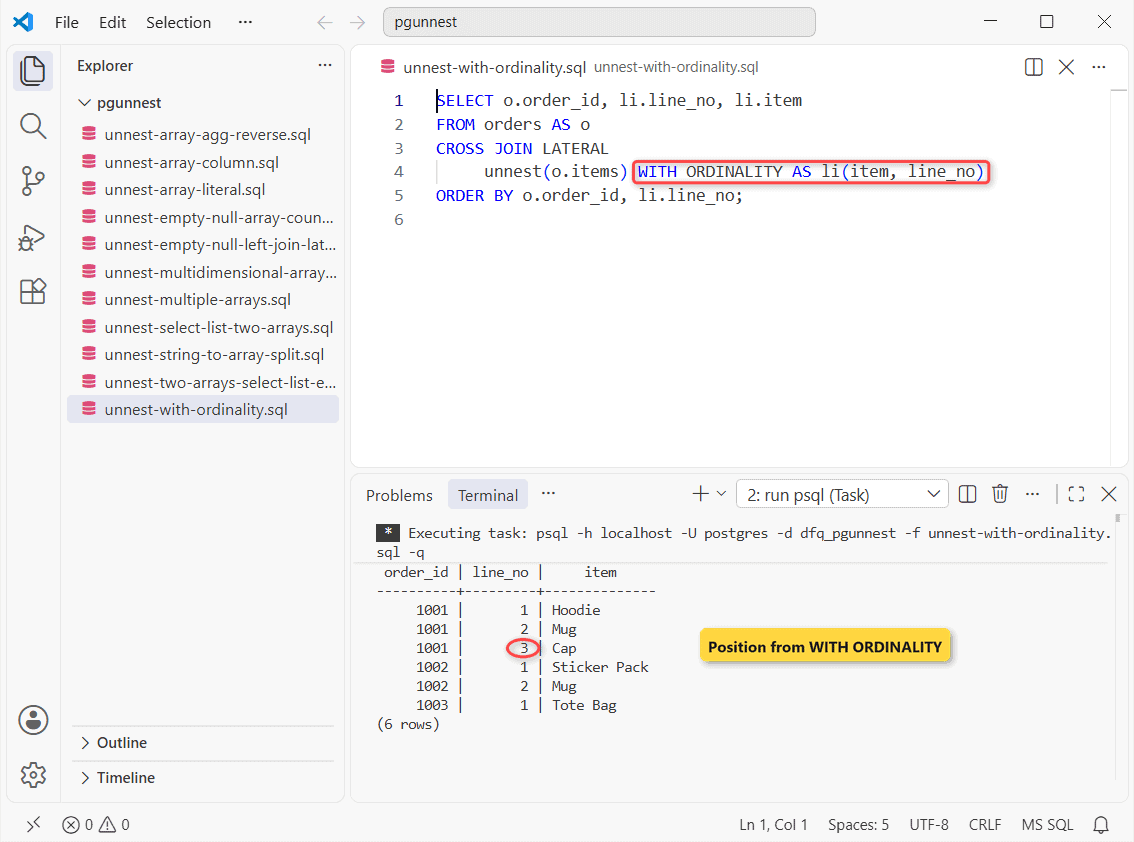
For order 1001, Cap gets line_no 3. Each new order restarts at 1.
Here’s how this query works:
WITH ORDINALITYadds a bigint column after the element, counting from 1 within each array.CROSS JOIN LATERALruns unnest once per order row, and because unnest is a function in FROM, PostgreSQL would accept the query without the LATERAL keyword too.- ORDER BY line_no pins the order. Skip it and you get no promise.
It’s simpler than a PostgreSQL ROW_NUMBER window here. The array already knows.
Example 4: Unnest Multiple Arrays of Different Lengths
Order 1002 has two items but one quantity. I want them side by side. Here’s the multi-array form in FROM:
\pset null '(null)'

SELECT o.order_id, li.item, li.qty
FROM orders AS o,
     unnest(o.items, o.qtys) AS li(item, qty)
WHERE o.order_id = 1002;
Output:
 order_id |     item     |  qty
----------+--------------+--------
     1002 | Sticker Pack |      5
     1002 | Mug          | (null)
(2 rows)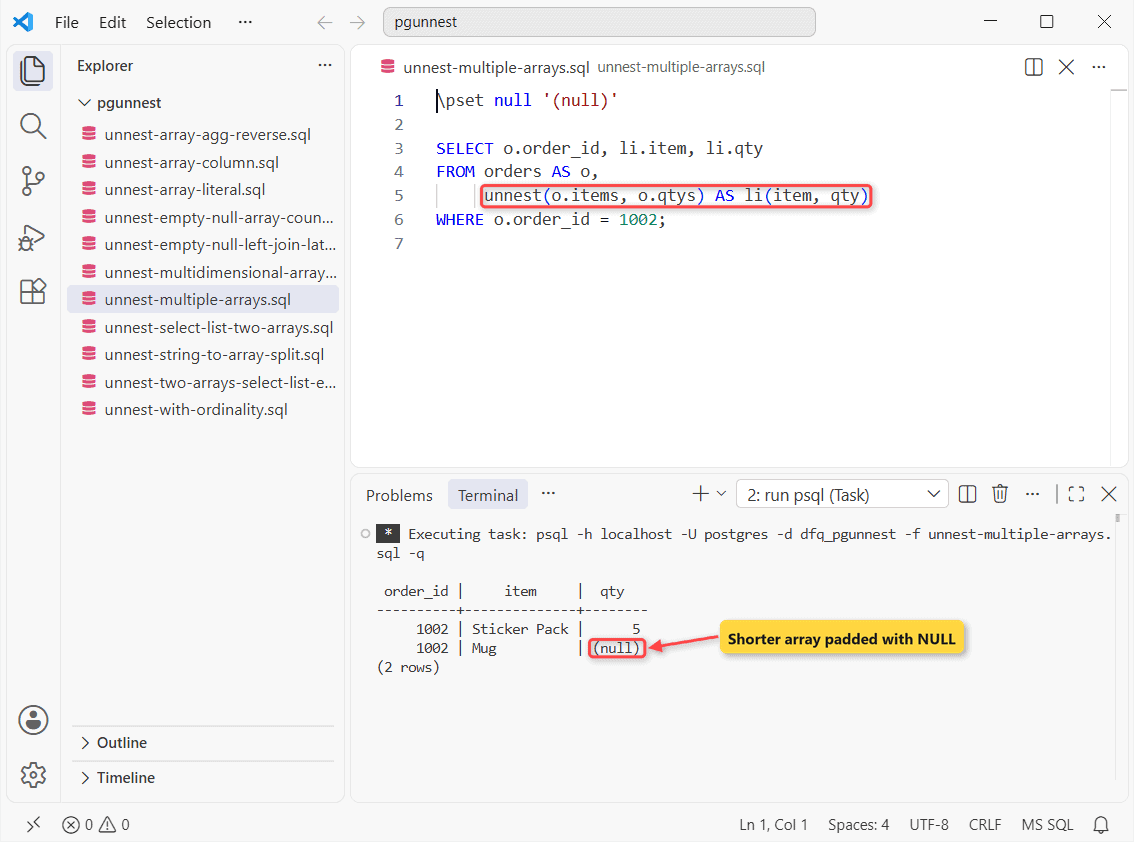
That returns 2 rows, with qty (null) for Mug. Two separate calls in the SELECT list give the same result:
\pset null '(null)'

SELECT order_id, unnest(items) AS item, unnest(qtys) AS qty
FROM orders
WHERE order_id = 1002;
Output:
 order_id |     item     |  qty
----------+--------------+--------
     1002 | Sticker Pack |      5
     1002 | Mug          | (null)
(2 rows)
Both pair elements by position. The SELECT-list version pads only on PostgreSQL 10 and later; older versions repeated rows until the counts lined up.
Now the call people try first, with both arrays in one SELECT-list unnest:
SELECT unnest(items, qtys) FROM orders;Output:
psql:unnest-two-arrays-select-list-error.sql:1: ERROR:  function unnest(text[], integer[]) does not exist
LINE 1: SELECT unnest(items, qtys) FROM orders;
               ^
HINT:  No function matches the given name and argument types. You might need to add explicit type casts.
It fails with function unnest(text[], integer[]) does not exist. Why? The two-argument form lives in FROM only.
Example 5: Flatten a Multidimensional Array with unnest
This one doesn’t need the table. The goal is to read a 2 x 3 grid of weekly units sold as one flat list:
SELECT *
FROM unnest('{{120,95,130},{88,140,101}}'::int[])
     WITH ORDINALITY AS t(units, n);
Output:
 units | n
-------+---
   120 | 1
    95 | 2
   130 | 3
    88 | 4
   140 | 5
   101 | 6
(6 rows)
That returns all 6 values, 120 first and 101 last.
No row arrays. unnest walks the grid row by row and hands back every single element, so the ordinality column n just keeps counting from 1 to 6.
Example 6: Split a Comma-Separated String into Rows with unnest
The tags column is plain text, like gift,rush. I want one tag per row, with the stray spaces gone. Here’s the query:
SELECT o.order_id, trim(t.tag) AS tag
FROM orders AS o,
     unnest(string_to_array(o.tags, ',')) AS t(tag)
ORDER BY o.order_id;
Output:
 order_id |    tag
----------+-----------
     1001 | gift
     1001 | rush
     1002 | rush
     1003 | gift
     1003 | wholesale
     1003 | repeat
(6 rows)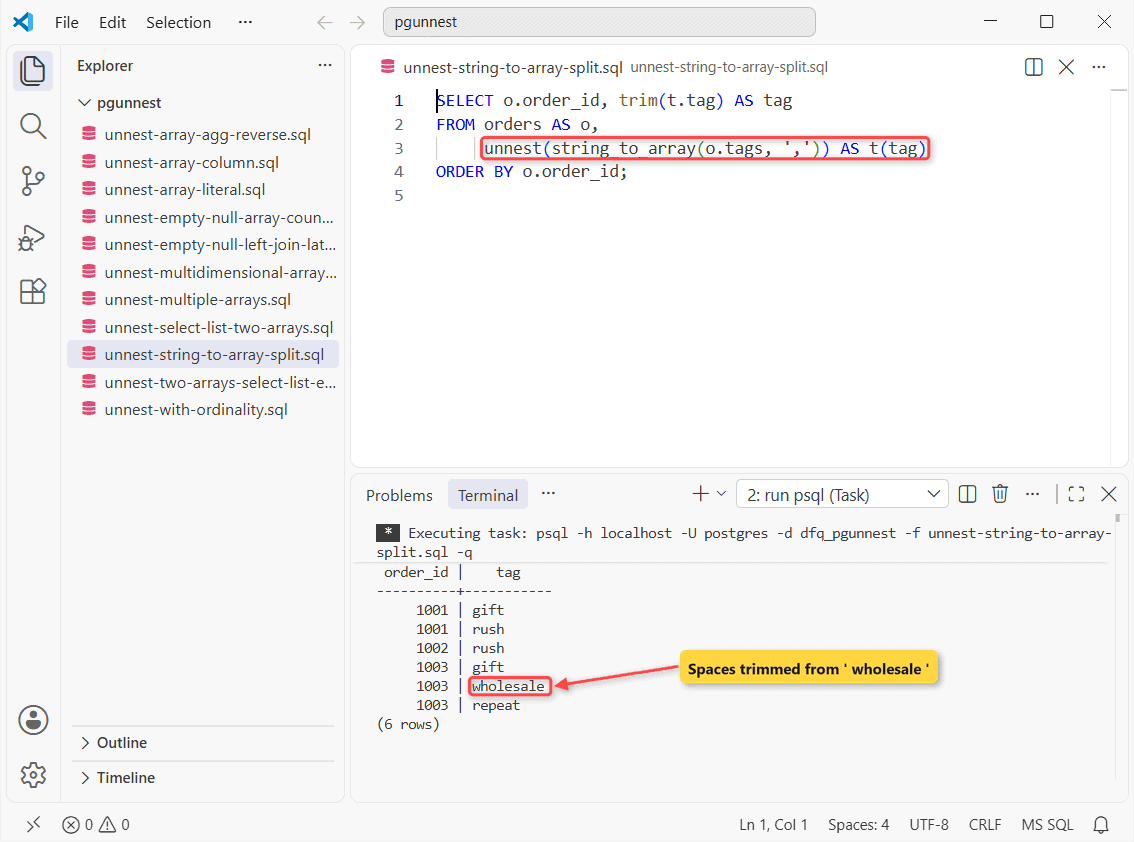
That returns 6 rows. Check order 1003: ' wholesale ' comes back trimmed.
string_to_array builds a text[] and unnest expands it. Order 1005’s empty string becomes {}. Gone, like 1004’s NULL.
Pro Tip: on PostgreSQL 14+, string_to_table(tags, ',') does both steps in one call.
To keep only rush orders, you’d put 'rush' = ANY(string_to_array(tags, ',')) in the PostgreSQL WHERE clause.
Example 7: Reverse or Sort an Array with unnest and array_agg
Now the round trip. The goal is each order’s items reversed, and also sorted A to Z:
SELECT o.order_id,
       array_agg(li.item ORDER BY li.n DESC) AS reversed,
       array_agg(li.item ORDER BY li.item) AS sorted
FROM orders AS o,
     unnest(o.items) WITH ORDINALITY AS li(item, n)
GROUP BY o.order_id
ORDER BY o.order_id;
Output:
 order_id |       reversed       |        sorted
----------+----------------------+----------------------
     1001 | {Cap,Mug,Hoodie}     | {Cap,Hoodie,Mug}
     1002 | {Mug,"Sticker Pack"} | {Mug,"Sticker Pack"}
     1003 | {"Tote Bag"}         | {"Tote Bag"}
(3 rows)
For order 1001, reversed is {Cap,Mug,Hoodie} and sorted is {Cap,Hoodie,Mug}.
WITH ORDINALITY remembers each position, and array_agg(... ORDER BY n DESC) rebuilds the array backwards. Run the SELECT again and you should see the same three rows.
Want a comma list instead of an array? I have a separate guide on string_agg as PostgreSQL’s GROUP_CONCAT.
Example 8: What Does unnest Return for an Empty or NULL Array?
Last, the catch from the intro. I want to prove what an empty or NULL array returns:
SELECT (SELECT count(*) FROM unnest('{}'::text[])) AS empty_rows,
       (SELECT count(*) FROM unnest(NULL::text[])) AS null_rows;
Output:
 empty_rows | null_rows
------------+-----------
          0 |         0
(1 row)
Both counts are 0. Now keep orders 1004 and 1005 anyway:
\pset null '(null)'

SELECT o.order_id, li.item
FROM orders AS o
LEFT JOIN LATERAL unnest(o.items) AS li(item) ON true
WHERE o.order_id >= 1003
ORDER BY o.order_id;
Output:
 order_id |   item
----------+----------
     1003 | Tote Bag
     1004 | (null)
     1005 | (null)
(3 rows)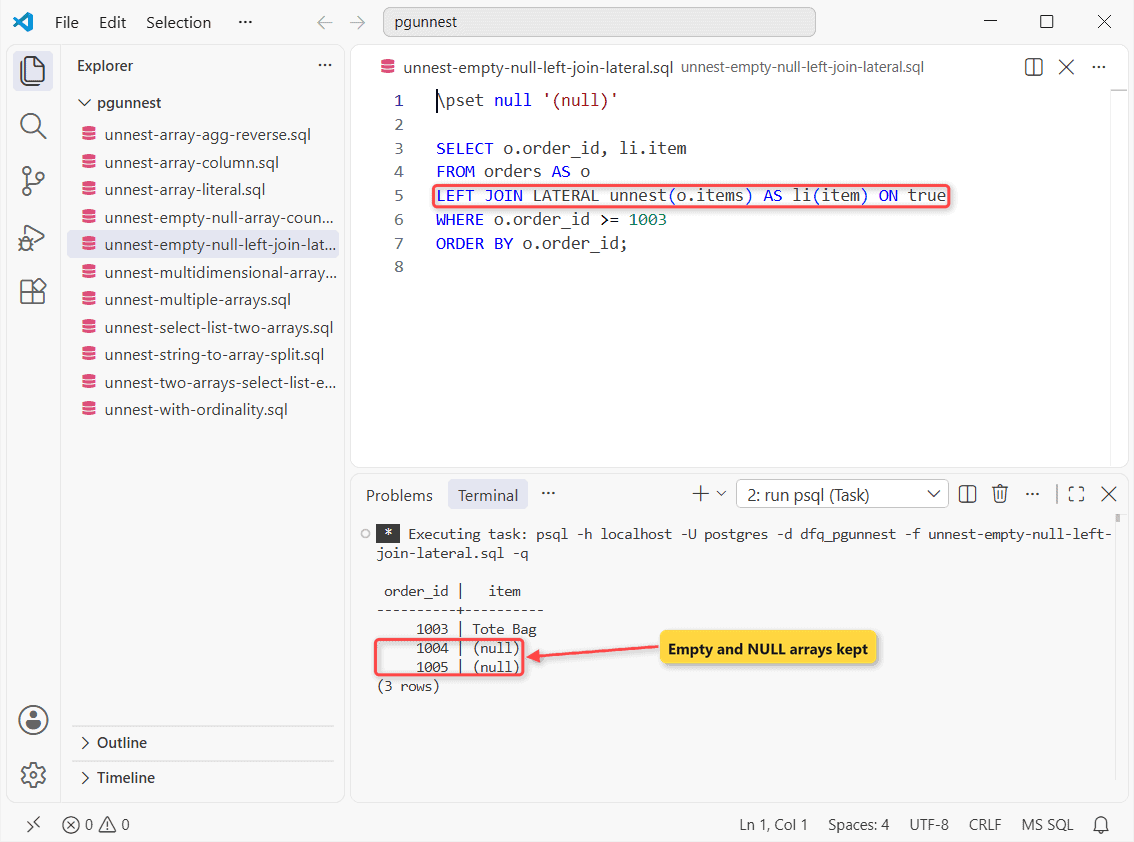
That returns 3 rows, and you can see (null) items for orders 1004 and 1005.
LEFT JOIN LATERAL ... ON true keeps the left row even when unnest gives nothing. Example 2 had no outer side; see PostgreSQL joins.
UNNEST in FROM vs the SELECT List: Which Should You Use?
| Feature | FROM / LATERAL | SELECT list |
|---|---|---|
| Several arrays at once | unnest(a, b) | Two calls, NULL-padded on PG 10+ |
| WITH ORDINALITY | Yes | No |
| Keep rows with empty or NULL arrays | Yes, with LEFT JOIN … ON true | No |
| Column alias for the element | AS li(item) | AS item |
My rule of thumb: put unnest in FROM. Keep the SELECT-list form for a quick look.
Tips & Common Mistakes
- Empty and NULL arrays drop rows silently. Count your orders before and after the unnest, and if the numbers don’t match, switch to LEFT JOIN LATERAL.
- An untyped literal fails.
unnest('{}')gave mefunction unnest(unknown) is not unique, because unnest also has tsvector and multirange versions. Cast it:'{}'::text[]. - unnest can’t go in WHERE. PostgreSQL answers
set-returning functions are not allowed in WHERE. Use= ANY(array)or move unnest to FROM. - Row order is only guaranteed by ORDER BY. My runs came back in array order, but sort on the ordinality column whenever order matters.
- Searching inside arrays doesn’t need unnest at all.
items @> ARRAY['Mug']can use a GIN index (see PostgreSQL CREATE INDEX).
Wrapping Up
Most of the time you want Example 3: CROSS JOIN LATERAL unnest(col) WITH ORDINALITY. Copy Example 6 for comma lists and Example 8 when every parent row has to stay.
Next step: if your arrays live in JSON, compare PostgreSQL JSON vs JSONB. You can also browse the complete list of PostgreSQL functions or the PostgreSQL 18 array functions docs.
Where to go after unnest, if arrays keep showing up in your schema:
- PostgreSQL FOR loop (FOREACH over an array)
- PostgreSQL ORDER BY for sorting rows
- PostgreSQL GROUP BY with aggregates
- PostgreSQL subqueries explained
Two functions pair naturally with UNNEST. STRING_TO_ARRAY in PostgreSQL builds the array from delimited text, and PostgreSQL ARRAY_LENGTH tells you how many elements an array holds before you expand it.
Frequently Asked Questions
How do I unnest a JSON array in PostgreSQL?
Use jsonb_array_elements_text for plain values or jsonb_array_elements for jsonb values. Both accept WITH ORDINALITY, just like unnest.
How do I check if a value is in a PostgreSQL array without unnest?
Use ‘Mug’ = ANY(items) for one value, or items @> ARRAY[‘Mug’,’Cap’] to require several. Both return true or false.
Does MySQL or SQL Server have an UNNEST function?
No. Neither has a native array type. MySQL 8.0 uses JSON_TABLE to turn a JSON array into rows, and SQL Server uses STRING_SPLIT or OPENJSON.

Kumar Saurabh is a freelance software engineer who builds web and mobile apps with Next.js, React, Flutter and Python. From 2021 to 2024, Saurabh worked as an IT analyst and developer at TSInfo Technologies, writing technical articles on SQL and PostgreSQL. Saurabh writes the PostgreSQL, MySQL, MariaDB and MongoDB tutorials on DatabaseFAQs.com and holds a Master of Computer Applications (MCA) from Chandigarh University.