
The PostgreSQL array_length function returns the number of elements in one dimension of an array. array_length(tags, 1) gives the length of a one-dimensional tags array as an integer.
The catch: an empty array returns NULL, not 0. So WHERE array_length(tags, 1) = 0 matched nothing on my first run.
Seven examples follow: columns, 2-D arrays, CARDINALITY, empty checks and arrays built in a query. Tested on PostgreSQL 18.6 for Windows.
ARRAY_LENGTH Function Syntax
Here is the syntax:
array_length ( anyarray, integer ) → integer
cardinality ( anyarray ) → integer| Argument | Required | What it means |
|---|---|---|
anyarray | Yes | The array to measure. NULL in, NULL out. |
integer | Yes | The dimension: 1 for a flat list. No default. |
Return value: an integer, or NULL for an empty array or a missing dimension. cardinality counts all elements and returns 0 when empty.
Availability: in every supported version. Array types are in PostgreSQL data types.
When to Use the ARRAY_LENGTH Function
Use ARRAY_LENGTH when you need to:
- count the tags or items in an array column
- find rows with an empty array, or at least N elements
- check the shape of a 2-D array
- count the pieces after a split, like a PostgreSQL LENGTH for arrays
Every example uses this ticket table. Ticket 503 is empty and 504 is NULL, on purpose. Run it once:
CREATE TABLE tickets (
  ticket_id int PRIMARY KEY,
  agent     varchar(16) NOT NULL,
  tags      text[]
);
INSERT INTO tickets VALUES
 (501, 'Hannah Brooks',  '{billing,urgent,refund}'),
 (502, 'Tyler Reed',     '{login}'),
 (503, 'Grace Miller',   '{}'),
 (504, 'Marcus Bennett', NULL),
 (505, 'Hannah Brooks',  '{shipping,urgent}');
Example 1: Get the Length of an Array
Let’s start with a literal. I want the element count of a three-tag array:
SELECT array_length(ARRAY['billing', 'urgent', 'refund'], 1) AS len;Output:
 len
-----
   3
(1 row)
That returns 3, the length of dimension 1, from a plain PostgreSQL SELECT.
Example 2: Get the Length of a text[] Column
Now the table. The goal is a tag count for every ticket:
\pset null '(null)'

SELECT ticket_id, array_length(tags, 1) AS tag_count
FROM tickets
ORDER BY ticket_id;
Output:
 ticket_id | tag_count
-----------+-----------
       501 |         3
       502 |         1
       503 |    (null)
       504 |    (null)
       505 |         2
(5 rows)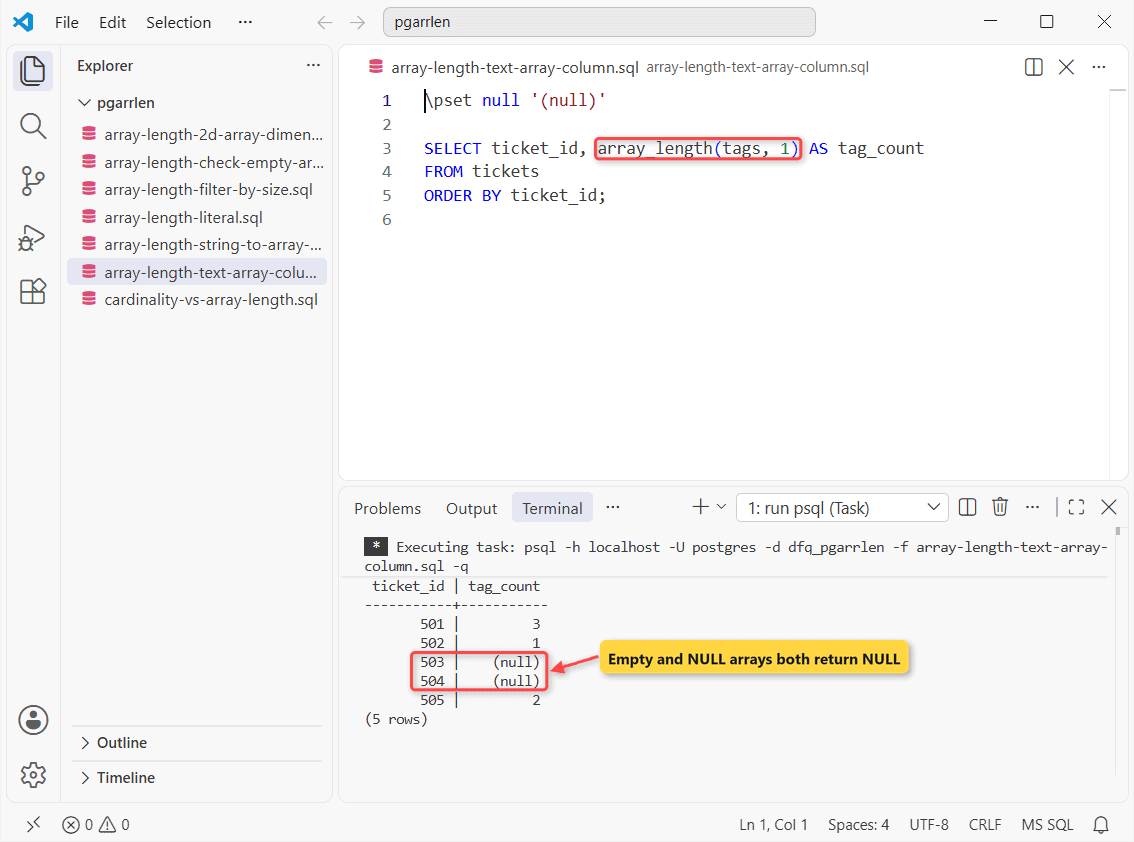
Ticket 501 shows 3. Tickets 503 and 504 both show (null), though only 504 is NULL and 503 is a valid empty array.
Example 3: Find the Dimensions of a 2-D Array
Say you need the rows and columns of a 2 x 3 grid. Here’s the query:
\pset null '(null)'

SELECT array_length(g, 1) AS rows_dim1,
       array_length(g, 2) AS cols_dim2,
       array_length(g, 3) AS dim3,
       array_dims(g)      AS dims,
       cardinality(g)     AS total
FROM (SELECT '{{120,95,130},{88,140,101}}'::int[] AS g) AS s;
Output:
 rows_dim1 | cols_dim2 |  dim3  |    dims    | total
-----------+-----------+--------+------------+-------
         2 |         3 | (null) | [1:2][1:3] |     6
(1 row)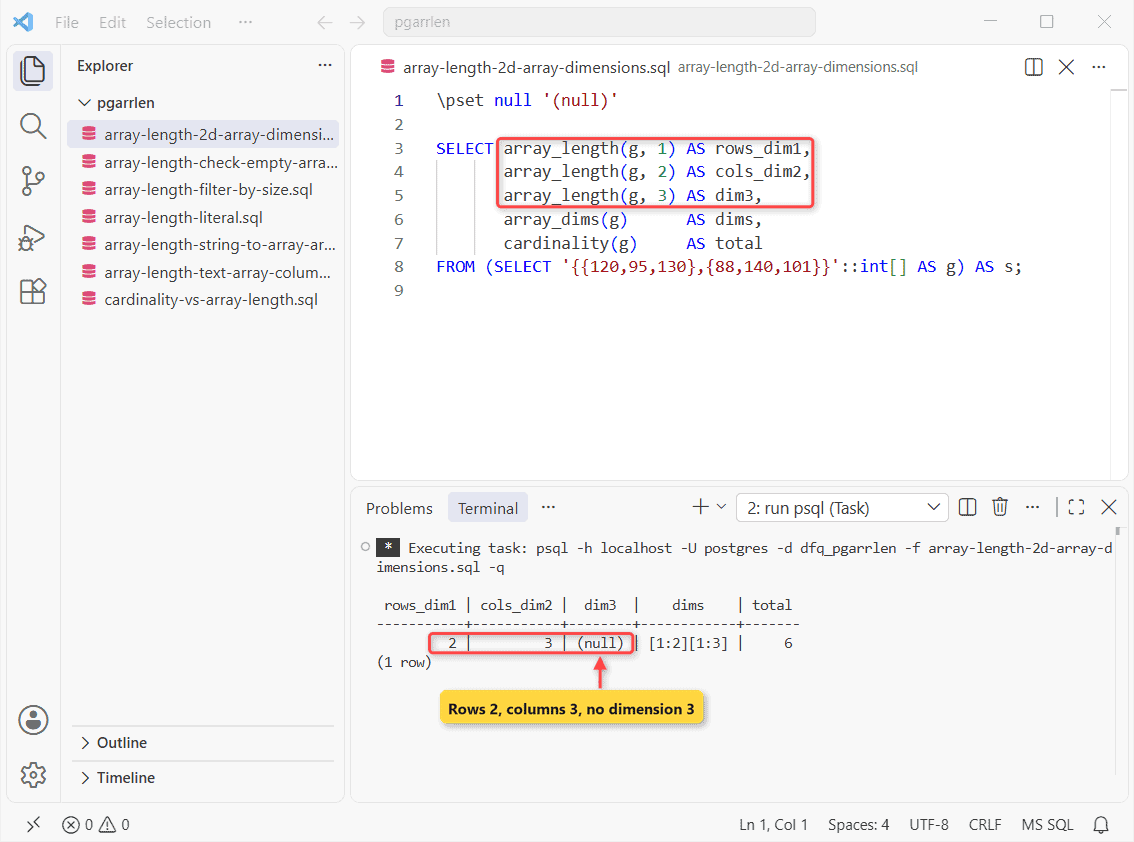
You get 2 rows, 3 columns and NULL for the missing dimension 3, while cardinality counts all 6 elements.
array_dims prints the bounds, [1:2][1:3]. array_lower and array_upper return one bound each.
Example 4: Count Every Element with CARDINALITY
I want both counts for tickets 501, 503 and 504:
\pset null '(null)'

SELECT ticket_id,
       array_length(tags, 1) AS array_length,
       cardinality(tags)     AS cardinality
FROM tickets
WHERE ticket_id IN (501, 503, 504);
Output:
 ticket_id | array_length | cardinality
-----------+--------------+-------------
       501 |            3 |           3
       503 |       (null) |           0
       504 |       (null) |      (null)
(3 rows)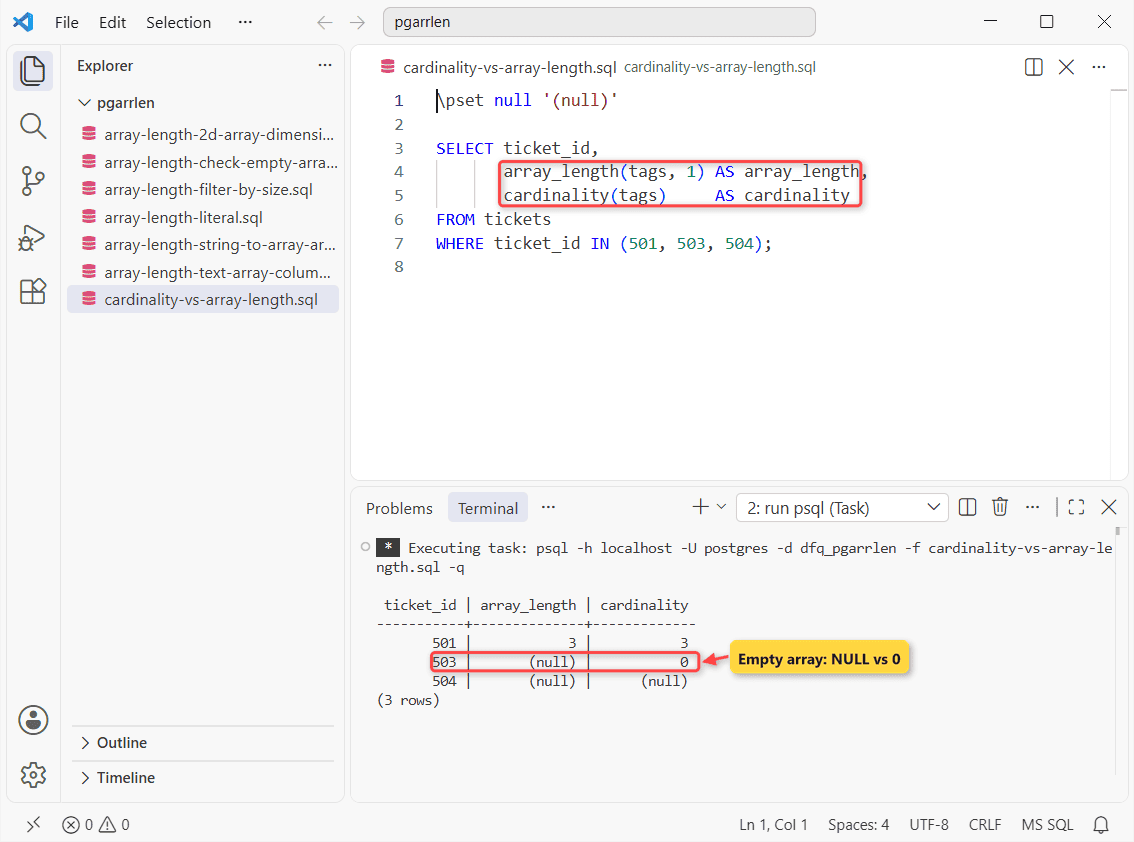
For ticket 503, cardinality returns 0 while array_length returns NULL. On the NULL array 504, both return NULL.
Example 5: How Do You Check If an Array Is Empty in PostgreSQL?
Here’s the intro’s trap, then the fix. The goal is tickets with no tags:
SELECT 'array_length = 0' AS test, count(*) AS matches
FROM tickets WHERE array_length(tags, 1) = 0
UNION ALL
SELECT 'cardinality = 0', count(*)
FROM tickets WHERE cardinality(tags) = 0;
Output:
       test       | matches
------------------+---------
 array_length = 0 |       0
 cardinality = 0  |       1
(2 rows)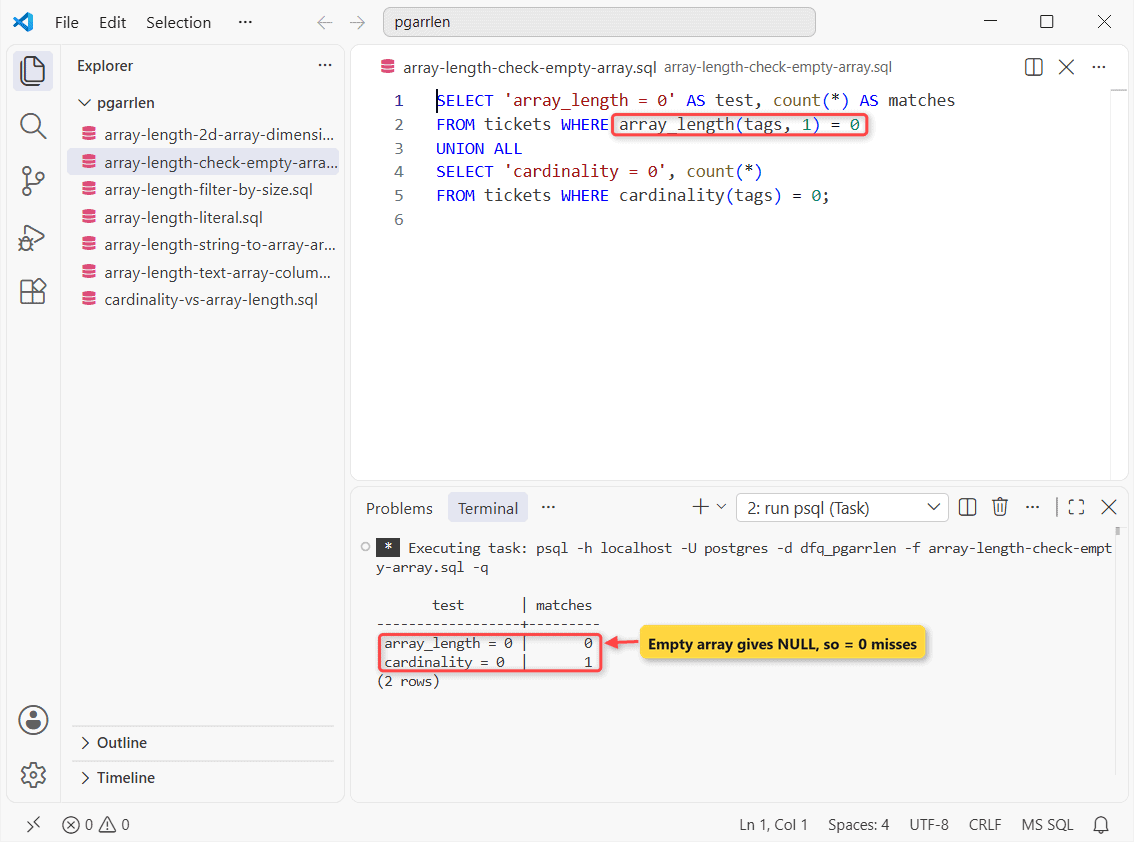
The array_length test matches 0 rows. The cardinality test matches 1: ticket 503.
Run the SELECT again with COALESCE(array_length(tags, 1), 0) = 0 and you should see 503 plus NULL ticket 504. See the PostgreSQL WHERE clause.
Example 6: Filter Rows by Array Size
I want tickets with two or more tags, biggest first:
SELECT ticket_id, cardinality(tags) AS n
FROM tickets
WHERE cardinality(tags) >= 2
ORDER BY cardinality(tags) DESC;
Output:
 ticket_id | n
-----------+---
       501 | 3
       505 | 2
(2 rows)
That returns 501 with 3 tags, then 505 with 2. The sort is plain PostgreSQL ORDER BY.
Example 7: Count Elements of an Array Built with string_to_array or array_agg
Last, arrays built inside the query. I need a city count and Hannah’s ticket count:
SELECT array_length(string_to_array('Austin,Denver,Boston', ','), 1) AS cities,
       (SELECT array_length(array_agg(ticket_id), 1)
        FROM tickets WHERE agent = 'Hannah Brooks') AS hannah;
Output:
 cities | hannah
--------+--------
      3 |      2
(1 row)
The city list gives 3, and Hannah Brooks shows 2 tickets.
array_length just measures what they build. I have a separate guide on string_agg, PostgreSQL’s GROUP_CONCAT.
Tips & Common Mistakes
- Empty is NULL. Test
cardinality(x) = 0, neverarray_length(x, 1) = 0. - The dimension is required.
array_length(tags)fails withfunction array_length(text[]) does not exist. - jsonb needs
jsonb_array_length(see JSON vs JSONB).
Wrapping Up
For a flat array, cardinality(col) is the safer count. Use array_length(col, n) when the dimension matters, as in Example 3.
Next step: learn the PostgreSQL CASE expression to label tickets by tag count. Browse the complete list of PostgreSQL functions or the PostgreSQL 18 array functions docs.
Working with array columns a lot? These PostgreSQL posts pair well with array_length:
If your arrays start life as comma-separated text, the PostgreSQL STRING_TO_ARRAY function post shows how to split them first. And when you need one row per element instead of a count, read my PostgreSQL UNNEST tutorial.
Frequently Asked Questions
Does PostgreSQL array indexing start at 0 or 1?
At 1. You can store other bounds: ‘[0:2]={1,2,3}’ gives array_upper 2 but array_length 3.
How do I get the length of a JSON array in PostgreSQL?
Use json_array_length or jsonb_array_length.
Is there an array length function in MySQL or SQL Server?
Neither has arrays. MySQL uses JSON_LENGTH.

Kumar Saurabh is a freelance software engineer who builds web and mobile apps with Next.js, React, Flutter and Python. From 2021 to 2024, Saurabh worked as an IT analyst and developer at TSInfo Technologies, writing technical articles on SQL and PostgreSQL. Saurabh writes the PostgreSQL, MySQL, MariaDB and MongoDB tutorials on DatabaseFAQs.com and holds a Master of Computer Applications (MCA) from Chandigarh University.