How to view stored procedure in SQL Server

view stored procedure in SQL Server using OBJECT_DEFINITION

In this SQL Server tutorial, we will learn How to view a stored procedure in SQL Server, Different ways to view a store procedure, and will cover the following topics. While working on projects we all might face a situation where we have to use existing stored procedures. But we don’t remember the exact usage of that stored procedure. … Read more >>

Backup Azure database to local SQL Server

backup azure sql database to local sql server

In this Azure SQL tutorial, we will discuss how to backup Azure SQL database to local SQL Server. Microsoft Azure provides a backup facility to backup your Azure SQL database. But sometimes you may want to take a backup of your Azure SQL database to your local machine. This article will help you to achieve … Read more >>

SQL Server bulk insert from CSV file

SQL Server bulk load from CSV

In this SQL Server tutorial, you will learn how to bulk insert data from CSV files in SQL Server. I will use various examples for demonstration purposes. How to bulk insert in SQL Server from CSV Bulk insert is a technique to move a large amount of data from a source to a new destination. … Read more >>

How to view table in SQL Server

How to view table in SQL Server

In this SQL Server tutorial, we will understand how to view table in SQL Server. Additionally, we will cover the following set of topics. How to view table in SQL Server In SQL Server, we can easily view a table using a SELECT statement. And the main usage of the SELECT statement is to fetch data from database … Read more >>

How to Install SQL Server 2019 Express Windows 10

how to install sql server 2019 express on windows 10 step by step

If you are a beginner and want to know how to install SQL Server 2019 Express on Windows 10 step-by-step, then follow this simple tutorial. Additionally, I have covered how to install sql server Management Studio 2019 on Windows 10 which allows you to work with databases visually. After completing this tutorial, you will be … Read more >>

How To Check DB Size In SQL Server

How To Check DB Size In SQL Server

Recently, I got the requirement to check the size of my SQL server database. I have identified a few simple and quick approaches to achieve that. In this article, I will guide you through all those approaches to check the size of the DB in an SQL server. How To Check DB Size In SQL … Read more >>

How To Enable Query Store In SQL Server

How To Enable Query Store In SQL Server

Recently, I got a requirement from one of my clients to enable a query store for one of our SQL databases. In this article, I will walk you through the quick steps we followed to enable query store in sql server 2019. How To Enable Query Store In SQL Server Let us discuss all the … Read more >>

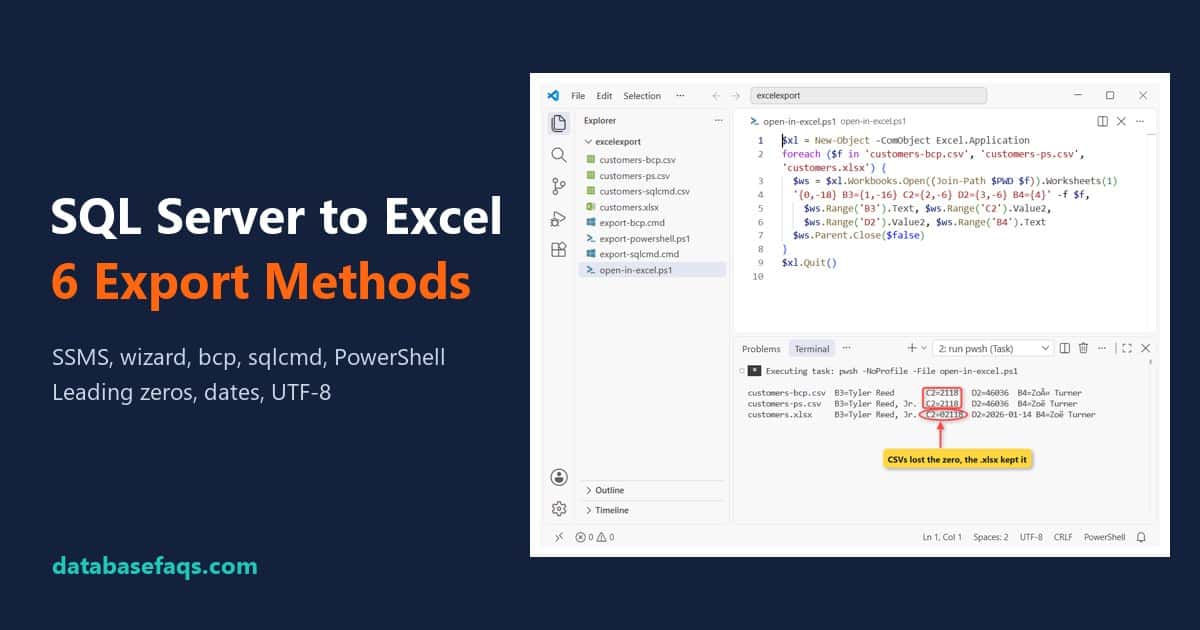
How to Export Data From SQL Server to Excel (6 Tested Methods)

Export data from SQL Server to Excel: CSV files lose leading zeros while the xlsx keeps them

Say your finance lead in Boston wants this month’s customer balances in a spreadsheet, ZIP codes and all. To export data from SQL Server to Excel, right-click the SSMS results grid and choose Save Results As (SSMS 22.4.1+ saves .xlsx), or script it with bcp, sqlcmd or PowerShell. The catch is Excel: it turns ZIP … Read more >>

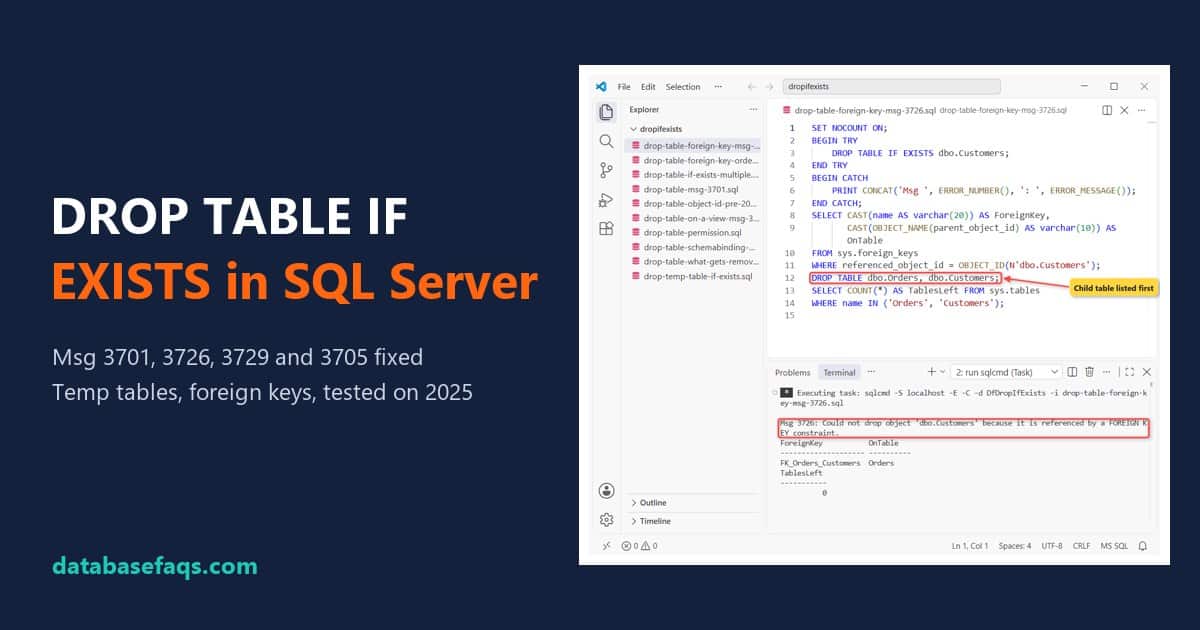
SQL Server DROP TABLE IF EXISTS: Fix Msg 3701, 3726 and 3729

SQL Server DROP TABLE IF EXISTS with Msg 3726 foreign key fix, tested on SQL Server 2025

SQL Server printed that because the table wasn’t there when the script ran. The fix is SQL Server DROP TABLE IF EXISTS: DROP TABLE IF EXISTS dbo.PromoCodes; drops the table when it exists and skips it quietly when it doesn’t. Quick answer: on SQL Server 2016 and later, write DROP TABLE IF EXISTS schema.table. On … Read more >>