
A retail team I worked with had a nightly cleanup job that deleted two years of closed orders in one statement. At 2 a.m. it locked the orders table, filled the transaction log, and pushed storage close to its limit. The checkout API started timing out before the job finished. Their first fix was a loop that kept running with no exit rule, and it spun until a DBA killed the session.
The PostgreSQL while loop solves this kind of problem when you use it correctly. It repeats a block of PL/pgSQL code while a condition stays true, so you can process data in small, controlled batches. It is also easy to get wrong, because one missing counter update creates an infinite loop.
This guide shows you how to write, secure, test, and tune while loops on a self-managed server or on Azure Database for PostgreSQL Flexible Server.
PostgreSQL While Loop
How the PostgreSQL While Loop Works
A while loop is a control structure in PL/pgSQL, PostgreSQL’s built-in procedural language. PostgreSQL checks the condition before every pass. If the condition is true, the body runs. If it is false or NULL, the loop ends.
Here is the syntax:
WHILE <condition> LOOP
    -- statements to repeat
END LOOP;
The WHILE keyword starts the test. LOOP and END LOOP wrap the body. The body must change something that affects the condition, such as a counter or a row count. If it does not, the loop never ends.
A key point trips up many beginners. You cannot write a while loop in plain SQL. It must live inside a DO block, a function, or a procedure. If you type WHILE directly into psql, PostgreSQL returns a syntax error. To understand where loops fit, review the PL/pgSQL block structure and the general PostgreSQL loop guide.
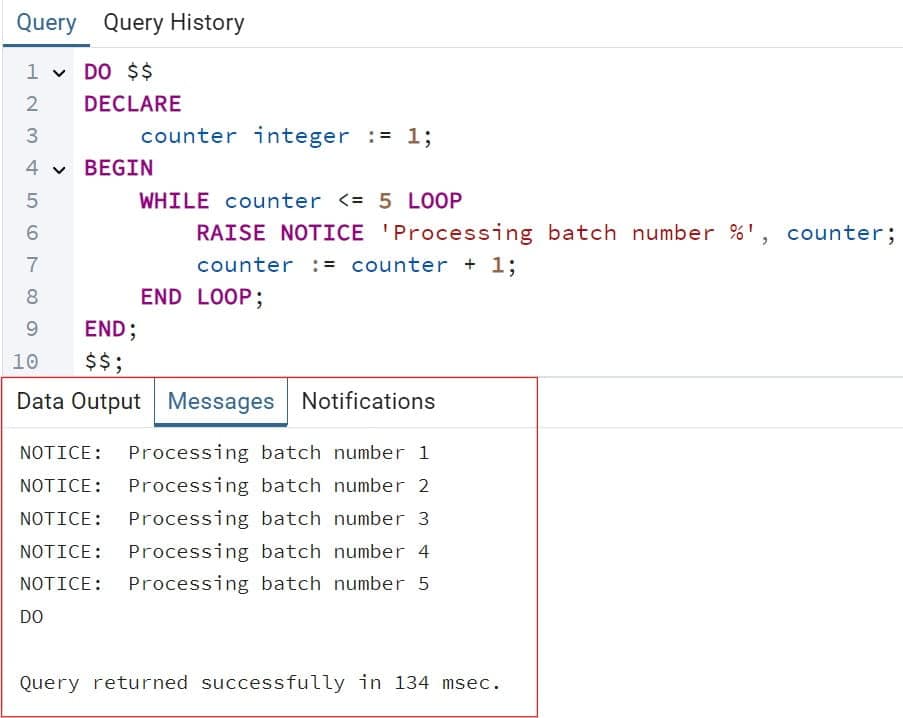
Here is the smallest working example:
DO $$
DECLARE
    counter integer := 1;
BEGIN
    WHILE counter <= 5 LOOP
        RAISE NOTICE 'Processing batch number %', counter;
        counter := counter + 1;
    END LOOP;
END;
$$;
Here is what each part does:
DO $$ ... $$runs an anonymous block once. Nothing is saved in the database.DECLAREcreates a variable namedcounterand sets it to 1.RAISE NOTICEprints a message to the client. It is the simplest debugging tool you have.counter := counter + 1moves the loop toward its exit. Without this line, the condition stays true forever.- Pro Tip: In my experience, I write the line that changes the loop condition first, before the business logic. It is the line people forget, and forgetting it is the most common cause of runaway sessions.
After executing the above query, I got the expected output as shown in the screenshot below.
Set Up a Safe Practice Environment
Never test a loop that deletes or updates data on production. Use a throwaway database that matches production in version and structure.
If you want a managed server, Azure Database for PostgreSQL Flexible Server is the right choice for new deployments. Start by creating a resource group, which is a logical container that keeps related Azure resources together:
az group create \
  --name rg-pg-loop-lab \
  --location eastus \
  --tags owner=data-team environment=dev
This creates a resource group named rg-pg-loop-lab in East US. The tags record ownership and environment, which makes cost reviews easier later.
Now create a small server. Use a Burstable compute tier for learning. Burstable servers are cheaper because they are designed for light, occasional workloads:
read -s -p "Admin password: " PG_ADMIN_PASSWORD

az postgres flexible-server create \
  --resource-group rg-pg-loop-lab \
  --name <server-name> \
  --location eastus \
  --tier Burstable \
  --sku-name Standard_B1ms \
  --version 16 \
  --admin-user <admin-user> \
  --admin-password "$PG_ADMIN_PASSWORD" \
  --public-access <your-client-ip-address>
Here is what the key parameters do:
read -sasks for the password without showing it. The password never lands in a script or your shell history.--tier Burstableand--sku-name Standard_B1mschoose a low-cost compute size. This is fine for a lab, but not for production.--version 16selects the PostgreSQL major version. Match your production version so loop behavior is identical.--public-access <your-client-ip-address>adds a firewall rule for one IP only. Never open the server to every address. For production, use private access through a virtual network instead.
Connect with SSL enforced:
psql "host=<server-name>.postgres.database.azure.com port=5432 dbname=postgres user=<admin-user> sslmode=require"The host value is the server’s fully qualified name. The sslmode=require flag forces an encrypted connection and fails if encryption is not available. If you need a connection refresher, see how to connect to a PostgreSQL database.
Now create the practice tables. For help with syntax, see how to create a table in PostgreSQL.
CREATE TABLE orders (
    order_id    bigint GENERATED ALWAYS AS IDENTITY PRIMARY KEY,
    customer_id integer NOT NULL,
    status      text NOT NULL,
    total       numeric(10,2) NOT NULL,
    created_at  timestamptz NOT NULL DEFAULT now()
);

CREATE TABLE orders_archive (LIKE orders INCLUDING ALL);
The first statement creates an orders table with an auto-generated primary key. The second creates orders_archive with the same columns and constraints. INCLUDING ALL copies defaults, indexes, and constraints so the archive matches exactly.
Pro Tip: I always stop the lab server when I am done. Burstable servers can be stopped, and a forgotten dev server is one of the easiest ways to create a surprise bill.
PostgreSQL While Loop Examples You Can Use
Example 1: Seed Test Data
This loop inserts 10,000 sample orders. Learn more about inserting into a table in PostgreSQL if you need the basics.
DO $$
DECLARE
    i integer := 1;
BEGIN
    WHILE i <= 10000 LOOP
        INSERT INTO orders (customer_id, status, total, created_at)
        VALUES (
            (random() * 500)::int + 1,
            CASE WHEN i % 4 = 0 THEN 'open' ELSE 'closed' END,
            round((random() * 300)::numeric, 2),
            now() - ((i % 900) || ' days')::interval
        );
        i := i + 1;
    END LOOP;
END;
$$;
After executing the above query, I got the expected output as shown in the screenshot below.
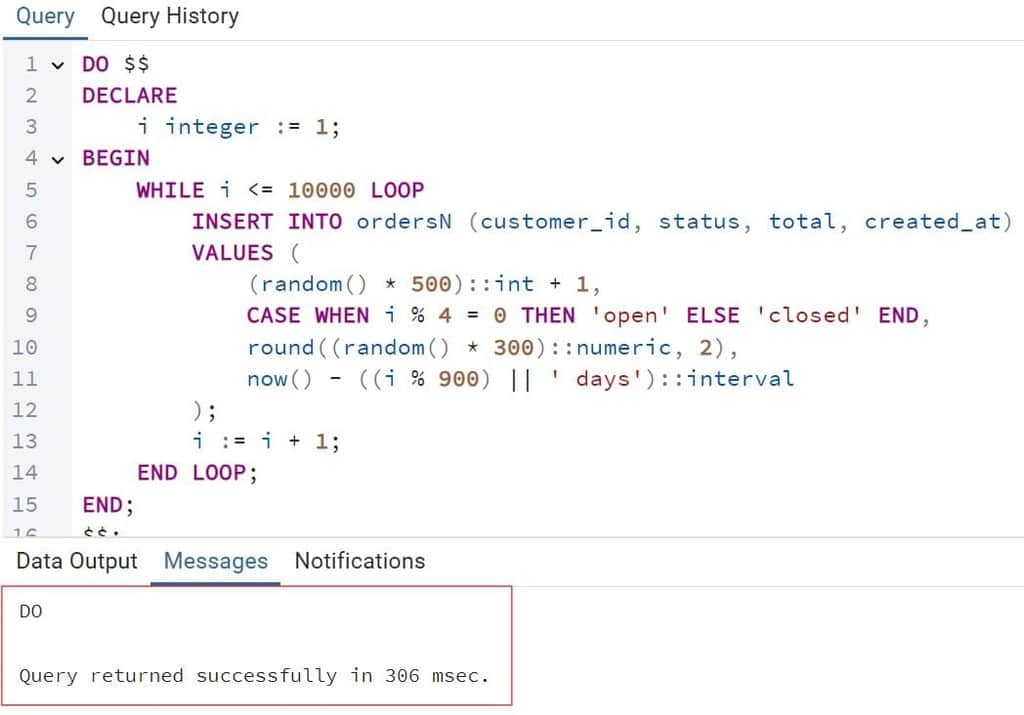
Each pass inserts one row, then increments i. The CASE expression marks every fourth order as open. The interval spreads order dates across about 900 days.
This works, but it is slow, because it runs 10,000 separate inserts. The set-based version is much faster and should be your default for seeding:
INSERT INTO orders (customer_id, status, total, created_at)
SELECT (random() * 500)::int + 1,
       CASE WHEN g % 4 = 0 THEN 'open' ELSE 'closed' END,
       round((random() * 300)::numeric, 2),
       now() - ((g % 900) || ' days')::interval
FROM generate_series(1, 10000) AS g;
After executing the above query, I got the expected output as shown in the screenshot below.
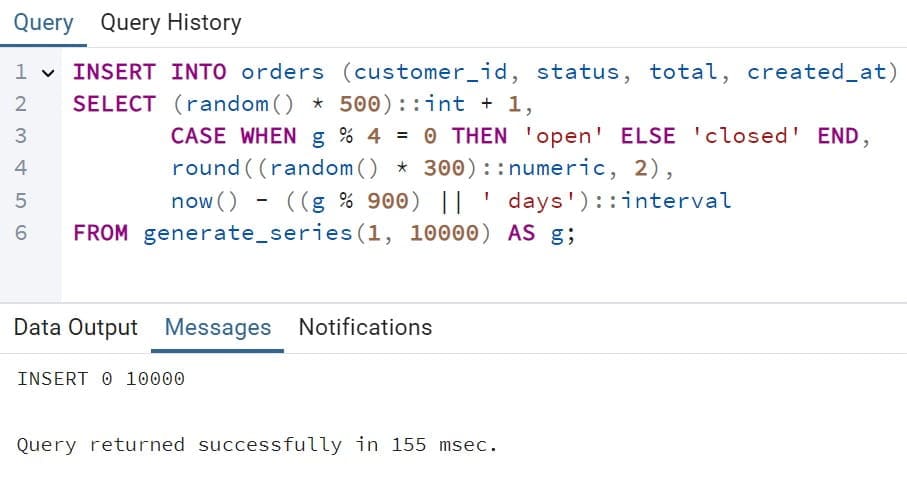
The generate_series function produces the numbers 1 to 10,000 as rows, so PostgreSQL inserts them in one statement. Use a while loop when each pass depends on the previous one. Use generate_series when it does not.
Example 2: Archive Old Orders in Batches
This is the real-world use case. Instead of one huge delete, the loop moves a small batch, commits, and repeats. Use a procedure, not a function, because procedures can commit inside the loop. See how to create a stored procedure in PostgreSQL for background.
CREATE OR REPLACE PROCEDURE archive_closed_orders(
    p_batch_size integer DEFAULT 1000,
    p_max_batches integer DEFAULT 500
)
LANGUAGE plpgsql
AS $$
DECLARE
    v_rows    integer := 1;
    v_batches integer := 0;
BEGIN
    WHILE v_rows > 0 AND v_batches < p_max_batches LOOP
        WITH moved AS (
            DELETE FROM orders
            WHERE order_id IN (
                SELECT order_id
                FROM orders
                WHERE status = 'closed'
                  AND created_at < now() - interval '2 years'
                ORDER BY order_id
                LIMIT p_batch_size
                FOR UPDATE SKIP LOCKED
            )
            RETURNING *
        )
        INSERT INTO orders_archive SELECT * FROM moved;

        GET DIAGNOSTICS v_rows = ROW_COUNT;
        v_batches := v_batches + 1;

        COMMIT;
        PERFORM pg_sleep(0.2);
    END LOOP;

    RAISE NOTICE 'Finished after % batches', v_batches;
END;
$$;
After executing the above query, I got the expected output as shown in the screenshot below.
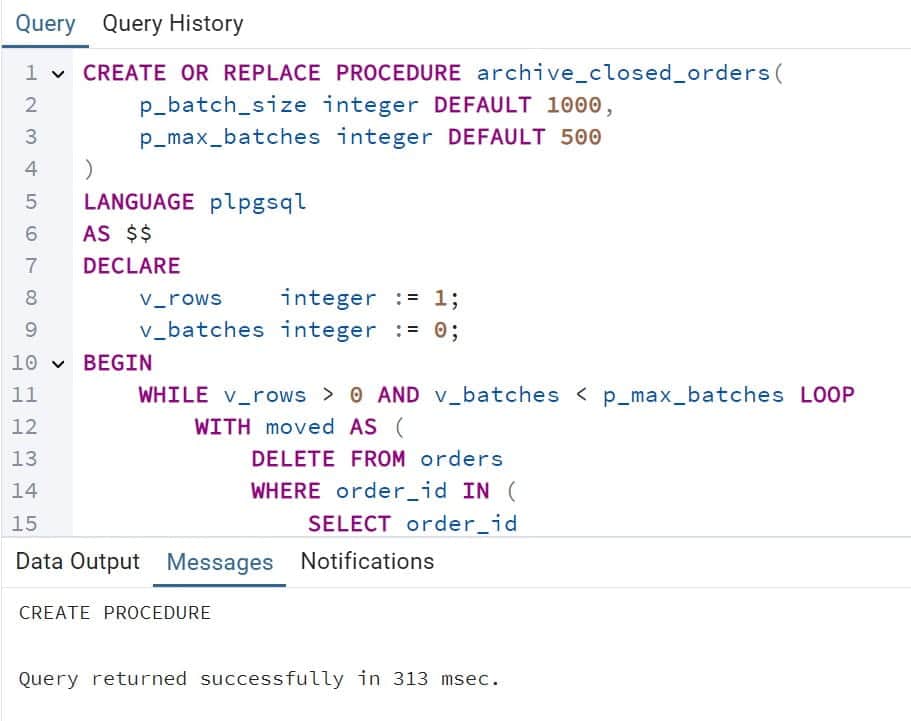
Here is why each decision matters:
- The loop condition has two parts.
v_rows > 0stops when no rows are left.v_batches < p_max_batchesis a safety cap, so a logic mistake cannot run forever. - The
WITH moved AS (DELETE ... RETURNING *)pattern deletes and archives in one atomic statement. A row can never be deleted without being archived. FOR UPDATE SKIP LOCKEDskips rows another session is using. The job does not block your application.GET DIAGNOSTICS v_rows = ROW_COUNTreads how many rows the last statement affected. That value controls the next test.COMMITends each batch’s transaction, which releases locks and lets autovacuum clean up as you go.pg_sleep(0.2)pauses between batches to give the server breathing room.
Run it like this:
CALL archive_closed_orders(1000, 500);Warning: This procedure deletes rows from orders. Run it only on a copy until you have verified the archive table and have a tested backup. Also, CALL must run outside an explicit BEGIN block, or PostgreSQL raises an “invalid transaction termination” error.
Pro Tip: I once saw a team pick a 100,000-row batch because it “finished faster.” It also spiked write-ahead log volume and replica lag. Start at 1,000 rows, measure, and grow slowly.
Example 3: Loop Through a Date Range
DO $$
DECLARE
    d date := date '2026-01-01';
BEGIN
    WHILE d <= date '2026-01-07' LOOP
        RAISE NOTICE 'Report day: %', d;
        d := d + 1;
    END LOOP;
END;
$$;
After executing the above query, I got the expected output as shown in the screenshot below.
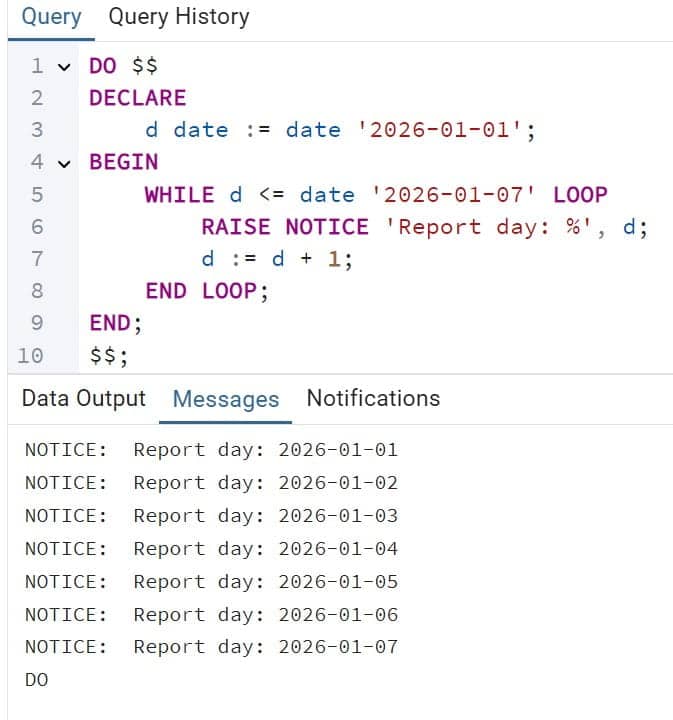
Adding 1 to a date moves it forward one day. This works for tiny jobs, but for larger ranges a set-based query is cleaner. See how to generate a date range in Postgres.
Control the Loop: EXIT, CONTINUE, and Safety Limits
Three statements give you more control than the condition alone.
EXIT WHEN <condition>;leaves the loop immediately.CONTINUE WHEN <condition>;skips the rest of this pass and tests the condition again.- A label like
<<batch_loop>>lets you exit an outer loop from inside an inner one.
DO $$
DECLARE
    attempts integer := 0;
    ready    boolean := false;
BEGIN
    WHILE attempts < 5 LOOP
        attempts := attempts + 1;
        SELECT (count(*) = 0) INTO ready
        FROM pg_stat_activity
        WHERE state = 'active' AND query ILIKE '%nightly_report%';

        EXIT WHEN ready;
        PERFORM pg_sleep(2);
    END LOOP;

    RAISE NOTICE 'Ready: %, attempts: %', ready, attempts;
END;
$$;
After executing the above query, I got the expected output as shown in the screenshot below.
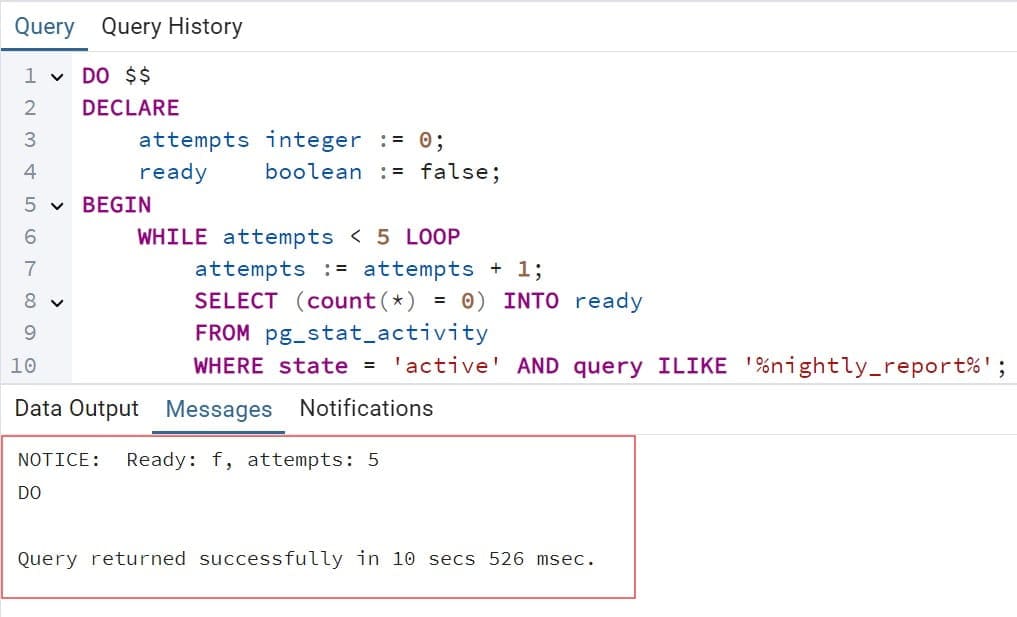
This loop waits up to five tries for a report job to finish. The attempts < 5 cap makes sure it ends. EXIT WHEN ready leaves early on success.
Add database-level guards too. Set these in the session before you run long jobs:
SET statement_timeout = '30min';
SET lock_timeout = '5s';
statement_timeout cancels any single statement that runs too long. lock_timeout stops a statement from waiting forever for a lock. Together they make sure an out-of-control loop gets cancelled instead of causing an outage.
You can also use conditions inside the body. See PostgreSQL IF ELSE for branching syntax.
Pro Tip: In my experience, every production loop needs two exits: the business condition and a hard cap. I treat a loop without a cap as a defect during code review.
While vs. For vs. Set-Based SQL
Choosing the right tool prevents slow code. Here is how the options compare:
| Approach | Best for | Weakness |
|---|---|---|
| WHILE loop | Repeat until a condition changes, such as batches or polling | Easy to create an infinite loop |
| FOR loop | A known number of passes or a query’s result rows | Cannot react to changing state as naturally |
| LOOP with EXIT | Complex exit logic in the middle of the body | Less readable for simple cases |
| Set-based SQL | Most data changes and inserts | Cannot commit midway or poll |
Use a PostgreSQL FOR loop when you know the range or want to walk through query results. If a FOR loop ever fails with a null bound, read about the “upper bound of FOR loop cannot be null” error. A while loop with a NULL condition behaves differently: it simply never runs, with no error, which can hide bugs.
The strongest rule I follow is simple. If one SQL statement can do the work, use it. PostgreSQL optimizes whole statements far better than row-by-row loops. Reach for a while loop when you need batching, intermediate commits, or polling.
Pro Tip: Before I rewrite a query as a loop, I time the set-based version with
EXPLAIN ANALYZE. About half the time, the loop I planned to write turns out to be unnecessary.
Secure Loop Jobs with Least Privilege
A batch job that deletes data should not run as the administrator. Create a dedicated role that has only what the procedure needs.
sqlCREATE ROLE archive_job LOGIN;
GRANT SELECT, DELETE ON orders TO archive_job;
GRANT INSERT ON orders_archive TO archive_job;
GRANT EXECUTE ON PROCEDURE archive_closed_orders(integer, integer) TO archive_job;
This creates a login role and grants only select and delete on orders, insert on the archive, and permission to run the procedure. If the job’s credentials leak, the damage is limited to those tables. For role basics, see how to create a PostgreSQL user with a password and how to list users in PostgreSQL.
On Azure, prefer Microsoft Entra ID authentication for Flexible Server. A scheduled job can use a managed identity and request a short-lived token, so there is no password to store. If you must use a password, keep it in Azure Key Vault and never in a script, a pipeline variable file, or a spreadsheet.
Enable the pgaudit extension where your tier allows it, and log data-modifying statements from the job role. An alert on unusual bulk deletes can catch a mistake within minutes. Always test the procedure once as archive_job, not as an administrator. That test catches missing grants before go-live.
Pro Tip: I make the job role unable to
DROPorTRUNCATEanything. Twice, that single decision turned a bad deployment into a harmless permission error.
Performance, Backups, and Monitoring
Loops that change data create dead rows. PostgreSQL uses MVCC (multiversion concurrency control), which keeps old row versions until a cleanup runs. Big deletes leave bloat behind. Learn the cleanup commands in VACUUM vs. VACUUM FULL and refresh planner statistics with PostgreSQL ANALYZE. Avoid VACUUM FULL during business hours because it locks the table.
Index the filter columns your loop uses. The archive query filters on status and created_at, so a matching index keeps each batch fast. This guide to creating an index in PostgreSQL covers the syntax. Remember the trade-off: every index speeds reads but slows writes.
Before running a destructive loop, take a backup. See how to back up a PostgreSQL database for the manual method. Flexible Server also takes automatic backups and supports point-in-time restore, which lets you rebuild the server as it was at a chosen moment inside the retention window. Test one restore into a new server before you trust it. Note the restore creates a new server, so plan for the extra cost and a connection-string change.
For monitoring, use Azure Monitor metrics on the server:
- CPU percent and IOPS consumption during the job
- Storage used and storage percent
- Active connections
- Replication lag if you have read replicas
Create alerts for high storage and sustained high CPU. In the database, check running loops with this query:
SELECT pid, state, wait_event_type, now() - query_start AS runtime, left(query, 80) AS query
FROM pg_stat_activity
WHERE state <> 'idle'
ORDER BY runtime DESC;
It lists active sessions from longest-running to shortest. To stop a runaway loop, run SELECT pg_cancel_backend(<pid>); first. Use pg_terminate_backend only if cancel fails.
On cost, big loops write a lot of data. Storage autogrow can silently increase your monthly bill, and a Burstable server can run out of CPU credits during long jobs. Run heavy batches off-peak, add a budget alert, and size compute for production workloads separately from dev.
Pro Tip: I watch the WAL and IOPS graphs for the first real run and keep the batch size where the graphs stay calm. If IOPS hits the tier cap, the whole application slows down, not just the job.
Test and Troubleshoot Your Loop
Test three scenarios before you schedule anything:
- Normal: Run on 10,000 rows. Confirm that
ordersplusorders_archivestill equals the original row count. - Failure: Raise an error halfway through, such as by renaming the archive table. Confirm that no rows are lost, because the delete and insert share one statement.
- Unauthorized: Connect as
archive_joband try to drop a table. It should fail.
These are the errors I see most often:
- Loop never ends: The condition never changes. Add a counter, a hard cap, and
statement_timeout. - Loop never runs: The condition is false or NULL on the first check. Print the variables with
RAISE NOTICEand look for uninitialized values. - Syntax error at or near WHILE: You ran the loop outside a
DOblock, function, or procedure. - Invalid transaction termination: You called
COMMITinside a function, or called the procedure inside an open transaction. Use a procedure and runCALLon its own. - Lock waits or deadlocks: Batches are too big or run during peak hours. Shrink the batch, use
SKIP LOCKED, and setlock_timeout.Pro Tip: I log the batch number and row count withRAISE NOTICEin every loop. When someone asks why a job stalled, the log answers it in thirty seconds.
PL/pgSQL Loop Production Readiness Checklist
- Hard exit limits: Every loop needs a business condition plus a maximum pass count. Add
statement_timeoutas the database-level backstop. - Small, committed batches: Use procedures with
COMMITso locks release and autovacuum can work. Start at about 1,000 rows and tune from there. - Dedicated least-privilege role: Grant the job only the tables and procedures it needs, and use Microsoft Entra ID or managed identity instead of shared passwords.
- Tested backup and restore: Confirm point-in-time restore works before running destructive loops, and keep retention long enough to catch late mistakes.
- Monitoring and alerts: Track CPU, IOPS, storage, and replication lag in Azure Monitor, and alert before storage fills.
- Dev versus production settings: Use smaller compute and short backup retention in dev. Use zone-redundant high availability and larger compute in production.
Frequently Asked Questions
How do I write a while loop in PostgreSQL?
Write it inside a DO block, function, or procedure using WHILE condition LOOP ... END LOOP;. Declare a variable, test it in the condition, and change it inside the body so the loop can end. Plain SQL does not support loops.
How do I stop an infinite loop in PostgreSQL?
Find the session with pg_stat_activity, then run pg_cancel_backend(pid). If that does not work, use pg_terminate_backend(pid). To prevent the problem, set statement_timeout and add a hard pass limit in the loop condition.
Can I use COMMIT inside a PostgreSQL while loop?
Yes, but only inside a procedure called with CALL outside an explicit transaction. Functions cannot commit. Committing per batch keeps transactions short and reduces lock time.
What is the difference between a WHILE loop and a FOR loop in PostgreSQL?
A FOR loop runs a known number of times or once per query row. A WHILE loop runs until its condition becomes false, which suits batching and polling. Use set-based SQL when neither is truly needed.
Is a while loop slower than a single SQL statement?
Usually yes. Row-by-row loops add overhead for every statement, while one set-based query lets PostgreSQL plan the whole job. Use loops for controlled batches, not for work a single statement can do.
You learned how the PostgreSQL while loop works and how to use it for safe, batched data jobs inside procedures. Always give every loop a hard exit limit and a least-privilege role, and test your backups before you run anything destructive. I hope you found this article helpful.
You May Also Like
- PostgreSQL functions that return a table
- PostgreSQL ROW_NUMBER function
- PostgreSQL UPDATE with JOIN
- PostgreSQL CASE expression
- PostgreSQL schema explained

Kumar Saurabh is a freelance software engineer who builds web and mobile apps with Next.js, React, Flutter and Python. From 2021 to 2024, Saurabh worked as an IT analyst and developer at TSInfo Technologies, writing technical articles on SQL and PostgreSQL. Saurabh writes the PostgreSQL, MySQL, MariaDB and MongoDB tutorials on DatabaseFAQs.com and holds a Master of Computer Applications (MCA) from Chandigarh University.