
Need to know where the @ sits in an email, or where a file name starts in a path? The PostgreSQL position function gives you that spot as a 1-based integer: position('@' IN 'treed@outlook.com') returns 6.
The catch is the miss. A missing substring returns 0, not NULL. Feed that 0 into left(email, pos - 1) and my test row lost its last character instead of failing.
Six examples follow, from strpos and case-insensitive search to splitting text and the last or Nth match. Tested on PostgreSQL 18.6 with psql in VS Code.
PostgreSQL POSITION Function Syntax
Here is the syntax:
position ( substring text IN string text ) → integer
strpos ( string text, substring text ) → integer| Argument | Required | What it means |
|---|---|---|
substring | Yes | Text to find; literal and case-sensitive. |
string | Yes | Text to search. Any NULL returns NULL. |
Return value: integer, the first match’s start (1-based), or 0 when it isn’t there.
Availability: every supported release. No start or occurrence argument.
When to Use the POSITION Function in PostgreSQL
Use position in PostgreSQL when you need to:
- split an email into username and domain
- locate text a PostgreSQL LIKE pattern only detects
- port Oracle INSTR or SQL Server CHARINDEX code
Every example uses this table of four US customers. Run it once:
CREATE TABLE customers (
  cust_id   int PRIMARY KEY,
  full_name varchar(20) NOT NULL,
  email     varchar(30),
  doc_path  varchar(40)
);
INSERT INTO customers VALUES
 (1, 'Hannah Brooks',  'hannah.brooks@gmail.com', 'ohio/2026/invoices/INV-1042.pdf'),
 (2, 'Tyler Reed',     'treed@outlook.com',       'texas/2026/W9-reed.pdf'),
 (3, 'Grace Miller',   'Grace.Miller@GMAIL.com',  'colorado/2026/q3/receipts/R-77.pdf'),
 (4, 'Avery Cole',     'avery.outlook.com',       NULL);
Example 1: Find Where a Substring Starts
Let’s start small. I want the spot of @, and of a missing #:
SELECT position('@' IN 'treed@outlook.com') AS at_sign,
       position('#' IN 'treed@outlook.com') AS not_found;
Output:
 at_sign | not_found
---------+-----------
       6 |         0
(1 row)
at_sign returns 6 and not_found returns 0. Counting starts at 1, not 0.
Example 2: POSITION vs STRPOS Argument Order
Now the table. The goal is one answer from both spellings:
SELECT email,
       position('@' IN email) AS pos,
       strpos(email, '@')     AS strpos
FROM customers
WHERE cust_id IN (1, 2);
Output:
          email          | pos | strpos
-------------------------+-----+--------
 hannah.brooks@gmail.com |  14 |     14
 treed@outlook.com       |   6 |      6
(2 rows)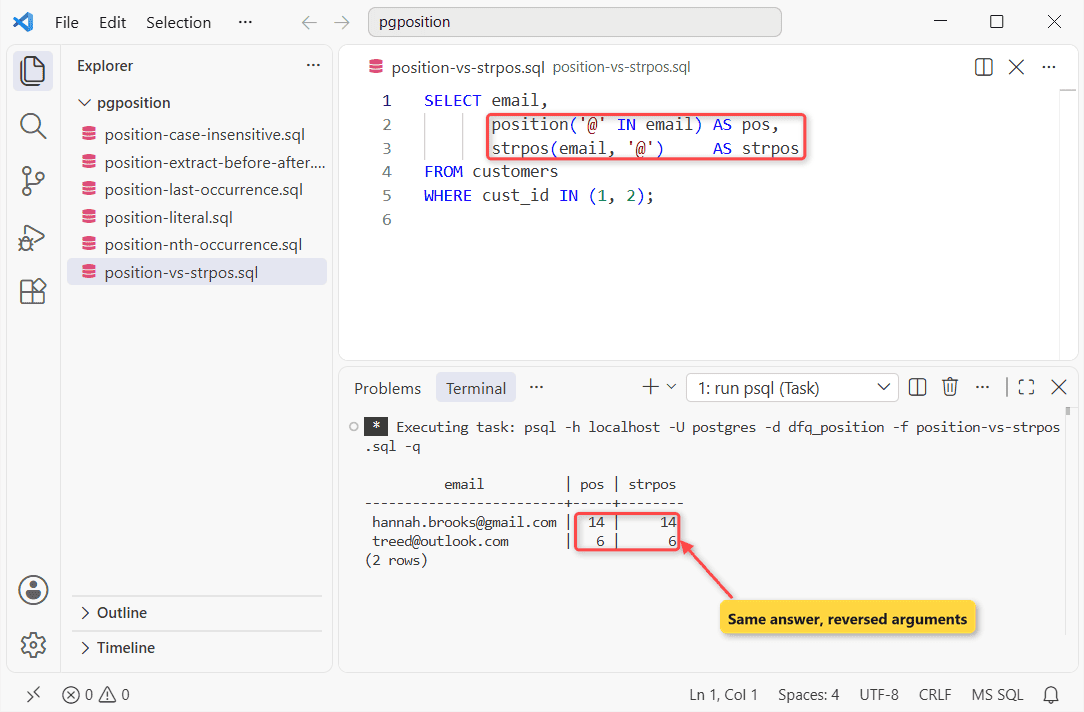
Both return 14 for Hannah and 6 for Tyler. position puts the substring first with IN; strpos puts the string first. Either fits in a PostgreSQL WHERE clause.
Example 3: Case-Insensitive POSITION with lower()
Grace typed her domain in capitals. Say you need gmail either way:
SELECT email,
       position('gmail' IN email)        AS exact,
       position('gmail' IN lower(email)) AS any_case
FROM customers
WHERE cust_id = 3;
Output:
         email          | exact | any_case
------------------------+-------+----------
 Grace.Miller@GMAIL.com |     0 |       14
(1 row)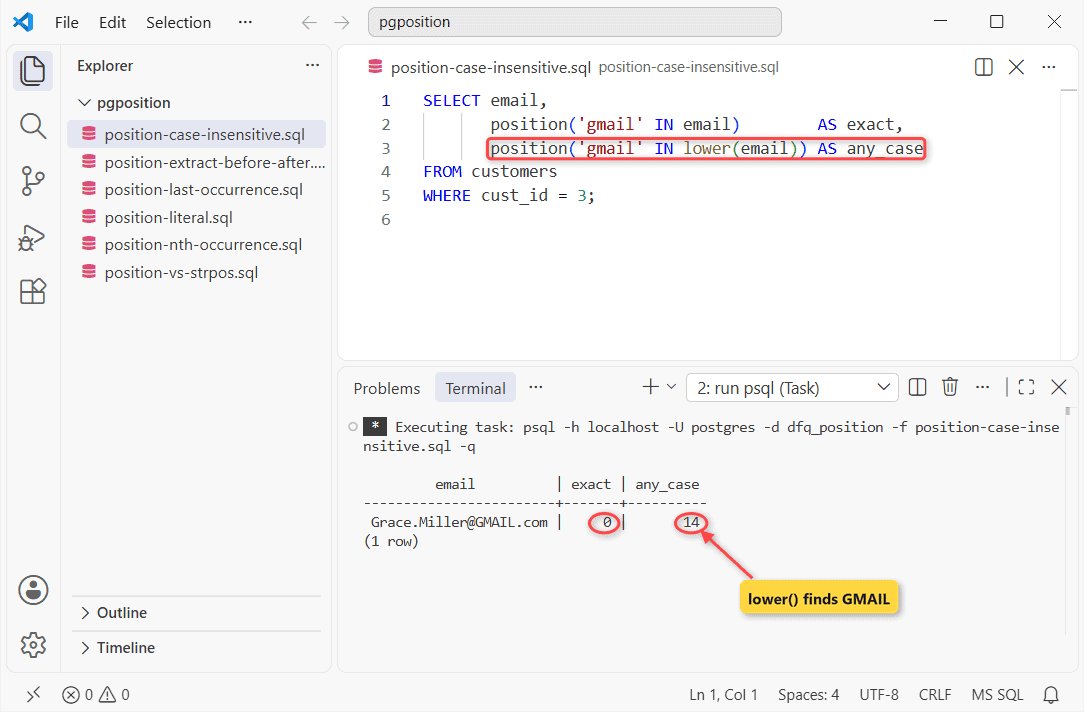
For Grace, exact is 0 and any_case is 14. Type the substring in lowercase too. I have a separate guide on the PostgreSQL LOWER function.
Example 4: Extract Text Before and After a Character
I want username and domain; Avery’s email has no @:
\pset null '(null)'

SELECT email,
  left(email, position('@' IN email) - 1) AS naive_user,
  left(email, NULLIF(position('@' IN email), 0) - 1) AS username,
  substring(email FROM position('@' IN email) + 1) AS domain
FROM customers
WHERE cust_id IN (2, 4);
Output:
       email       |    naive_user    | username |      domain
-------------------+------------------+----------+-------------------
 treed@outlook.com | treed            | treed    | outlook.com
 avery.outlook.com | avery.outlook.co | (null)   | avery.outlook.com
(2 rows)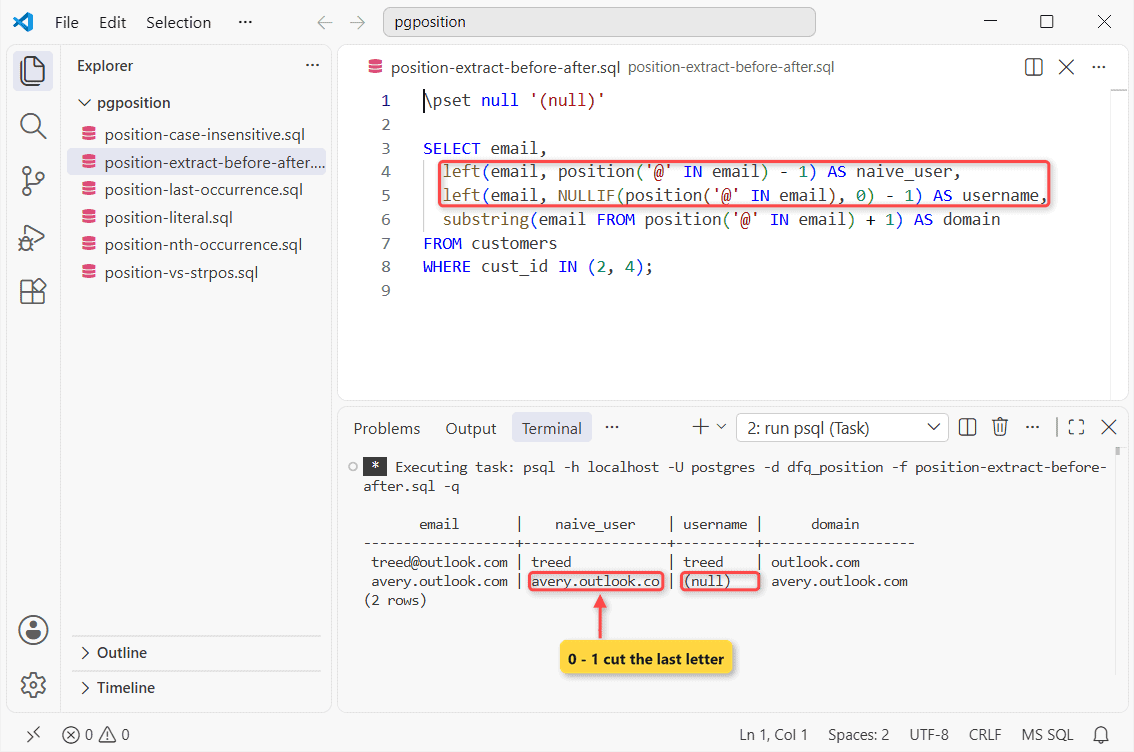
Tyler splits into treed and outlook.com. Avery’s naive_user is avery.outlook.co, because a negative length drops characters from the end. His domain is the whole email.
NULLIF in PostgreSQL turns 0 into NULL, so username is (null). Run the SELECT again and you should see the same two rows. For the slicing, see the PostgreSQL SUBSTRING function.
Example 5: Find the Last Occurrence of a Character
position only finds the first match. I want the last slash and the file name:
SELECT length(doc_path) - strpos(reverse(doc_path), '/') + 1
    AS last_slash,
  right(doc_path, strpos(reverse(doc_path), '/') - 1)
    AS file_name
FROM customers
WHERE cust_id = 1;
Output:
 last_slash |  file_name
------------+--------------
         19 | INV-1042.pdf
(1 row)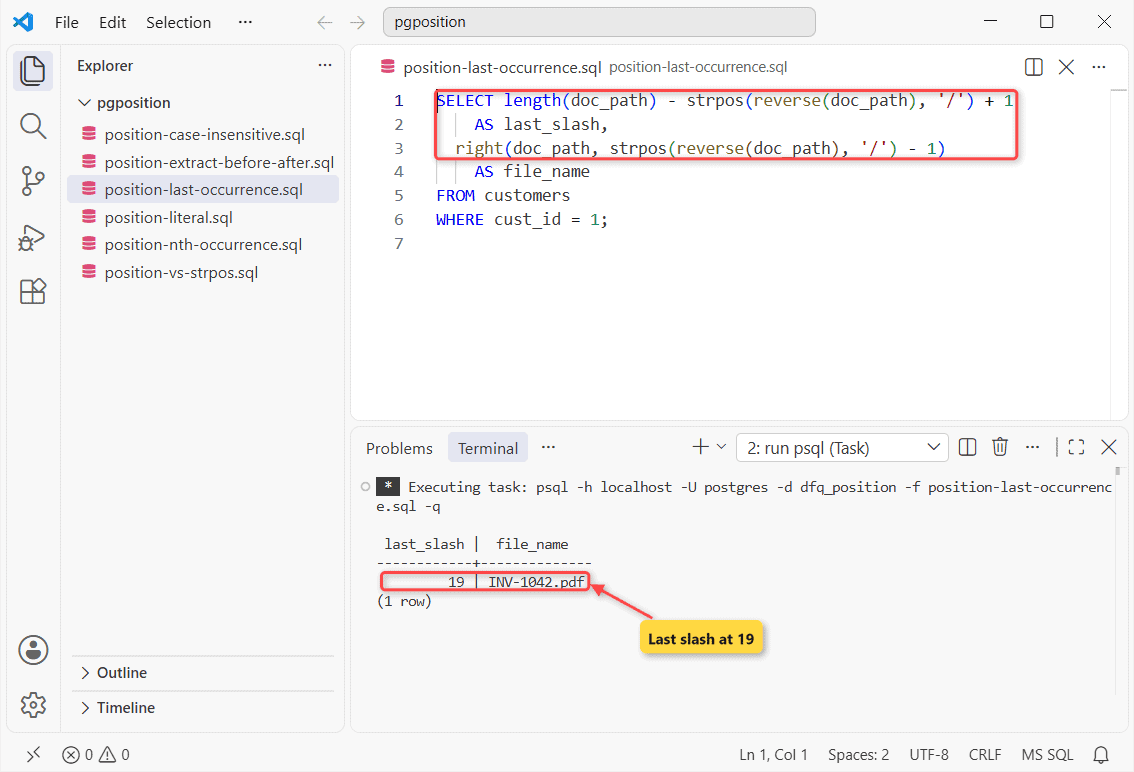
For Hannah’s path, the last slash is at 19 and the file is INV-1042.pdf.
strpos on reverse(doc_path) counts from the end. Subtract that from the PostgreSQL LENGTH function.
Example 6: Find the Nth Occurrence with regexp_instr
There’s no INSTR, but PostgreSQL 15 added regexp_instr. The goal is Grace’s second slash:
SELECT regexp_instr(doc_path, '/', 1, 2) AS second_slash,
       regexp_instr(doc_path, '/', 1, 9) AS ninth_slash
FROM customers
WHERE cust_id = 3;
Output:
 second_slash | ninth_slash
--------------+-------------
           14 |           0
(1 row)
second_slash returns 14. A 9th slash returns 0.
The pattern is a regex, so escape dots. For the matched text itself, use regexp_match in PostgreSQL.
What Is the PostgreSQL Equivalent of INSTR and CHARINDEX?
| You want | PostgreSQL | Oracle | SQL Server |
|---|---|---|---|
| First match | position(s IN str) | INSTR(str, s) | CHARINDEX(s, str) |
| Nth match | regexp_instr(str, s, 1, n) | INSTR(str, s, 1, n) | no built-in |
My rule of thumb: position for a literal, regexp_instr for INSTR’s extra arguments. Porting from T-SQL? Compare it with the SQL Server SUBSTRING function.
Tips & Common Mistakes
- Test for 0, not NULL, when a substring may be missing. NULL input returns NULL; an empty substring returns 1.
- A comma fails:
position('a', 'banana')gavesyntax error at or near ",". WHERE position('x' IN col) > 0skips plain indexes; try a trigram index in PostgreSQL.- position also works on
byteaand bit strings:position(B'11' IN B'0011')returned 3.
Wrapping Up
In PostgreSQL, position(sub IN str) returns where text starts, or 0. Copy Example 4 to split on a character and Example 5 for the last match.
Next step: split on a delimiter by field number with PostgreSQL split_part, or browse the complete list of PostgreSQL functions. See the PostgreSQL 18 string functions documentation.
More string tutorials worth a look:
Frequently Asked Questions
Is POSITION standard SQL?
Yes. strpos is PostgreSQL’s own spelling.
Does POSITION count bytes or characters?
Characters. An accented letter counts as one position in UTF-8.
Can POSITION start searching from a given character?
No. Use regexp_instr(string, pattern, start) instead.

Kumar Saurabh is a freelance software engineer who builds web and mobile apps with Next.js, React, Flutter and Python. From 2021 to 2024, Saurabh worked as an IT analyst and developer at TSInfo Technologies, writing technical articles on SQL and PostgreSQL. Saurabh writes the PostgreSQL, MySQL, MariaDB and MongoDB tutorials on DatabaseFAQs.com and holds a Master of Computer Applications (MCA) from Chandigarh University.