
Ask the PostgreSQL split_part function for a field that isn’t there, and you get an empty string, not NULL. Otherwise it’s simple: split_part('Austin,TX,78701', ',', 2) returns one field, TX.
That bit me on the first run. Avery, a one-word name, got a blank last name. My IS NULL check skipped him.
The six examples cover names, “City, ST ZIP” addresses, NULLIF, position 0 and email domains. Tested on PostgreSQL 18.6 with psql in VS Code.
PostgreSQL SPLIT_PART Function Syntax
Here is the syntax:
split_part ( string text, delimiter text, n integer ) → text| Argument | Required | What it means |
|---|---|---|
string | Yes | Text to split. NULL returns NULL. |
delimiter | Yes | Literal separator, one or more characters, case-sensitive. |
n | Yes | Field number from 1. Negative counts from the end; 0 errors. |
Return value: text; past the last field you get ''.
Availability: all supported releases. Negative n needs PostgreSQL 14 or later.
When to Use the SPLIT_PART Function in PostgreSQL
Use split_part in PostgreSQL when you need to:
- split US full names into first and last name
- break “City, ST ZIP” into columns before an INSERT into a clean table
- group a report by email domain
Every example uses this table of five US customers. Run it once:
CREATE TABLE customers (
  cust_id   int PRIMARY KEY,
  full_name varchar(30) NOT NULL,
  email     varchar(40),
  address   varchar(30)
);
INSERT INTO customers VALUES
 (1, 'Hannah Brooks',    'hannah.brooks@gmail.com',    'Columbus, OH 43215'),
 (2, 'Tyler James Reed', 'treed@outlook.com',          'Austin, TX 78701'),
 (3, 'Grace Miller',     'grace.miller@gmail.com',     'Denver, CO 80202'),
 (4, 'Marcus Bennett',   'marcus@bennettplumbing.com', 'Tampa, FL 33602'),
 (5, 'Avery',            'avery@outlook.com',          'Boise, ID 83702');
Example 1: Split a String by Delimiter
Let’s start small. I want the state:
SELECT split_part('Austin,TX,78701', ',', 2) AS state;Output:
 state
-------
 TX
(1 row)
That returns TX. split_part counts fields, not characters; for character positions, use the PostgreSQL SUBSTRING function.
Example 2: Get the Last Element with a Negative Index
Tyler James Reed has a middle name, so field 2 is James. The goal is the first and last word:
SELECT full_name,
       split_part(full_name, ' ', 1)  AS first_name,
       split_part(full_name, ' ', -1) AS last_name
FROM customers
WHERE cust_id IN (2, 5);
Output:
    full_name     | first_name | last_name
------------------+------------+-----------
 Tyler James Reed | Tyler      | Reed
 Avery            | Avery      | Avery
(2 rows)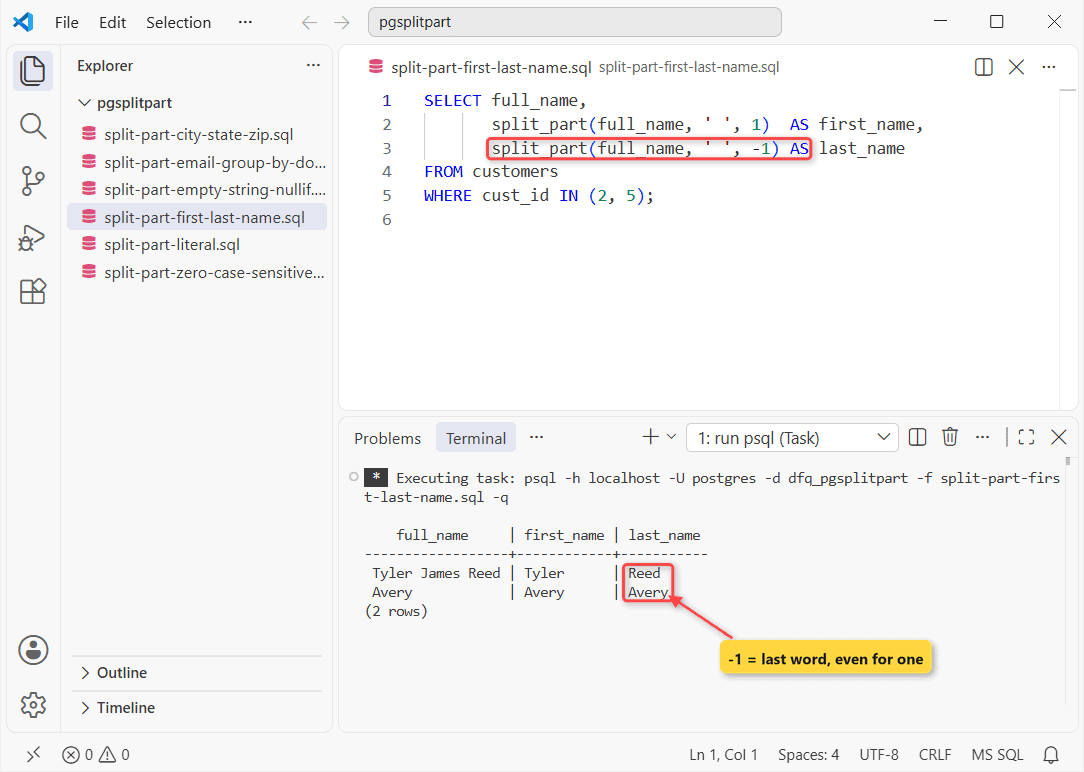
For Tyler James Reed, -1 returns Reed. Avery gets Avery twice: his only field is also his last.
To build “Reed, Tyler”, join the pieces with PostgreSQL CONCAT.
Example 3: Split “City, ST ZIP” with a Multi-Character Delimiter
Say you need city, state and ZIP from 'Columbus, OH 43215'. Here’s the query:
SELECT split_part(address, ', ', 1) AS city,
       split_part(split_part(address, ', ', 2), ' ', 1) AS st,
       split_part(address, ' ', -1) AS zip
FROM customers
WHERE cust_id IN (1, 2);
Output:
   city   | st |  zip
----------+----+-------
 Columbus | OH | 43215
 Austin   | TX | 78701
(2 rows)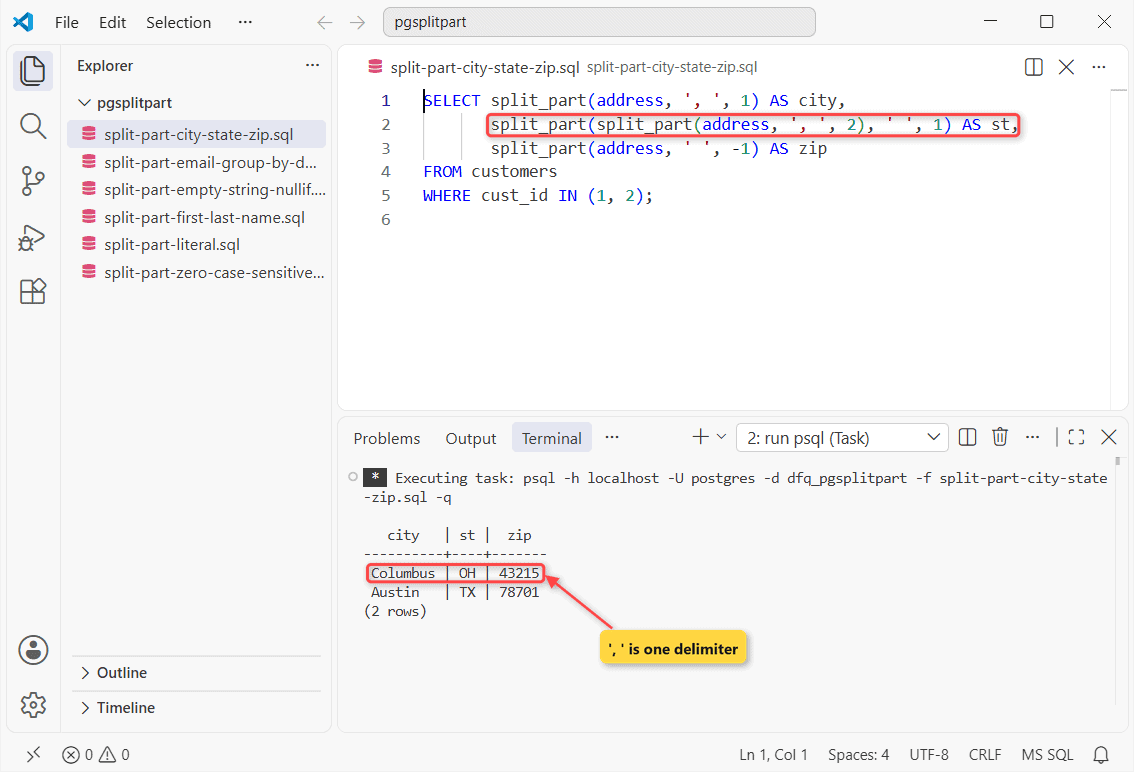
For row 1, it returns Columbus, OH and 43215.
', ' is one delimiter, so the city has no trailing space. The inner call returns 'OH 43215'; the outer call splits it again. For messy input, regexp_match in PostgreSQL is safer.
Example 4: Turn the Empty String into NULL with NULLIF
Now the catch. I want each second word, or NULL when there isn’t one:
\pset null '(null)'

SELECT full_name,
       split_part(full_name, ' ', 2) AS second_word,
       NULLIF(split_part(full_name, ' ', 2), '') AS fixed
FROM customers
WHERE cust_id IN (1, 5);
Output:
   full_name   | second_word | fixed
---------------+-------------+--------
 Hannah Brooks | Brooks      | Brooks
 Avery         |             | (null)
(2 rows)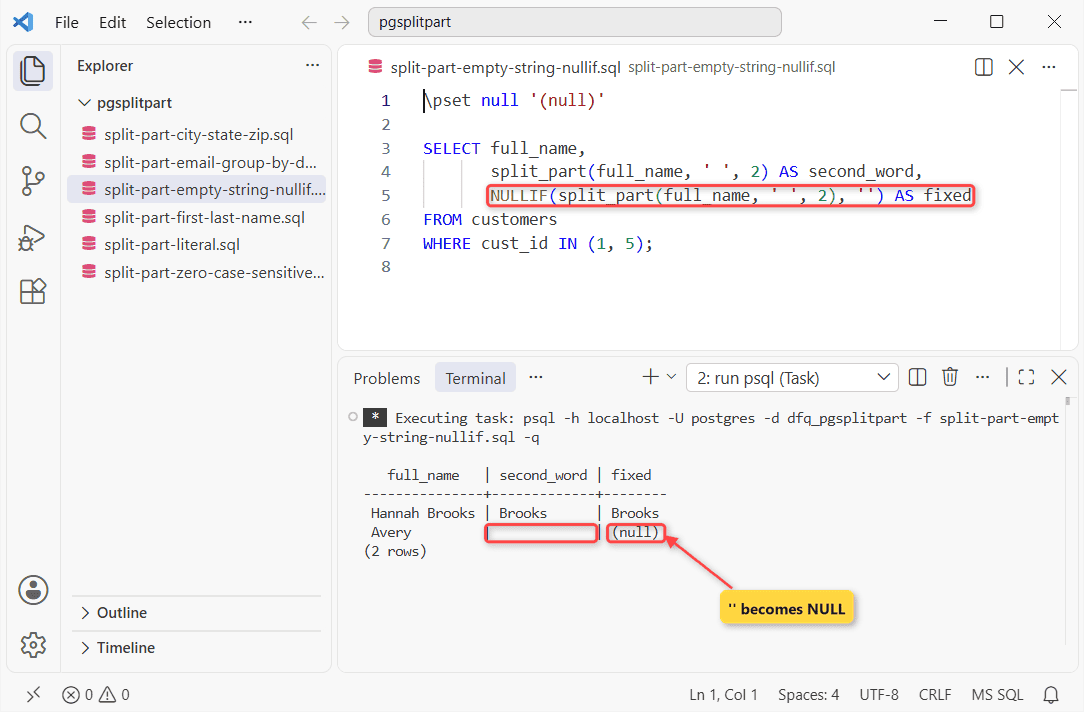
Avery’s second_word is blank, and fixed is (null). Run the SELECT again and you should see the same pair.
PostgreSQL NULLIF returns NULL when both arguments match. Add COALESCE for a default like ‘Unknown’.
Example 5: Position 0 and Case-Sensitive Delimiters
Two traps in one script:
\set ON_ERROR_STOP off
\set VERBOSITY terse

SELECT split_part('Austin,TX,78701', ',', 0);
SELECT split_part('10X20x30', 'x', 2) AS lower_x,
       split_part('10X20x30', 'X', 2) AS upper_x;
Output:
psql:split-part-zero-case-sensitive.sql:4: ERROR:  field position must not be zero
 lower_x | upper_x
---------+---------
 30      | 20x30
(1 row)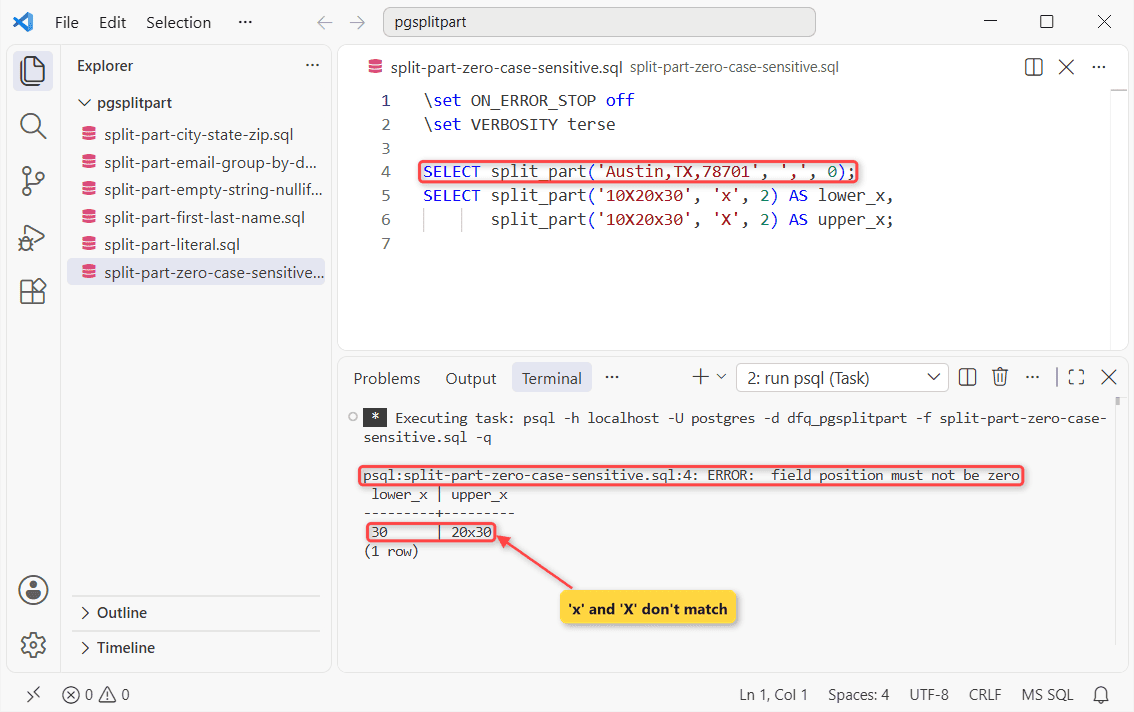
Position 0 fails with field position must not be zero. Lowercase 'x' returns 30, but uppercase 'X' returns 20x30.
Wrap both sides in lower() when the case varies.
Example 6: Split Emails and Group by Domain
Last, a report. I want usernames per email domain, minus the business address:
SELECT split_part(email, '@', 2) AS domain,
       string_agg(split_part(email, '@', 1), ', '
                  ORDER BY cust_id) AS usernames
FROM customers
WHERE split_part(email, '@', 2) <> 'bennettplumbing.com'
GROUP BY 1
ORDER BY 1;
Output:
   domain    |          usernames
-------------+-----------------------------
 gmail.com   | hannah.brooks, grace.miller
 outlook.com | treed, avery
(2 rows)
That returns 2 rows. Outlook.com lists treed and avery.
split_part works anywhere an expression does. PostgreSQL GROUP BY groups on field 2, and the WHERE clause filters on it.
SPLIT_PART vs STRING_TO_ARRAY: Which Should You Use?
split_part returns one field. Need every part? string_to_array returns an array, and regexp_split_to_table returns rows split on a pattern like [, ]+.
My rule of thumb: split_part for one known position, the other two when the count varies.
Tips & Common Mistakes
- Check for
''as well as NULL after a split. - A WHERE on
split_part(email, '@', 2)skips plain indexes. Build an expression index in PostgreSQL on that exact call. - An empty delimiter doesn’t split. My run of
split_part('a,b', '', 1)returneda,b.
Wrapping Up
The PostgreSQL split_part function returns one field of a delimited string. Copy Example 2 for last names, Example 4 for NULL handling.
Next step: browse the complete list of PostgreSQL functions, or read split_part in the PostgreSQL 18 string functions documentation.
Keep going with these PostgreSQL string functions:
Frequently Asked Questions
Does split_part support regular expressions?
No. The delimiter is literal, so ‘.’ means a period.
What does split_part return for a NULL string?
NULL. split_part(NULL, ‘,’, 1) returned NULL in my run.
What is the SQL Server equivalent of split_part?
STRING_SPLIT with enable_ordinal, in SQL Server 2022 and later.

Kumar Saurabh is a freelance software engineer who builds web and mobile apps with Next.js, React, Flutter and Python. From 2021 to 2024, Saurabh worked as an IT analyst and developer at TSInfo Technologies, writing technical articles on SQL and PostgreSQL. Saurabh writes the PostgreSQL, MySQL, MariaDB and MongoDB tutorials on DatabaseFAQs.com and holds a Master of Computer Applications (MCA) from Chandigarh University.