
You joined Customers to Orders, put TOP 1 in front, and got one row back for the whole query. That’s how SQL Server INNER JOIN TOP 1 works: TOP trims the final result, not each customer’s orders.
Quick answer: move TOP (1) into a CROSS APPLY with an ORDER BY, so it runs once per customer. Here’s the latest order for each customer:
SET NOCOUNT ON;
SELECT c.Name, o.OrderID, o.OrderDate, o.Amount
FROM dbo.Customers AS c
CROSS APPLY (
    SELECT TOP (1) OrderID, OrderDate, Amount
    FROM dbo.Orders
    WHERE CustomerID = c.CustomerID
    ORDER BY OrderDate DESC, OrderID DESC
) AS o;
sqlcmd printed:
Name            OrderID     OrderDate        Amount
--------------- ----------- ---------------- ------------
Hannah Brooks          5003       2026-10-30       249.99
Tyler Reed             5005       2026-10-21       310.40
Grace Miller           5007       2026-10-30       132.80
Marcus Bennett         5009       2026-10-05        54.10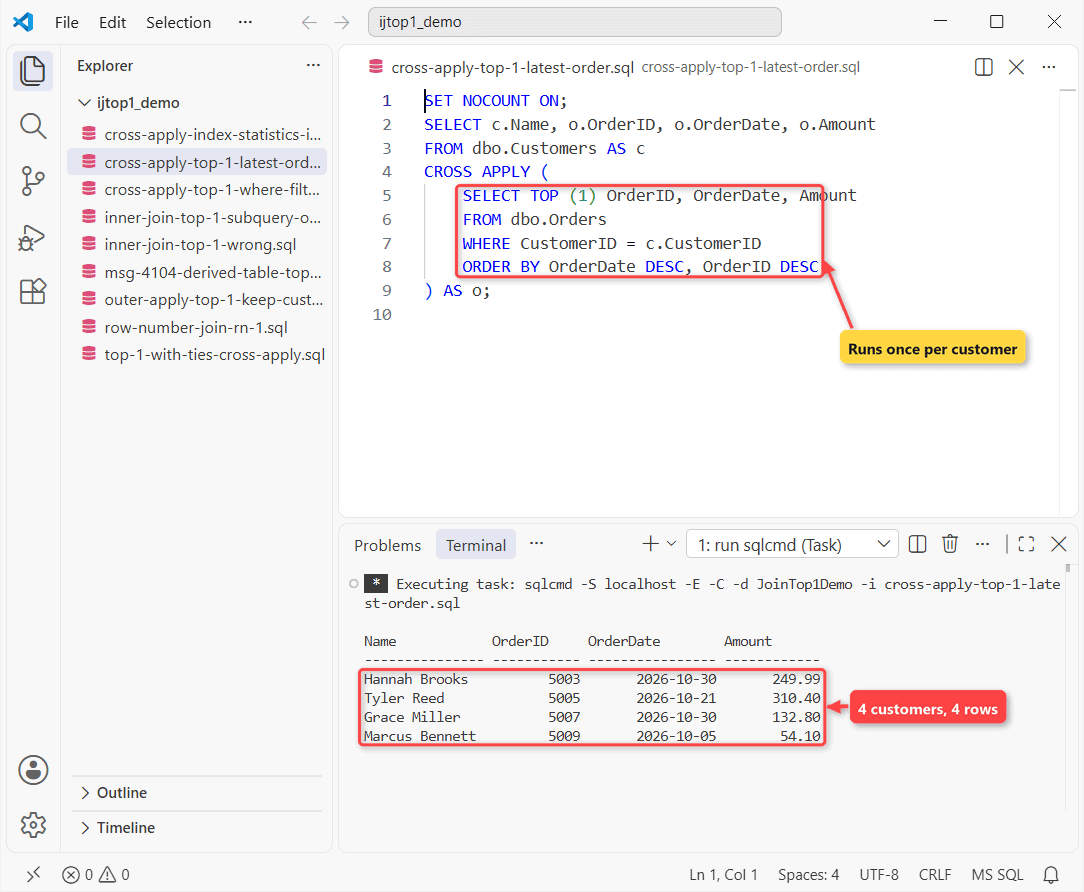
What You Need Before You Start
Tested on SQL Server 2025 (17.0.1000.7) Developer, sqlcmd in VS Code. APPLY works on SQL Server 2005+. Olivia has no orders; Grace has two on one day:
CREATE TABLE dbo.Customers (
    CustomerID int          PRIMARY KEY,
    Name       nvarchar(15) NOT NULL
);
CREATE TABLE dbo.Orders (
    OrderID     int           PRIMARY KEY,
    CustomerID  int           NOT NULL REFERENCES dbo.Customers,
    OrderDate   date          NOT NULL,
    Amount      decimal(10,2) NOT NULL,
    ShippedDate date          NULL
);
INSERT INTO dbo.Customers VALUES
 (101, N'Hannah Brooks'), (102, N'Tyler Reed'), (103, N'Grace Miller'),
 (104, N'Marcus Bennett'), (105, N'Olivia Hayes');   -- Olivia: no orders
INSERT INTO dbo.Orders VALUES
 (5001, 101, '2026-09-14', 120.00, '2026-09-16'),
 (5002, 101, '2026-10-12',  89.50, '2026-10-14'),
 (5003, 101, '2026-10-30', 249.99, NULL),
 (5004, 102, '2026-08-03',  45.25, '2026-08-05'),
 (5005, 102, '2026-10-21', 310.40, '2026-10-23'),
 (5006, 103, '2026-10-30',  75.00, '2026-10-31'),
 (5007, 103, '2026-10-30', 132.80, NULL),
 (5008, 104, '2026-07-19', 610.00, '2026-07-22'),
 (5009, 104, '2026-10-05',  54.10, NULL);
New to joins? Read how INNER JOIN matches rows first.
Why TOP 1 on an INNER JOIN Returns Only One Row
SET NOCOUNT ON;
SELECT TOP (1) c.Name, o.OrderID, o.OrderDate
FROM dbo.Customers AS c
INNER JOIN dbo.Orders AS o
    ON o.CustomerID = c.CustomerID
ORDER BY o.OrderDate DESC;
Result:
Name            OrderID     OrderDate
--------------- ----------- ----------------
Hannah Brooks          5003       2026-10-30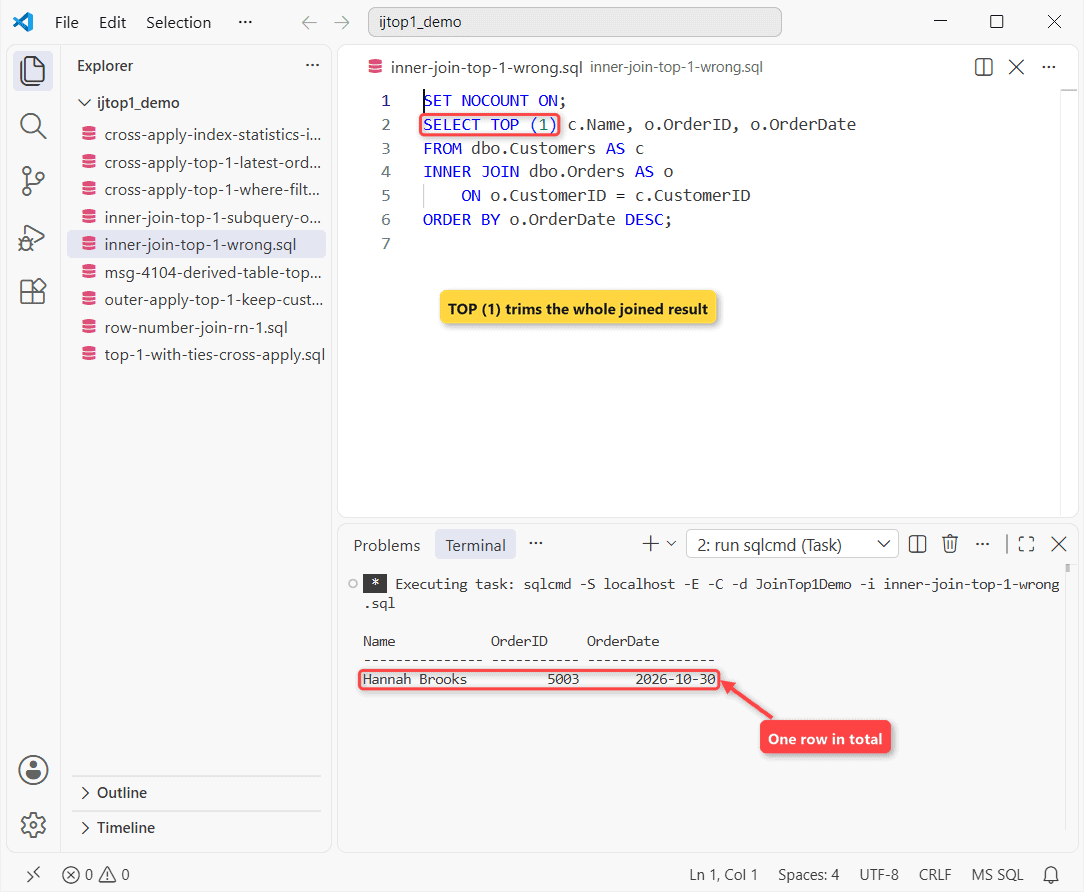
Why it happens: SQL Server joins first, sorts, then keeps one row. Nine joined rows in, one out.
It’s also a coin toss. Three orders share 10/30/2026, so ORDER BY OrderDate DESC can’t pick a winner, and TOP returns an undefined row. One row from the whole table is a different job: select the latest record.
Fix 1: CROSS APPLY With SELECT TOP (1)
That’s the Quick answer query. The APPLY body can see c.CustomerID, so it runs per customer. OrderID DESC breaks the tie, so Grace always gets 5007.
Olivia is missing. CROSS APPLY acts like an INNER JOIN. Check that it worked: four rows for four customers with orders, no name twice.
Fix 2: OUTER APPLY Keeps Customers With No Orders
SET NOCOUNT ON;
SELECT c.Name, o.OrderID, o.OrderDate
FROM dbo.Customers AS c
OUTER APPLY (
    SELECT TOP (1) OrderID, OrderDate
    FROM dbo.Orders
    WHERE CustomerID = c.CustomerID
    ORDER BY OrderDate DESC, OrderID DESC
) AS o;
Now five rows:
Name            OrderID     OrderDate
--------------- ----------- ----------------
Hannah Brooks          5003       2026-10-30
Tyler Reed             5005       2026-10-21
Grace Miller           5007       2026-10-30
Marcus Bennett         5009       2026-10-05
Olivia Hayes           NULL             NULL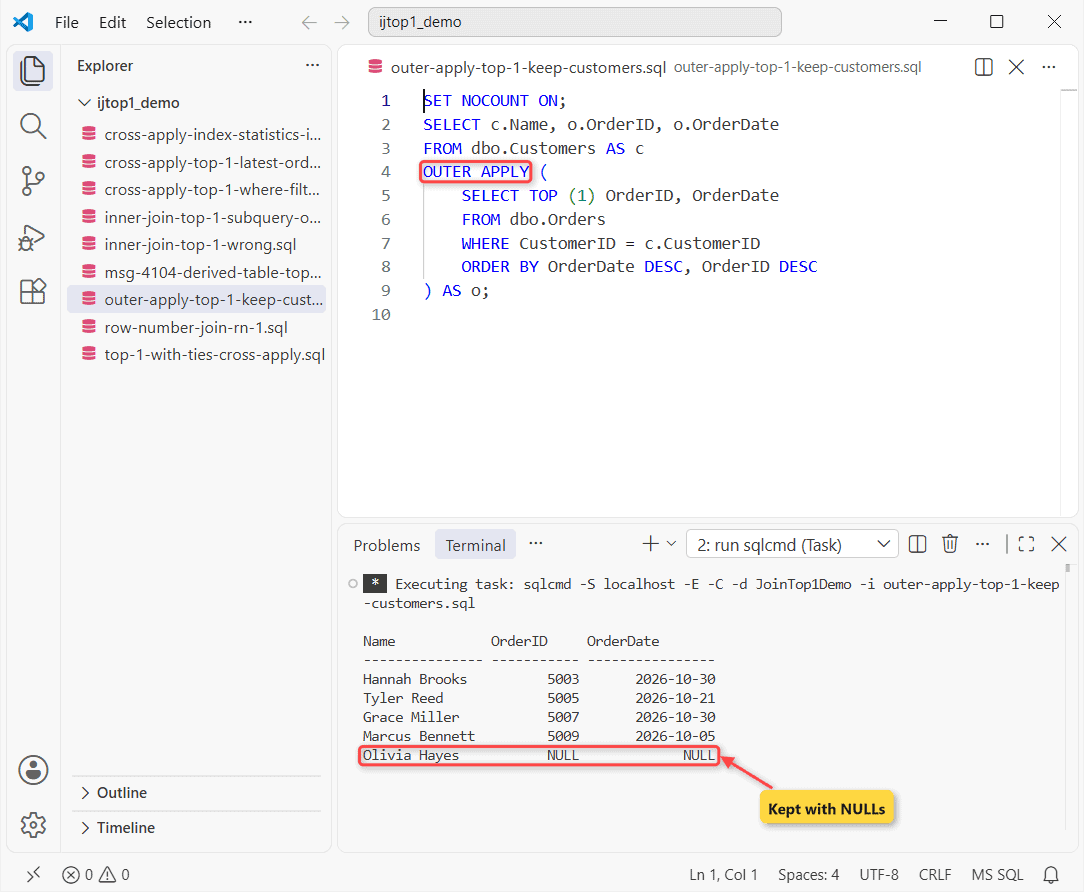
Same body, one word changed. OUTER APPLY behaves like a LEFT JOIN, so Olivia stays with NULLs. Use it for reports that must list every customer.
Fix 3: ROW_NUMBER() Joined on rn = 1
Number each customer’s orders newest first and join row 1. COUNT(*) OVER adds the order count, no GROUP BY needed:
SET NOCOUNT ON;
WITH ranked AS (
    SELECT OrderID, CustomerID, OrderDate,
           COUNT(*) OVER (PARTITION BY CustomerID) AS Orders,
           ROW_NUMBER() OVER (PARTITION BY CustomerID
                              ORDER BY OrderDate DESC, OrderID DESC) AS rn
    FROM dbo.Orders
)
SELECT c.Name, r.OrderID, r.OrderDate, r.Orders
FROM dbo.Customers AS c
INNER JOIN ranked AS r
    ON r.CustomerID = c.CustomerID AND r.rn = 1;
Result:
Name            OrderID     OrderDate        Orders
--------------- ----------- ---------------- -----------
Hannah Brooks          5003       2026-10-30           3
Tyler Reed             5005       2026-10-21           2
Grace Miller           5007       2026-10-30           2
Marcus Bennett         5009       2026-10-05           2
Hannah: 5003, 3 orders. See also SQL Server ROW_NUMBER and COUNT with JOIN and GROUP BY.
Fix 4: A Correlated TOP 1 Subquery in the ON Clause
My first try was a derived table inside the INNER JOIN. Msg 4104:
SET NOCOUNT ON;
BEGIN TRY
    EXEC (N'SELECT c.Name, o.OrderID
    FROM dbo.Customers AS c
    INNER JOIN (SELECT TOP (1) OrderID FROM dbo.Orders
                WHERE CustomerID = c.CustomerID
                ORDER BY OrderDate DESC) AS o ON 1 = 1;');
END TRY
BEGIN CATCH
    PRINT CONCAT('Msg ', ERROR_NUMBER(), ': ', ERROR_MESSAGE());
END CATCH;
The catch block printed:
Msg 4104: The multi-part identifier "c.CustomerID" could not be bound.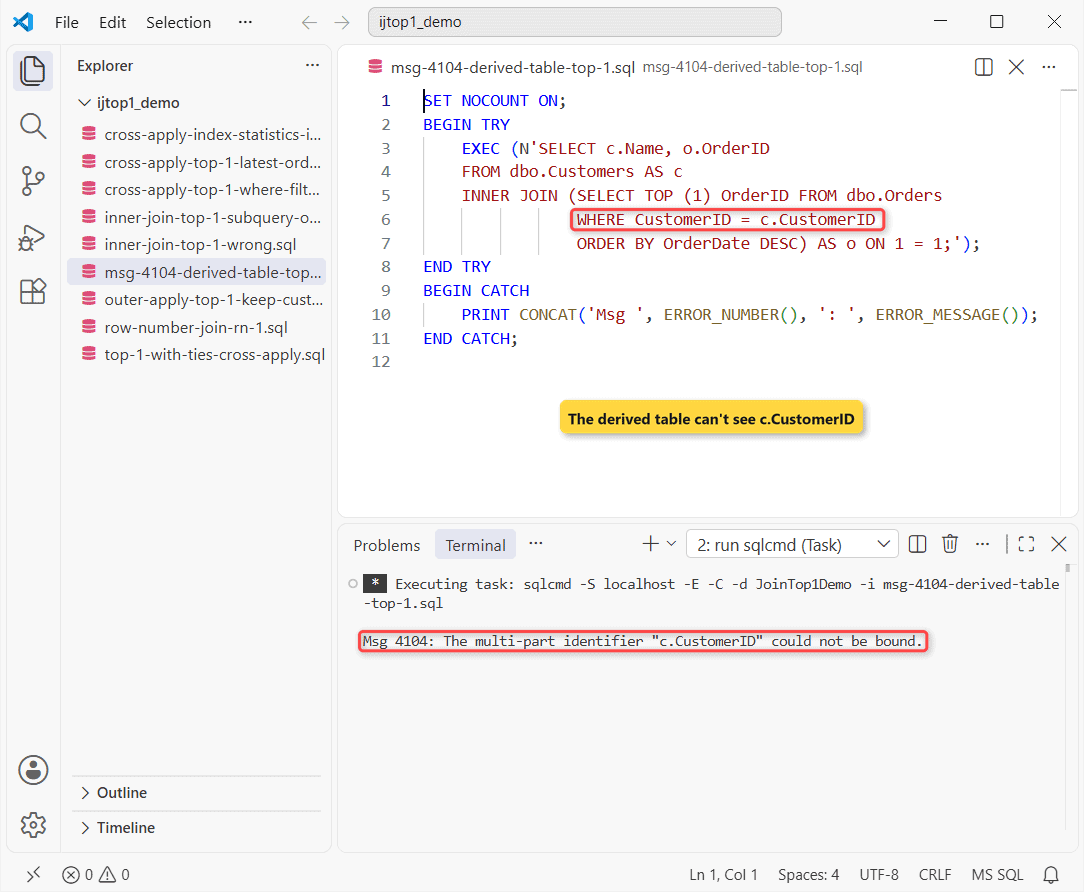
Why it happens: a derived table can’t reference outer columns. A subquery in the ON clause can:
SET NOCOUNT ON;
SELECT c.Name, o.OrderID, o.OrderDate
FROM dbo.Customers AS c
INNER JOIN dbo.Orders AS o
    ON o.OrderID = (SELECT TOP (1) o2.OrderID
                    FROM dbo.Orders AS o2
                    WHERE o2.CustomerID = c.CustomerID
                    ORDER BY o2.OrderDate DESC, o2.OrderID DESC);
Output:
Name            OrderID     OrderDate
--------------- ----------- ----------------
Hannah Brooks          5003       2026-10-30
Tyler Reed             5005       2026-10-21
Grace Miller           5007       2026-10-30
Marcus Bennett         5009       2026-10-05
Same rows as Fix 1. Need only the date? Try a join on MAX(date).
What Happens With Ties? TOP (1) WITH TIES
Want every order from the latest day? WITH TIES keeps rows tied with the last one:
SET NOCOUNT ON;
SELECT c.Name, o.OrderID, o.OrderDate, o.Amount
FROM dbo.Customers AS c
CROSS APPLY (
    SELECT TOP (1) WITH TIES OrderID, OrderDate, Amount
    FROM dbo.Orders
    WHERE CustomerID = c.CustomerID
    ORDER BY OrderDate DESC
) AS o;
Result:
Name            OrderID     OrderDate        Amount
--------------- ----------- ---------------- ------------
Hannah Brooks          5003       2026-10-30       249.99
Tyler Reed             5005       2026-10-21       310.40
Grace Miller           5006       2026-10-30        75.00
Grace Miller           5007       2026-10-30       132.80
Marcus Bennett         5009       2026-10-05        54.10
Grace now shows up twice. Use it only when you want that.
Where Do WHERE, NOT NULL and Date Filters Go in CROSS APPLY?
Inside the APPLY, so they decide which orders compete. Here: latest shipped order over $100 in the last 90 days:
SET NOCOUNT ON;
DECLARE @Today date = '2026-10-31';   -- CAST(GETDATE() AS date) in real code
SELECT c.Name, o.OrderID, o.Amount, o.ShippedDate
FROM dbo.Customers AS c
CROSS APPLY (
    SELECT TOP (1) OrderID, Amount, ShippedDate
    FROM dbo.Orders
    WHERE CustomerID = c.CustomerID
      AND Amount > 100
      AND ShippedDate IS NOT NULL
      AND OrderDate >= DATEADD(day, -90, @Today)
      AND OrderDate <  @Today
    ORDER BY OrderDate DESC, OrderID DESC
) AS o;
Output:
Name            OrderID     Amount       ShippedDate
--------------- ----------- ------------ ----------------
Hannah Brooks          5001       120.00       2026-09-16
Tyler Reed             5005       310.40       2026-10-23
Hannah’s 5003 hasn’t shipped, so 5001 wins. Grace has nothing shipped; Marcus’s $610 order is too old.
For yesterday only, start the range at DATEADD(day, -1, @Today). Half-open ranges keep an index seek possible; YEAR(OrderDate) = 2026 doesn’t. More in INNER JOIN with a WHERE clause.
Make the APPLY Fast: The Index I Measured
I loaded 2,000 customers and 10,000 orders, then compared SET STATISTICS IO before and after an index on the APPLY’s WHERE and ORDER BY columns:
SET NOCOUNT ON;
DECLARE @q nvarchar(400) = N'DECLARE @n int;
SELECT @n = COUNT(o.OrderID) FROM dbo.BigCustomers AS c
CROSS APPLY (SELECT TOP (1) OrderID FROM dbo.BigOrders
             WHERE CustomerID = c.CustomerID
             ORDER BY OrderDate DESC, OrderID DESC) AS o;';
PRINT 'Without the index:';
SET STATISTICS IO ON; EXEC (@q); SET STATISTICS IO OFF;
CREATE INDEX IX_BigOrders_Cust_Date ON dbo.BigOrders
    (CustomerID, OrderDate DESC, OrderID DESC);
PRINT 'With the index:';
SET STATISTICS IO ON; EXEC (@q);
Output (each line cut after the logical reads):
Without the index:
Table 'Worktable'. Scan count 2000, logical reads 24340, ...
Table 'BigOrders'. Scan count 1, logical reads 38, ...
Table 'BigCustomers'. Scan count 1, logical reads 6, ...
With the index:
Table 'BigOrders'. Scan count 2000, logical reads 4272, ...
Table 'BigCustomers'. Scan count 1, logical reads 6, ...
Without the index, SQL Server spooled BigOrders into a Worktable: 24,340 logical reads. With it, 4,272, one seek per customer, about 5.7 times fewer.
Short version? Index first, then ship the APPLY.
Which Fix to Pick: APPLY or ROW_NUMBER
| Need | Use | Customers without orders |
|---|---|---|
| Latest row per parent | CROSS APPLY + TOP (1) | Dropped |
| Every parent listed | OUTER APPLY + TOP (1) | Kept, NULLs |
| Row plus count/rank | ROW_NUMBER, rn = 1 | Dropped (LEFT JOIN keeps) |
| All rows on the latest date | TOP (1) WITH TIES | Dropped |
Common Mistakes to Avoid With TOP 1 Joins
- TOP without a unique ORDER BY. Another run can return a different row.
- Adding DISTINCT to a join to hide duplicates. It won’t pick one order.
- Filtering in the outer WHERE instead of inside APPLY, which drops customers instead of choosing another order.
Next Steps if the Query Still Fails
If it still fails: one row total, move TOP into APPLY. Repeated customer, add a tie-breaker. Missing one, OUTER APPLY.
Need a third table? Join it after the APPLY, as in INNER JOIN on multiple tables.
Related reads we’d suggest:
- Changing rows, not reading them: UPDATE with a JOIN
- On PostgreSQL? Try PostgreSQL ROW_NUMBER
- INNER JOIN vs LEFT JOIN in SQL Server
Frequently Asked Questions
How do I get the top 3 orders per customer?
Use TOP (3) inside the APPLY, or rn <= 3 in the ROW_NUMBER version.
Does APPLY work in Azure SQL Database?
Yes. The FROM clause reference lists CROSS and OUTER APPLY for Azure SQL Database, Managed Instance and Fabric too.
Can I UPDATE or DELETE with TOP (1) and an ORDER BY?
Not directly. UPDATE TOP and DELETE TOP pick undefined rows and don’t accept ORDER BY. Put the TOP and ORDER BY in a subquery, as the TOP docs show.

Shivam Dogra is a cloud database developer and Team Lead at TSInfo Technologies, where he has worked since June 2021. He writes the SQL Server and Oracle tutorials on DatabaseFAQs.com, covering queries, joins, stored procedures, triggers and permissions. Shivam holds a Master of Computer Applications (MCA) from Chandigarh University.