
Many guides still say to copy a string from SSMS or Visual Studio’s Server Explorer. It works, but SQL Server never stores a connection string. Copied ones often fail.
To get the connection string from SQL Server, build it from the server and database names: Server=localhost;Database=ConnStrDemo;Integrated Security=True;TrustServerCertificate=True.
Test Setup and the Sample Database to Connect To
Tested on SQL Server 2025 (17.0.1000.7) Standard Developer, default instance, Windows authentication; PowerShell 7.6.8 with the SqlServer module 22.4.5.1 (Microsoft.Data.SqlClient 5.1.6).
A working string proves itself by counting these five customers (more on how to create a database in SQL Server):
CREATE DATABASE ConnStrDemo;
GO
USE ConnStrDemo;
CREATE TABLE dbo.Customers (CustomerID int IDENTITY PRIMARY KEY,
    FullName nvarchar(25), City nvarchar(20));
INSERT dbo.Customers (FullName, City) VALUES
    (N'Hannah Brooks', N'Denver, CO'), (N'Tyler Reed', N'Austin, TX'),
    (N'Grace Miller', N'Columbus, OH'), (N'Marcus Bennett', N'Tampa, FL'),
    (N'Olivia Turner', N'Portland, OR');
Method 1: Build the Connection String From a T-SQL Query (Recommended)
Once you’re connected (sqlcmd or SSMS), ask the server for each value:
SET NOCOUNT ON;
DECLARE @srv sysname = CONCAT('localhost', '\' + CAST(SERVERPROPERTY('InstanceName') AS sysname));
SELECT CAST(SERVERPROPERTY('IsIntegratedSecurityOnly') AS int) AS windows_only,
       (SELECT MAX(port) FROM sys.dm_tcp_listener_states
        WHERE type_desc = 'TSQL' AND ip_address = '0.0.0.0') AS tcp_port;
SELECT CAST(CONCAT('Server=', @srv, ';Database=', DB_NAME(),
       ';Integrated Security=True;TrustServerCertificate=True')
       AS varchar(90)) AS connection_string;
Output:
windows_only tcp_port
------------ -----------
           1        1433
connection_string
------------------------------------------------------------------------------------------
Server=localhost;Database=ConnStrDemo;Integrated Security=True;TrustServerCertificate=True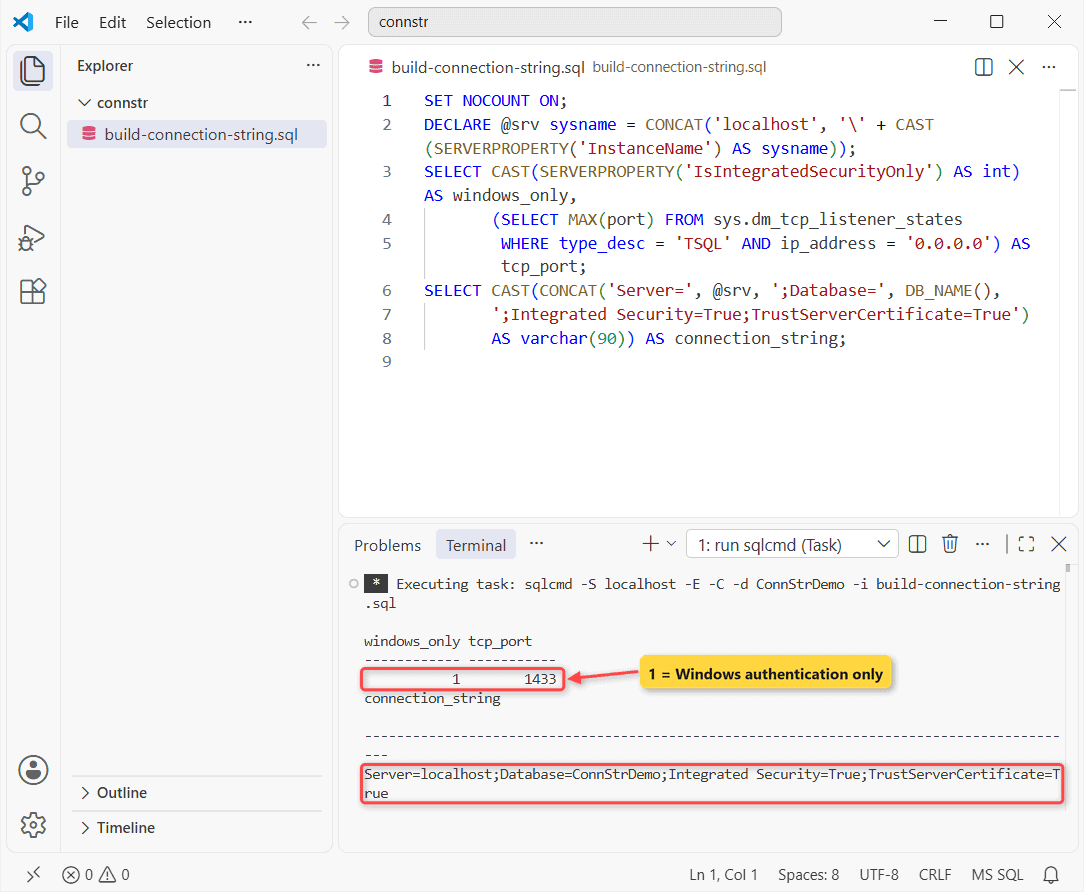
How does this work? SERVERPROPERTY('InstanceName') is NULL on a default instance, so the server stays localhost; a named instance gives localhost\NAME. DB_NAME() is the current database name.
What this tells me: windows_only = 1 rules out SQL logins. Remote apps need Server=tcp:yourserver,1433 (see the SQL Server port guide).
SQL Server Connection String Examples: Windows vs SQL Authentication
| Login type | Connection string |
|---|---|
| Windows | Server=localhost;Database=ConnStrDemo;Integrated Security=True |
| Windows (synonym) | Server=.;Database=ConnStrDemo;Trusted_Connection=yes |
| SQL Server login | Server=localhost;Database=ConnStrDemo;User ID=app_reader;Password=... |
I tried the third format with a throwaway SQL login:
Error 18456: Login failed for user 'connstr_demo'.
Login failed for user 'connstr_demo'. Reason: An attempt to login using SQL authentication failed. Server is configured for Integrated authentication only.
The client sees line one; the error log holds the reason. SQL logins need mixed mode (a restart) and database permissions.
Method 2: Test It With SqlConnectionStringBuilder in PowerShell
Same sample table, now from PowerShell 7, so you see the string actually connect:
Import-Module SqlServer   # loads Microsoft.Data.SqlClient
$b = [Microsoft.Data.SqlClient.SqlConnectionStringBuilder]::new(
    'Server=localhost;Database=ConnStrDemo;Integrated Security=True')
$b['TrustServerCertificate'] = $true
$b['Application Name'] = 'ConnStrDemo-PS'
$b.ConnectionString
$conn = [Microsoft.Data.SqlClient.SqlConnection]::new($b.ConnectionString)
$conn.Open()
$cmd = $conn.CreateCommand()
$cmd.CommandText = 'SELECT COUNT(*) FROM dbo.Customers'
"Connected to $($conn.Database), SQL Server $($conn.ServerVersion): $($cmd.ExecuteScalar()) customers"
$conn.Close()
Output:
Data Source=localhost;Initial Catalog=ConnStrDemo;Integrated Security=True;Trust Server Certificate=True;Application Name=ConnStrDemo-PS
Connected to ConnStrDemo, SQL Server 17.00.1000: 5 customers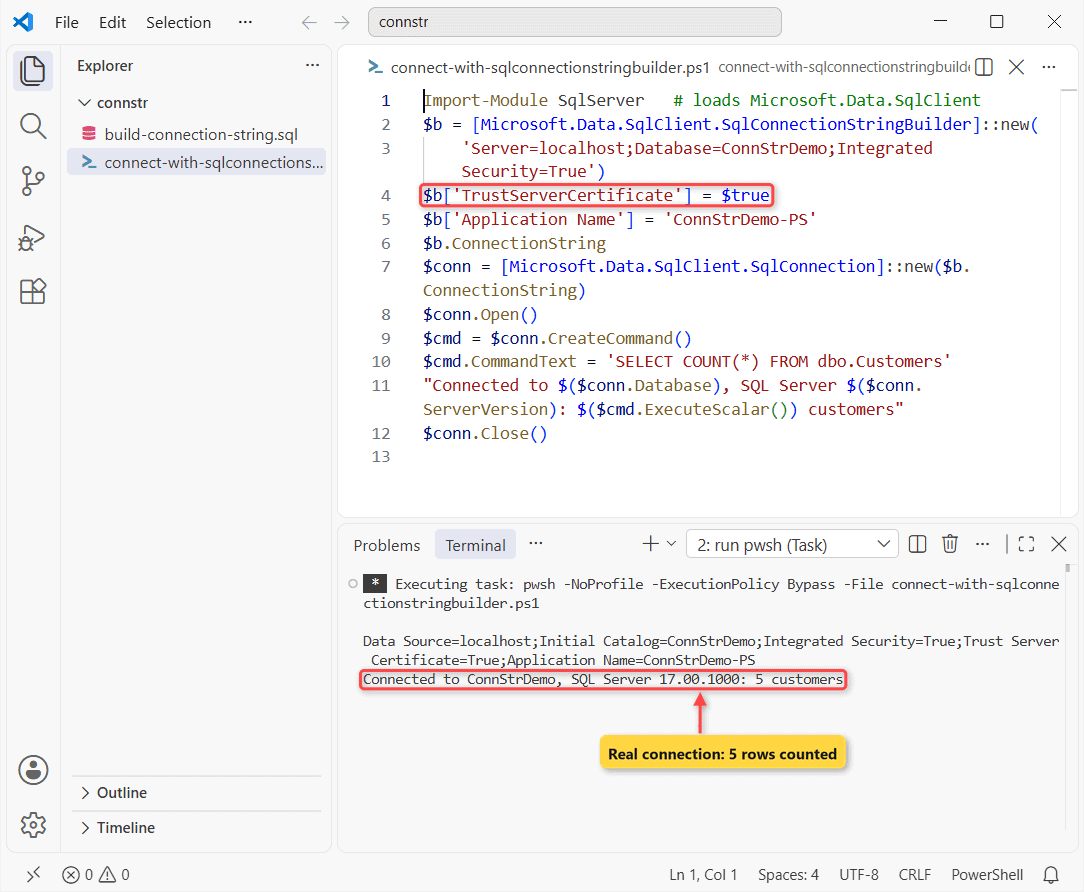
How does this work? The builder swaps synonyms for canonical keywords and quotes values. I set keys with $b['...'] because PowerShell treats the builder as a dictionary.
Why Does a Copied Connection String Fail With a Certificate Error?
Microsoft.Data.SqlClient 4.0+ defaults to Encrypt=Mandatory, and a local self-signed certificate isn’t trusted:
Import-Module SqlServer
$cs = 'Server=localhost;Database=ConnStrDemo;Integrated Security=True'
foreach ($extra in '', ';TrustServerCertificate=True') {
    $conn = [Microsoft.Data.SqlClient.SqlConnection]::new($cs + $extra)
    try   { $conn.Open(); "OK   $extra" }
    catch { "FAIL $($_.Exception.InnerException.Message)" }
    finally { $conn.Close() }
}
Output:
FAIL A connection was successfully established with the server, but then an error occurred during the login process. (provider: SSL Provider, error: 0 - The certificate chain was issued by an authority that is not trusted.)
OK   ;TrustServerCertificate=True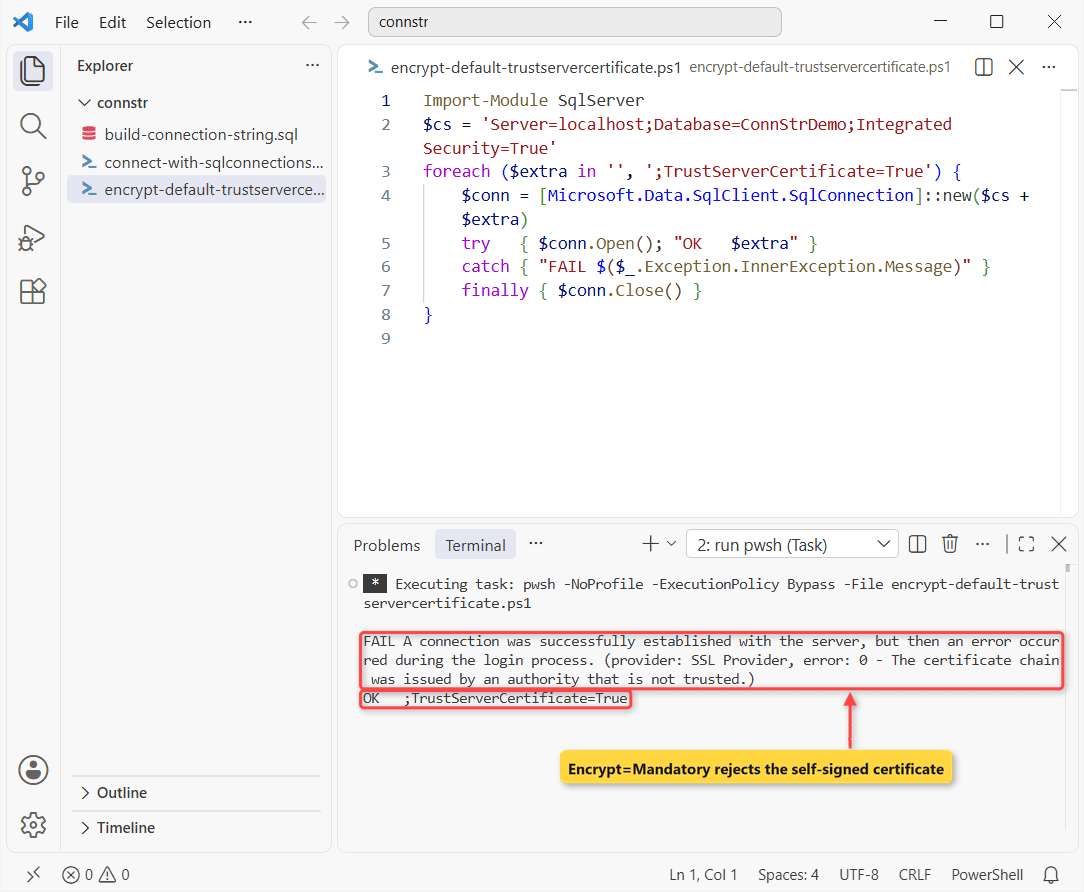
Important: use TrustServerCertificate=True on dev boxes only. Production needs a trusted certificate.
On Azure SQL you’d use Encrypt=Strict (see how to connect to Azure SQL Database). System.Data.SqlClient in Windows PowerShell 5.1 doesn’t encrypt by default.
Method 3: Pass the Connection String to Invoke-Sqlcmd
Same sample table, through the SqlServer module:
$cs = 'Server=localhost;Database=ConnStrDemo;Integrated Security=True;TrustServerCertificate=True'
Invoke-Sqlcmd -ConnectionString $cs -Query 'SELECT TOP (3) FullName, City FROM dbo.Customers'
Output:
FullName      City
--------      ----
Hannah Brooks Denver, CO
Tyler Reed    Austin, TX
Grace Miller  Columbus, OH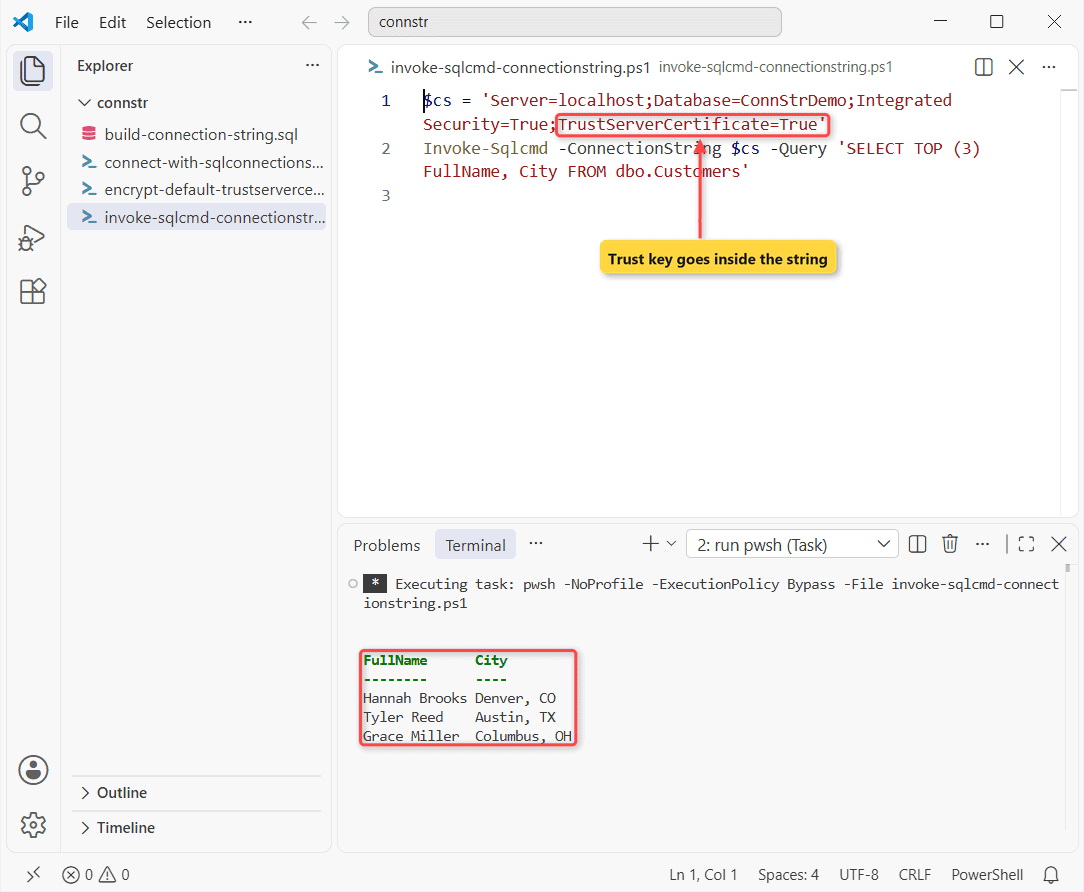
How does this work? Adding the -TrustServerCertificate switch fails with Parameter set cannot be resolved, so the key goes in the string; if the server is unreachable, see could not open a connection to SQL Server.
Method 4: Get the Connection String From a .udl File
Rename an empty text file connstr.udl and double-click it. Pick Microsoft OLE DB Driver 19 for SQL Server, fill in the server, login and database, click Test Connection, then OK. Notepad shows:
[oledb]
; Everything after this line is an OLE DB initstring
Provider=MSOLEDBSQL19;Data Source=localhost;Initial Catalog=ConnStrDemo;Integrated Security=SSPI;Trust Server Certificate=True
I saved that file as UTF-16 (the dialog’s format) and opened it in Windows PowerShell 5.1:
$c = New-Object System.Data.OleDb.OleDbConnection "File Name=$PSScriptRoot\connstr.udl"
$c.Open(); "Opened $($c.Database) with $($c.Provider), server $($c.ServerVersion)"; $c.Close()
Output:
Opened ConnStrDemo with MSOLEDBSQL19, server 17.00.1000How does this work? It’s an OLE DB string, so remove Provider before SqlClient sees it. Visual Studio’s Server Explorer shows a SqlClient string in the connection’s Properties window.
Where Apps Keep the SQL Server Connection String (appsettings.json)
ASP.NET Core reads GetConnectionString("Sales") from here; keep passwords in user secrets:
{
  "ConnectionStrings": {
    "Sales": "Server=localhost;Database=ConnStrDemo;Integrated Security=True;TrustServerCertificate=True"
  }
}
Things to Keep in Mind
My takeaways from these runs:
- Microsoft.Data.SqlClient fails on self-signed certificates until you trust them.
$b.InitialCatalog = ...throwsKeyword not supported: 'InitialCatalog'.in PowerShell.- SqlClient rejects .udl strings:
Keyword not supported: 'provider'. windows_only = 1means Error 18456 for every SQL login.
Related guides worth a look:
- Need the GUI? Install SSMS
- On PostgreSQL? Connect to a PostgreSQL database
- Auditing logins: list the users in SQL Server
Frequently Asked Questions
Where is the connection string stored in SQL Server?
Nowhere; each client builds its own. SSMS’s View connection properties lists the parts, not a pasteable string.
What is the default port in a SQL Server connection string?
1433 for a default instance. A named instance asks the SQL Server Browser on UDP 1434, per the Microsoft.Data.SqlClient connection string docs.
Can I use an IP address instead of a server name?
Yes (Server=tcp:10.0.0.5,1433), but certificate validation compares names, so it fails unless the certificate is trusted.

Shivam Dogra is a cloud database developer and Team Lead at TSInfo Technologies, where he has worked since June 2021. He writes the SQL Server and Oracle tutorials on DatabaseFAQs.com, covering queries, joins, stored procedures, triggers and permissions. Shivam holds a Master of Computer Applications (MCA) from Chandigarh University.