
If you need rows in a set order, MariaDB ORDER BY sorts them by any column or expression. It’s ascending by default; add DESC for biggest first:
SELECT customer, amount
FROM orders
ORDER BY amount DESC
LIMIT 3;
Top three on my run:
+---------------+--------+
| customer      | amount |
+---------------+--------+
| Olivia Carter | 412.30 |
| Hannah Brooks | 249.00 |
| Grace Miller  | 249.00 |
+---------------+--------+
Tested on MariaDB 13.0.2. The two $249.00 orders can swap places between runs.
The sample orders table for every ORDER BY example
Eight October 2026 orders, with ties and four NULL ship dates:
CREATE TABLE orders (
  order_id   INT PRIMARY KEY,
  customer   VARCHAR(16) NOT NULL,
  state      CHAR(2) NOT NULL,
  status     VARCHAR(11) NOT NULL,
  amount     DECIMAL(8,2) NOT NULL,
  ordered_at DATETIME NOT NULL,
  ship_date  DATE NULL,
  INDEX ix_ordered_at (ordered_at)
);
INSERT INTO orders VALUES
(101,'Hannah Brooks','TX','Shipped',249.00,'2026-10-01 09:15','2026-10-03'),
(102,'Tyler Reed','CA','Pending',89.50,'2026-10-03 14:02',NULL),
(103,'Grace Miller','WA','Shipped',249.00,'2026-10-03 16:40','2026-10-06'),
(104,'Marcus Bennett','TX','Canceled',15.75,'2026-10-07 11:05',NULL),
(105,'Olivia Carter','NY','Pending',412.30,'2026-10-22 08:30',NULL),
(106,'Ethan Walsh','TX','Shipped',89.50,'2026-10-22 08:30','2026-10-24'),
(107,'Chloe Hayes','CA','Shipped',132.00,'2026-10-15 10:20','2026-10-17'),
(108,'Ryan Foster','CO','Backordered',64.99,'2026-10-18 13:45',NULL);
Need the basics first? Here’s how to create a table in MariaDB.
MariaDB ORDER BY ASC and DESC
ASC runs A to Z, low to high, oldest to newest. DESC flips it. ORDER BY goes after WHERE, GROUP BY and HAVING in a MariaDB SELECT, before LIMIT.
No ORDER BY, no guaranteed order.
ORDER BY multiple columns: DESC then ASC
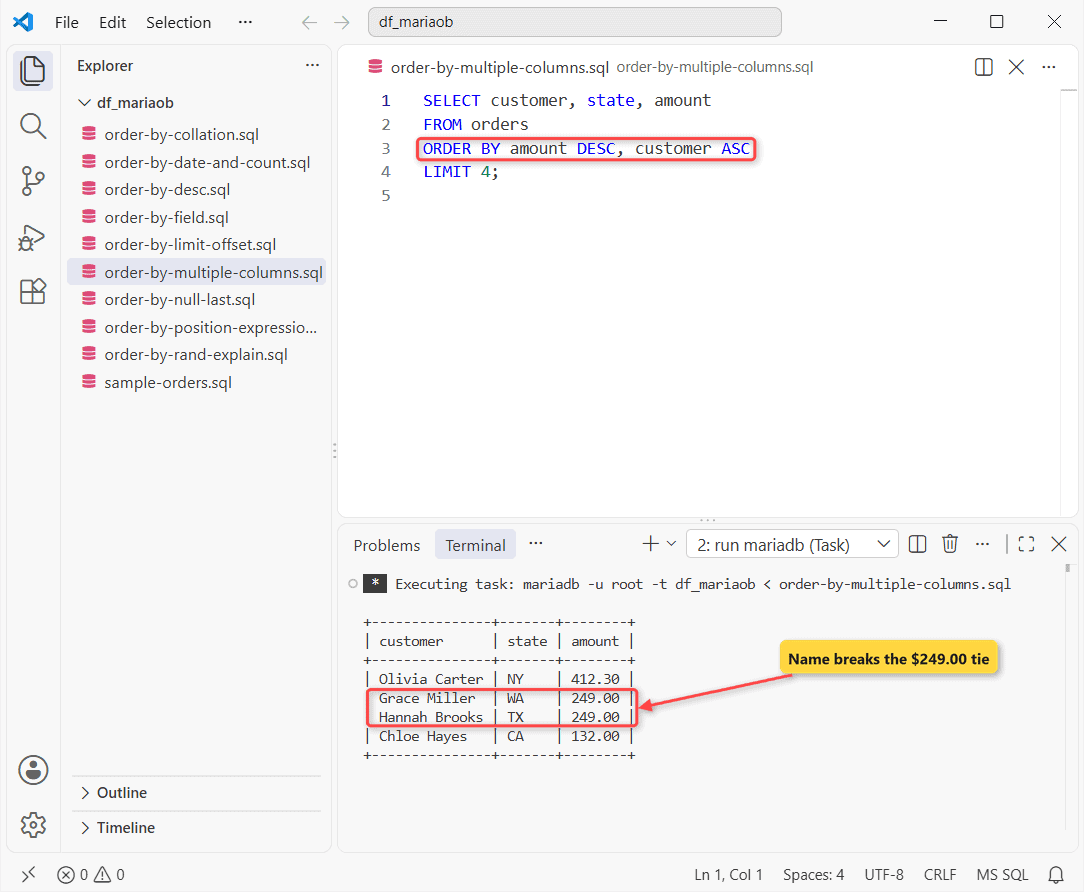
Same orders table. Each column gets its own direction:
SELECT customer, state, amount
FROM orders
ORDER BY amount DESC, customer ASC
LIMIT 4;
Output:
+---------------+-------+--------+
| customer      | state | amount |
+---------------+-------+--------+
| Olivia Carter | NY    | 412.30 |
| Grace Miller  | WA    | 249.00 |
| Hannah Brooks | TX    | 249.00 |
| Chloe Hayes   | CA    | 132.00 |
+---------------+-------+--------+
How does this work?
MariaDB sorts by amount and reads customer only where amounts match, so Grace beats Hannah every time.
Sort by date, and by COUNT(*) after GROUP BY
Newest orders first, then the busiest states via MariaDB GROUP BY:
SELECT order_id, ordered_at FROM orders
ORDER BY ordered_at DESC, order_id DESC
LIMIT 2;

SELECT state, COUNT(*) AS orders FROM orders
GROUP BY state
ORDER BY orders DESC, state
LIMIT 2;
Two result sets:
+----------+---------------------+
| order_id | ordered_at          |
+----------+---------------------+
|      106 | 2026-10-22 08:30:00 |
|      105 | 2026-10-22 08:30:00 |
+----------+---------------------+
+-------+--------+
| state | orders |
+-------+--------+
| TX    |      3 |
| CA    |      2 |
+-------+--------+
Orders 105 and 106 share a timestamp, so order_id DESC keeps the pick stable. You can sort by the orders alias or by COUNT(*).
How do you put NULLs last in MariaDB ORDER BY?
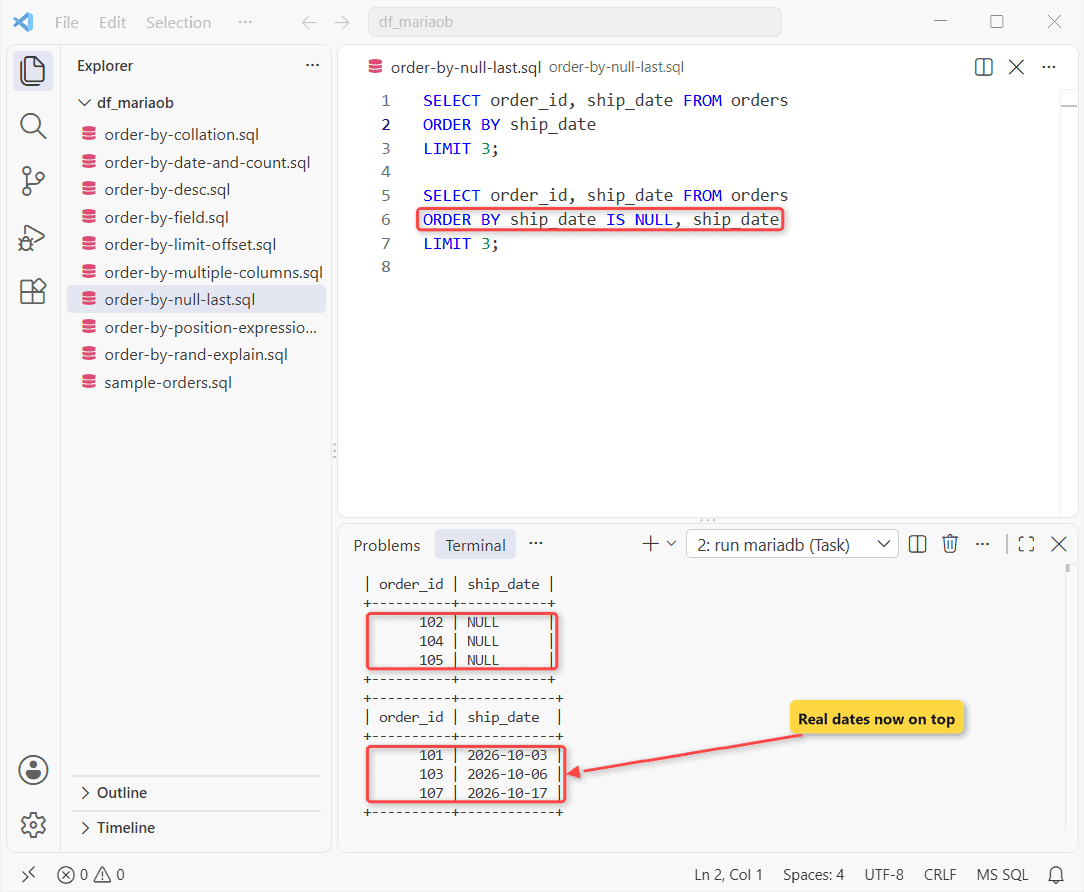
NULL sorts first in ASC and last in DESC. Same table, earliest ship dates:
SELECT order_id, ship_date FROM orders
ORDER BY ship_date
LIMIT 3;

SELECT order_id, ship_date FROM orders
ORDER BY ship_date IS NULL, ship_date
LIMIT 3;
Before and after:
+----------+-----------+
| order_id | ship_date |
+----------+-----------+
|      102 | NULL      |
|      104 | NULL      |
|      105 | NULL      |
+----------+-----------+
+----------+------------+
| order_id | ship_date  |
+----------+------------+
|      101 | 2026-10-03 |
|      103 | 2026-10-06 |
|      107 | 2026-10-17 |
+----------+------------+
How does this work?
ship_date IS NULL is 0 for dates and 1 for NULLs, so NULLs go last. ISNULL(ship_date) works the same. PostgreSQL’s NULLS LAST failed for me with ERROR 1064.
Custom sort order with ORDER BY FIELD()
FIELD() returns each value’s position in your list:
SELECT DISTINCT status FROM orders
ORDER BY FIELD(status, 'Pending', 'Shipped', 'Canceled');

SELECT DISTINCT status FROM orders
ORDER BY FIELD(status, 'Canceled', 'Shipped', 'Pending') DESC;
Two result sets:
+-------------+
| status      |
+-------------+
| Backordered |
| Pending     |
| Shipped     |
| Canceled    |
+-------------+
+-------------+
| status      |
+-------------+
| Pending     |
| Shipped     |
| Canceled    |
| Backordered |
+-------------+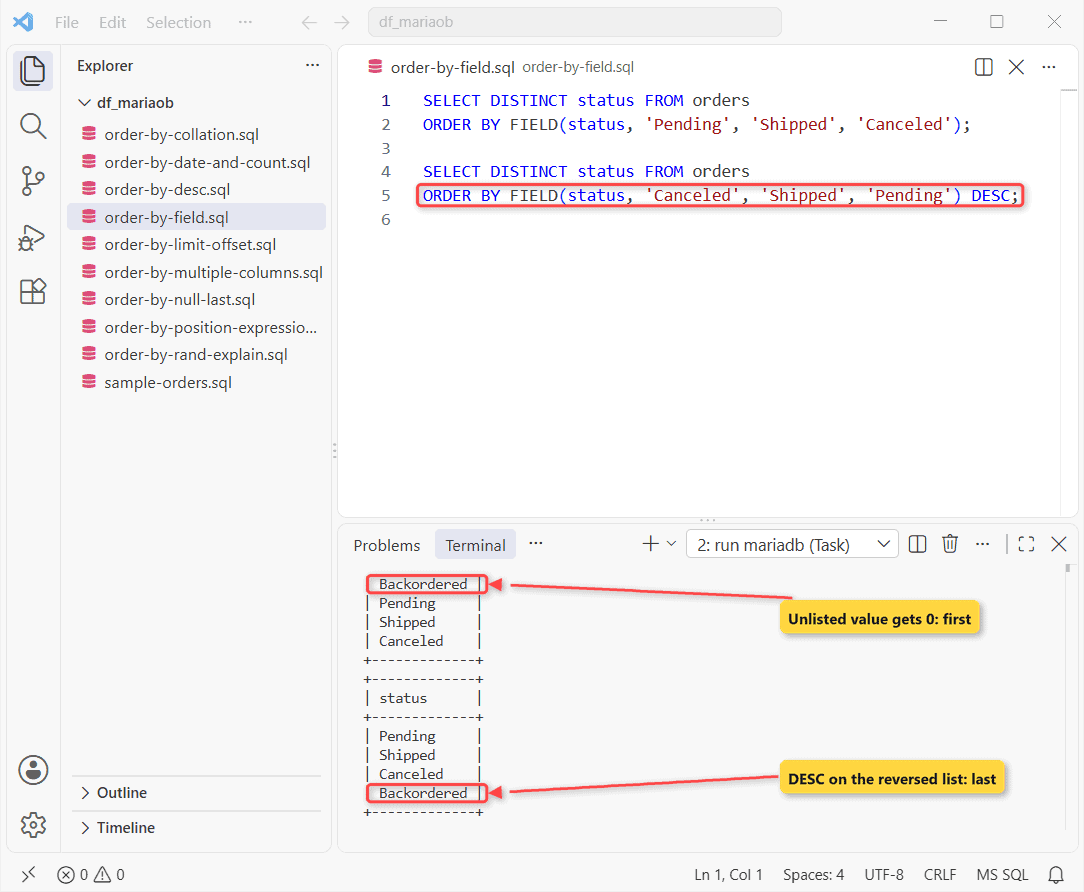
Gotcha: Backordered isn’t listed, so it gets 0 and lands first. Reverse the list with DESC, or use a CASE expression.
MariaDB ORDER BY with LIMIT and OFFSET
Page 2, three rows per page:
SELECT order_id, customer FROM orders
ORDER BY order_id
LIMIT 3 OFFSET 3;
Output:
+----------+----------------+
| order_id | customer       |
+----------+----------------+
|      104 | Marcus Bennett |
|      105 | Olivia Carter  |
|      106 | Ethan Walsh    |
+----------+----------------+
Page on a unique column, or rows repeat. More in MariaDB LIMIT examples.
ORDER BY column position or expression
Same orders with 8.25% sales tax. 2 means the second column:
SELECT customer, amount * 1.0825 AS with_tax
FROM orders
ORDER BY 2 DESC
LIMIT 2;
Output:
+---------------+------------+
| customer      | with_tax   |
+---------------+------------+
| Olivia Carter | 446.314750 |
| Grace Miller  | 269.542500 |
+---------------+------------+
The alias or the expression works too. I keep positions out of saved code.
Case in MariaDB ORDER BY: collation
My default collation was utf8mb4_uca1400_ai_ci, which ignores case. Binary doesn’t:
SELECT 'grace' < 'Hannah' AS default_ci,
  'grace' COLLATE utf8mb4_bin < 'Hannah' AS binary_cs;
Output:
+------------+-----------+
| default_ci | binary_cs |
+------------+-----------+
|          1 |         0 |
+------------+-----------+
So binary sorts Hannah before grace. Add COLLATE utf8mb4_bin for a case-sensitive sort.
ORDER BY RAND() and index use with EXPLAIN
EXPLAIN SELECT order_id FROM orders
ORDER BY RAND() LIMIT 1;

EXPLAIN SELECT order_id, ordered_at FROM orders
ORDER BY ordered_at DESC LIMIT 3;
Two plans, printed vertically with -E:
*************************** 1. row ***************************
           id: 1
  select_type: SIMPLE
        table: orders
         type: index
possible_keys: NULL
          key: ix_ordered_at
      key_len: 5
          ref: NULL
         rows: 8
        Extra: Using index; Using temporary; Using filesort
*************************** 1. row ***************************
           id: 1
  select_type: SIMPLE
        table: orders
         type: index
possible_keys: NULL
          key: ix_ordered_at
      key_len: 5
          ref: NULL
         rows: 3
        Extra: Using index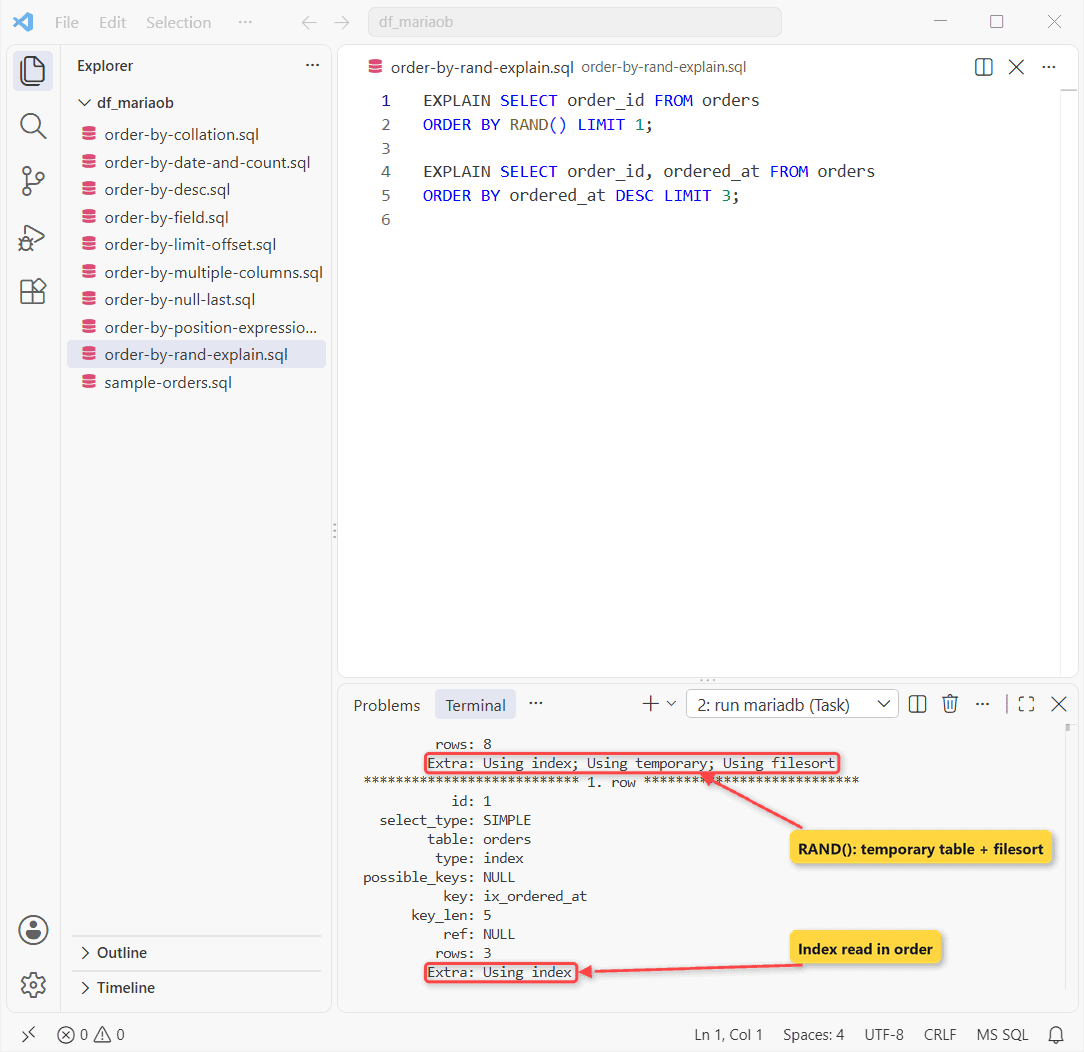
RAND() scores and sorts every row, so it slows as the table grows. An indexed column plus LIMIT reads in order.
Things to Keep in Mind
- Add a unique tie-breaker before LIMIT.
- FIELD() gives unlisted values 0.
- Skip ORDER BY RAND() on big tables.
Next step, pick a related task:
Frequently Asked Questions
Why is ORDER BY in a subquery ignored?
A derived table has no order, so MariaDB drops it unless LIMIT is there.
Can UPDATE or DELETE use ORDER BY?
Yes, usually with LIMIT (MariaDB docs).
What if an alias matches a column name?
The alias wins silently. Write orders.amount for the column.

Kumar Saurabh is a freelance software engineer who builds web and mobile apps with Next.js, React, Flutter and Python. From 2021 to 2024, Saurabh worked as an IT analyst and developer at TSInfo Technologies, writing technical articles on SQL and PostgreSQL. Saurabh writes the PostgreSQL, MySQL, MariaDB and MongoDB tutorials on DatabaseFAQs.com and holds a Master of Computer Applications (MCA) from Chandigarh University.