
Counting documents sounds like a one-liner until a report wants totals per state, per status and per date range at once. MongoDB gives you countDocuments(), estimatedDocumentCount(), the aggregate $count stage and $group, and each fits a different job.
In this tutorial, I’ll cover each MongoDB aggregate count pattern on one small orders collection, with real mongosh output from MongoDB 9.0.
Quick answer: for one filtered total, run db.orders.countDocuments({ status: "Shipped" }). Inside a pipeline, end with { $count: "shippedOrders" } after a $match; for a count per value, use $group with { $sum: 1 }.
Sample orders collection for the MongoDB count examples
All the queries below use this ten-document orders collection (database dfq_mongocount): US customers, states, 2026 dates, USD totals, a status and an items array.
db.orders.drop();
db.orders.insertMany([
  { _id: 1,  customer: "Megan Bowen",     state: "TX", orderDate: ISODate("2026-01-05"), total: 249.99,  status: "Shipped",  items: ["laptop stand", "usb-c hub"] },
  { _id: 2,  customer: "Alex Wilber",     state: "CA", orderDate: ISODate("2026-01-09"), total: 1180.00, status: "Shipped",  items: ["monitor", "keyboard", "mouse"] },
  { _id: 3,  customer: "Adele Vance",     state: "WA", orderDate: ISODate("2026-01-14"), total: 89.50,   status: "Canceled", items: ["webcam"] },
  { _id: 4,  customer: "Lee Gu",          state: "TX", orderDate: ISODate("2026-01-20"), total: 615.25,  status: "Shipped",  items: ["desk chair"] },
  { _id: 5,  customer: "Lidia Holloway",  state: "CA", orderDate: ISODate("2026-02-02"), total: 432.10,  status: "Pending",  items: ["headset", "dock"] },
  { _id: 6,  customer: "Diego Siciliani", state: "NY", orderDate: ISODate("2026-02-11"), total: 958.40,  status: "Shipped",  items: ["tablet", "case", "stylus"] },
  { _id: 7,  customer: "Isaiah Langer",   state: "TX", orderDate: ISODate("2026-02-18"), total: 77.80,   status: "Canceled", items: ["mouse pad"] },
  { _id: 8,  customer: "Johanna Lorenz",  state: "NY", orderDate: ISODate("2026-03-03"), total: 310.00,  status: "Pending",  items: ["printer"] },
  { _id: 9,  customer: "Nestor Wilke",    state: "FL", orderDate: ISODate("2026-03-09"), total: 529.00,  status: "Shipped",  items: ["router", "cables"] },
  { _id: 10, customer: "Patti Fernandez", state: "CA", orderDate: ISODate("2026-03-16"), total: 64.99,   status: "Shipped",  items: ["charger"] }
]);
Paste it into mongosh, or see how to import JSON into MongoDB from a file.
MongoDB countDocuments() with and without a filter
countDocuments(query, options) counts the documents that match a query. Pass {} to count the whole collection.
// Count every order, then only the matching ones
print("All orders:", db.orders.countDocuments({}));
print("Shipped:", db.orders.countDocuments({ status: "Shipped" }));
print("TX over $200:", db.orders.countDocuments({
  state: "TX", total: { $gt: 200 }
}));

// Fast total from collection metadata (no filter)
print("Estimated:", db.orders.estimatedDocumentCount());
Output:
All orders: 10
Shipped: 6
TX over $200: 2
Estimated: 10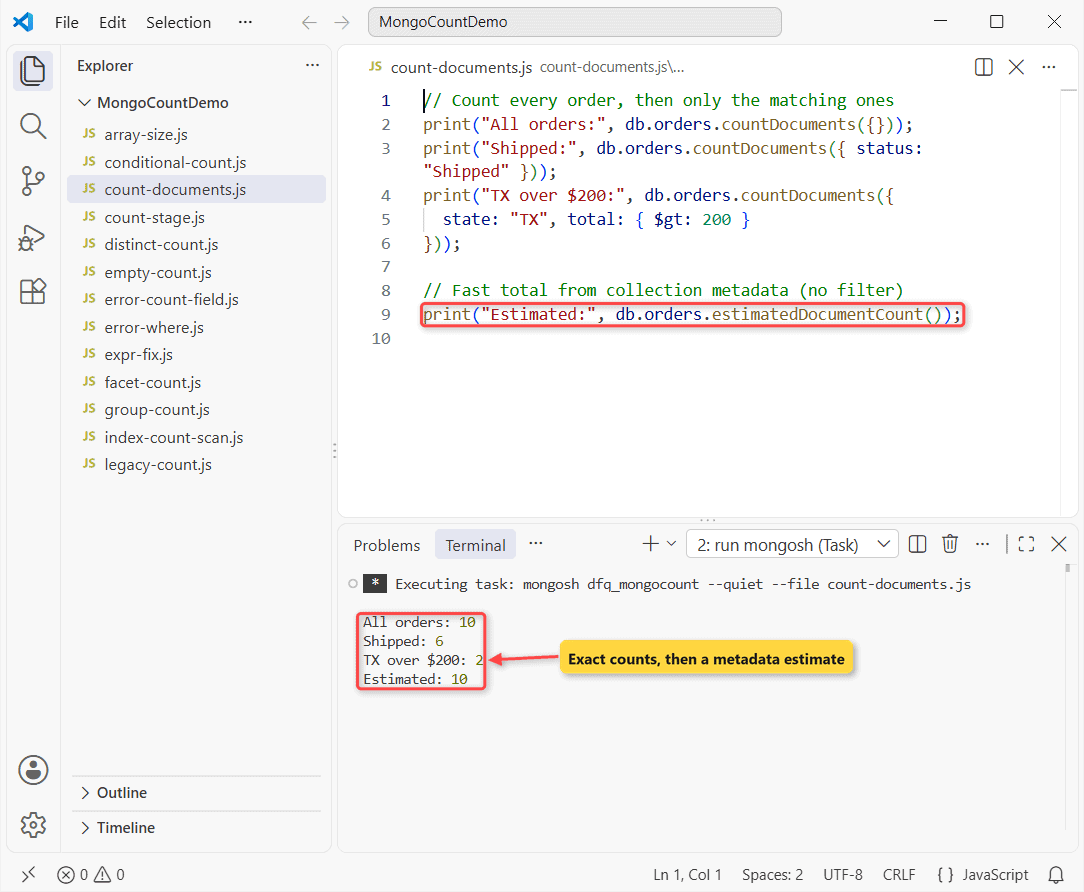
There are 10 orders, 6 Shipped, and 2 Texas orders over $200. Filters work like find(), so you can stack multiple conditions.
Under the hood, countDocuments() runs a $match plus a $group with $sum: 1. That’s why it’s always exact and works inside transactions.
estimatedDocumentCount() for a fast total
It takes no filter and reads the count from collection metadata, so it’s instant even on huge collections. Note: the docs warn it can be off after an unclean shutdown or with orphaned documents on a sharded cluster.
Is count() deprecated in MongoDB?
Partly. The MongoDB 9.0 manual says the drivers deprecate their count() APIs in favor of countDocuments() and estimatedDocumentCount(). The mongosh method still works, but it prints a warning:
// Legacy methods: still in mongosh, deprecated in the drivers
print("count():", db.orders.count());
print("count(filter):", db.orders.count({ status: "Shipped" }));
print("cursor + limit(2):",
  db.orders.find({ status: "Shipped" }).limit(2).count());

// The replacement takes limit as an option
print("countDocuments + limit:",
  db.orders.countDocuments({ status: "Shipped" }, { limit: 2 }));
Output:
DeprecationWarning: Collection.count() is deprecated. Use countDocuments or estimatedDocumentCount.
count(): 10
count(filter): 6
cursor + limit(2): 2
countDocuments + limit: 2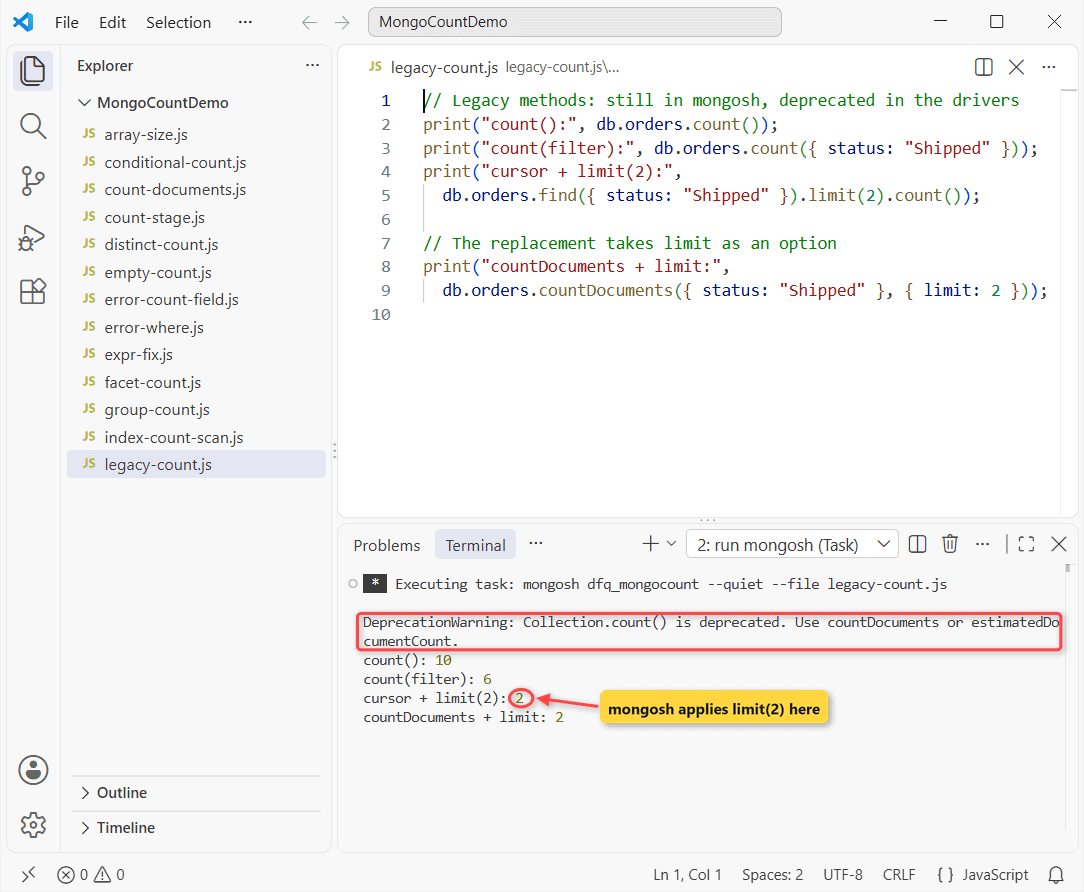
Note that find().limit(2).count() returns 2: mongosh ignores the old applySkipLimit flag and applies limit, unlike the legacy mongo shell. In new code, pass limit to countDocuments() instead.
Not sure which shell you have? Here’s how to check if MongoDB is installed.
MongoDB aggregate $count stage after $match
{ $count: "<field>" } outputs one document with the number of documents that reached it. A $match in front gives you a count with a condition.
// Shipped orders
printjson(db.orders.aggregate([
  { $match: { status: "Shipped" } },
  { $count: "shippedOrders" }
]).toArray());

// Orders over $500 placed on or after 02/01/2026
printjson(db.orders.aggregate([
  { $match: {
      total: { $gt: 500 },
      orderDate: { $gte: ISODate("2026-02-01") }
  } },
  { $count: "bigOrdersSinceFeb" }
]).toArray());
Output:
[
  {
    shippedOrders: 6
  }
]
[
  {
    bigOrdersSinceFeb: 2
  }
]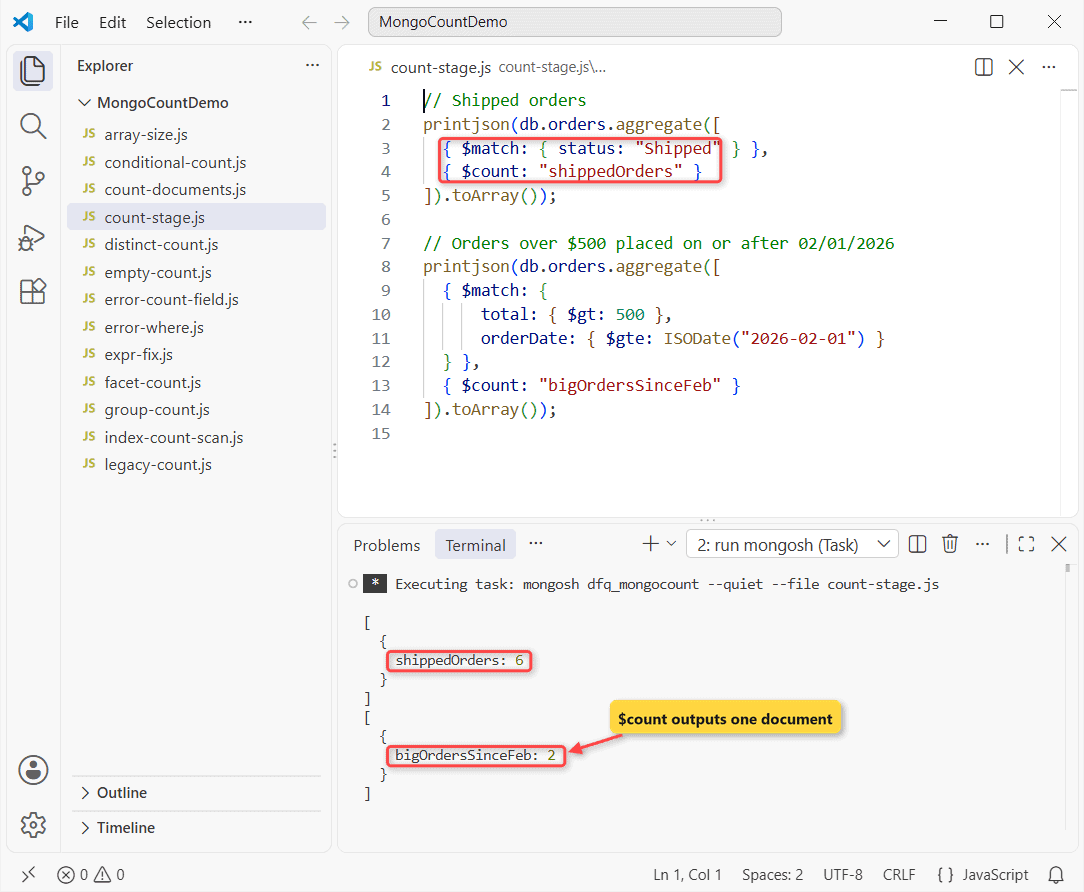
Six orders are Shipped, and two are over $500 and dated 02/01/2026 or later. Any operator works in the $match, including the $in operator.
Count by field: $group with $sum: 1 vs the $count accumulator
To count per value, group on the field. Write the counter as { $sum: 1 } or, in MongoDB 5.0 and later, the { $count: {} } accumulator (no arguments, empty braces required).
db.orders.aggregate([
  { $group: {
      _id: "$state",
      orders: { $sum: 1 },        // classic way
      viaCount: { $count: {} }    // MongoDB 5.0+
  } },
  { $sort: { orders: -1, _id: 1 } }
]).forEach(d => print(d._id, d.orders, d.viaCount));
Output:
CA 3 3
TX 3 3
NY 2 2
FL 1 1
WA 1 1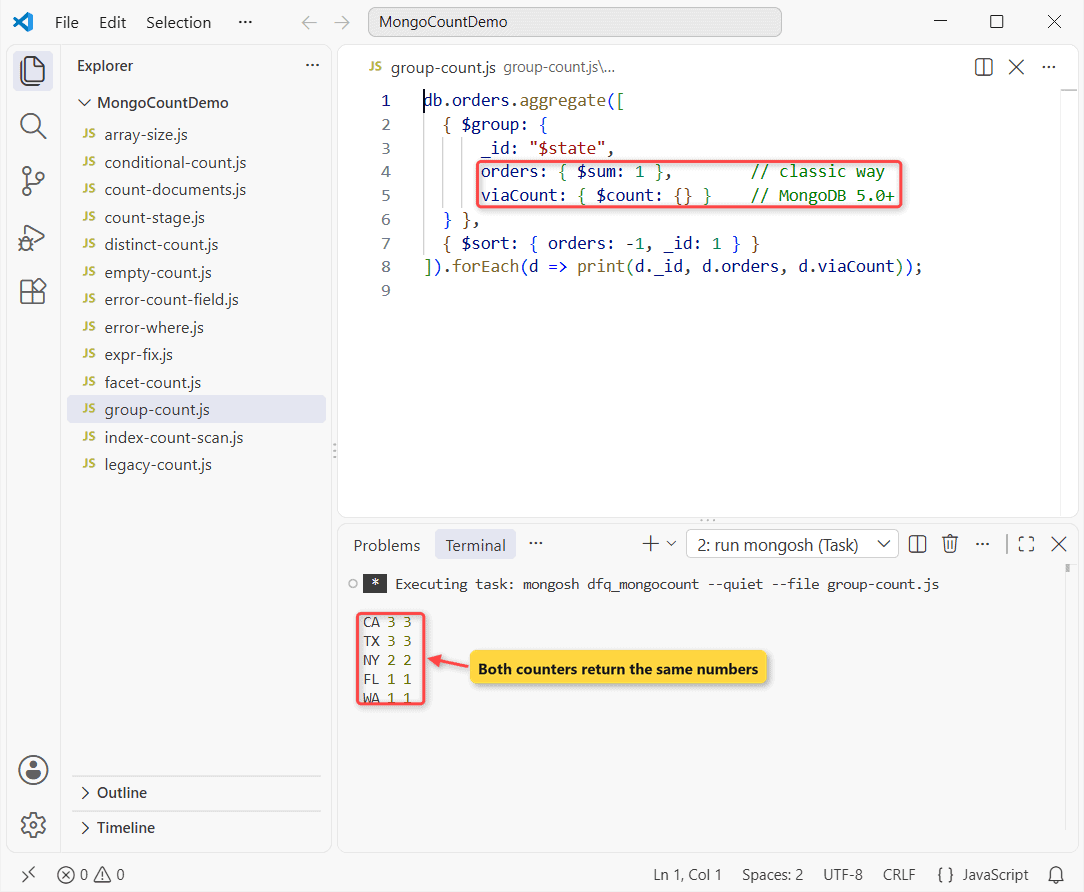
California and Texas have 3 orders each, and both counters agree. More patterns are in the MongoDB group by count guide and in group by multiple fields.
How do you count distinct values in MongoDB?
Use distinct().length, the short form of a distinct query, or group on the field and count the groups.
// Small result sets: distinct() + length
print("All states:", db.orders.distinct("state").length);
print("Shipped to:", db.orders.distinct("state", { status: "Shipped" }).length);

// Any size: $group on the field, then $count the groups
printjson(db.orders.aggregate([
  { $group: { _id: "$state" } },
  { $count: "distinctStates" }
]).toArray());
Output:
All states: 5
Shipped to: 4
[
  {
    distinctStates: 5
  }
]
Orders come from 5 states; Shipped orders went to 4. Important: distinct() returns one document capped at 16 MB, so use the $group version when there are many unique values.
Count with conditions using $cond and $sum
Several conditional counts fit in one $group: each $cond adds 1 when its test is true, 0 otherwise.
printjson(db.orders.aggregate([
  { $group: {
      _id: null,
      shipped:  { $sum: { $cond: [{ $eq: ["$status", "Shipped"] }, 1, 0] } },
      canceled: { $sum: { $cond: [{ $eq: ["$status", "Canceled"] }, 1, 0] } },
      over500:  { $sum: { $cond: [{ $gt: ["$total", 500] }, 1, 0] } }
  } },
  { $project: { _id: 0 } }
]).toArray());
Output:
[
  {
    shipped: 6,
    canceled: 2,
    over500: 4
  }
]
One pass returns 6 Shipped, 2 Canceled and 4 orders over $500, like SQL’s SUM(CASE WHEN ...). The final $project hides _id, much like returning specific fields.
Multiple counts in one query with $facet
$facet runs several sub-pipelines on the same documents, so a dashboard gets a total and a breakdown in one round trip.
const [r] = db.orders.aggregate([
  { $match: { orderDate: { $gte: ISODate("2026-02-01") } } },
  { $facet: {
      total:    [{ $count: "n" }],
      byStatus: [{ $group: { _id: "$status", n: { $sum: 1 } } },
                 { $sort: { _id: 1 } }],
      over500:  [{ $match: { total: { $gt: 500 } } },
                 { $count: "n" }]
  } }
]).toArray();

print("Since 02/01/2026:", r.total[0].n);
r.byStatus.forEach(s => print(" ", s._id, s.n));
print("Over $500:", r.over500[0].n);
Output:
Since 02/01/2026: 6
  Canceled 1
  Pending 2
  Shipped 3
Over $500: 2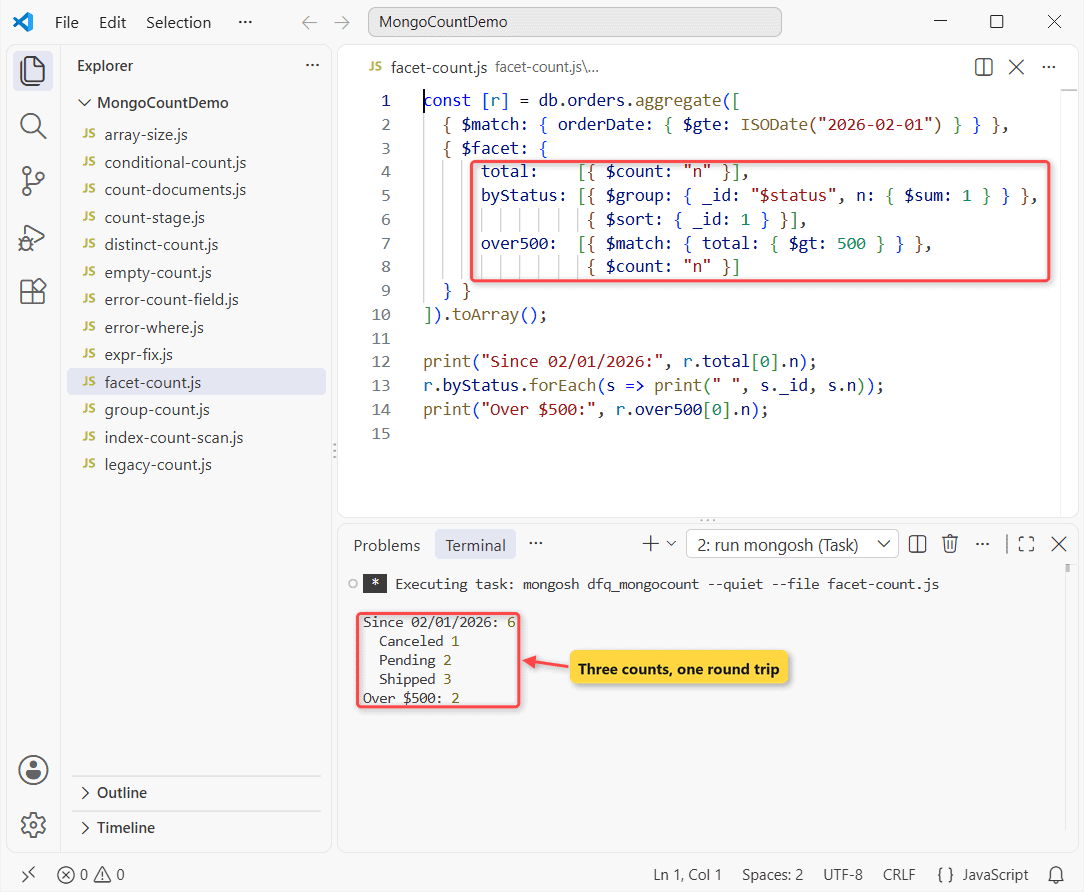
Six orders since 02/01/2026: 1 Canceled, 2 Pending, 3 Shipped, and 2 over $500. Put the shared $match before $facet; stages inside a facet can’t use indexes. Date filters are covered in order by date.
Count array elements with $size
$size returns an array’s length; wrap it in $sum to add lengths across documents.
// Items per order for California
db.orders.aggregate([
  { $match: { state: "CA" } },
  { $project: { _id: 0, customer: 1, itemCount: { $size: "$items" } } }
]).forEach(d => print(d.customer, d.itemCount));

// Items across all orders
printjson(db.orders.aggregate([
  { $group: { _id: null, totalItems: { $sum: { $size: "$items" } } } }
]).toArray());
Output:
Alex Wilber 3
Lidia Holloway 2
Patti Fernandez 1
[
  {
    _id: null,
    totalItems: 17
  }
]
The California orders hold 3, 2 and 1 items, and all 10 orders hold 17. Note: $size errors on a missing field, so use { $size: { $ifNull: ["$items", []] } } when needed.
To pull items out instead of counting them, see returning only matching array elements.
MongoDB count performance: indexes and COUNT_SCAN
A filtered count is only as fast as its query. With an index on the filtered field, MongoDB counts index keys without reading documents.
const plan = (filter) => {
  const ex = db.orders.explain("executionStats")
    .aggregate([{ $match: filter }, { $count: "n" }]);
  let s = ex.queryPlanner.winningPlan.queryPlan;
  while (s.inputStage) s = s.inputStage;
  print(s.stage, "| keys:", ex.executionStats.totalKeysExamined,
    "| docs:", ex.executionStats.totalDocsExamined);
};
plan({ status: "Shipped" });              // no index yet
db.orders.createIndex({ status: 1 });
plan({ status: "Shipped" });              // with the index
Output:
COLLSCAN | keys: 0 | docs: 10
COUNT_SCAN | keys: 6 | docs: 0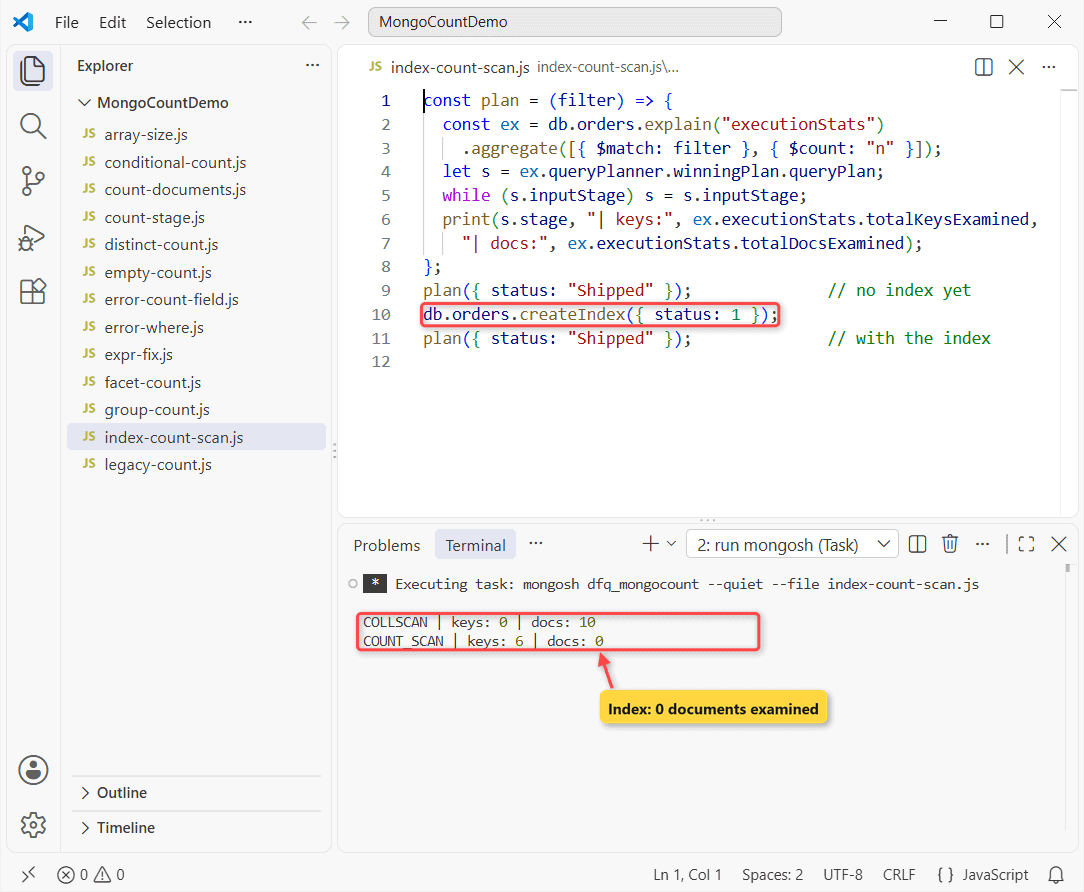
Without an index it’s a COLLSCAN over 10 documents. After I create an index on status, it’s a COUNT_SCAN with 0 documents examined.
For an unfiltered total, estimatedDocumentCount() wins; countDocuments({}) scans the collection unless you add { hint: "_id_" }.
Common MongoDB count errors and how to fix them
MongoServerError: $where is not allowed in this context
db.orders.countDocuments({ $where: "this.total > 500" });Error:
MongoServerError: $where is not allowed in this contextcountDocuments() rejects $where, $near and $nearSphere. Use $expr, which also lets you compare two fields:
print(db.orders.countDocuments({ $expr: { $gt: ["$total", 500] } }));Output:
4MongoServerError: the count field cannot be a $-prefixed path
db.orders.aggregate([{ $count: "$total" }]);Error:
MongoServerError: the count field cannot be a $-prefixed path$count wants a plain name like "orderCount": not empty, no leading $, no dot.
Why does a MongoDB count return 0 or nothing?
// Typo in the collection name: no error, just 0
print("db.order:", db.order.countDocuments({}));

// $count with no matching documents returns no document at all
printjson(db.orders.aggregate([
  { $match: { state: "OR" } },
  { $count: "oregonOrders" }
]).toArray());
Output:
db.order: 0
[]
A misspelled collection returns 0 with no error, and $count returns an empty array when nothing matches. Check the name with show collections and treat an empty result as zero.
Which MongoDB count method should you use?
| You need… | Use |
|---|---|
| Fast total, no filter | estimatedDocumentCount() |
| Exact count of matching documents | countDocuments(filter) |
| A count at the end of a pipeline | $match + $count |
| Count per value (group by) | $group + $sum: 1 or $count: {} |
| Distinct values | distinct().length or $group + $count |
| Several counts at once | $sum + $cond, or $facet |
| Items inside an array | $size |
I default to countDocuments() for single totals and $group for anything per value. The usual mistakes are count() in driver code and expecting $count to return 0.
These guides pair well with your count queries:
- Joining two collections with $lookup
- Querying nested documents in MongoDB
- Updating documents in MongoDB
- Exporting MongoDB data to CSV
Frequently Asked Questions
What is the difference between count() and countDocuments() in MongoDB?
count() without a filter reads collection metadata and can be inaccurate; countDocuments() runs an aggregation and is exact. Drivers deprecate count(), as the countDocuments() documentation notes.
Why does $count return nothing instead of 0?
If no documents reach the $count stage, it outputs no document, so you get an empty array.
How do I count documents in MongoDB Compass?
The Documents tab shows the count and updates when you apply a filter. For grouped counts, add $match and $count or $group stages in the Aggregations tab.
How do I count documents in MongoDB with Python?
In PyMongo, use collection.count_documents(filter) or collection.estimated_document_count(), and collection.aggregate() for group-by counts.
Is $count faster than countDocuments()?
No. countDocuments() is itself a $match plus $group pipeline. An index on the filtered field is what makes either one fast.

Kumar Saurabh is a freelance software engineer who builds web and mobile apps with Next.js, React, Flutter and Python. From 2021 to 2024, Saurabh worked as an IT analyst and developer at TSInfo Technologies, writing technical articles on SQL and PostgreSQL. Saurabh writes the PostgreSQL, MySQL, MariaDB and MongoDB tutorials on DatabaseFAQs.com and holds a Master of Computer Applications (MCA) from Chandigarh University.