
MongoDB has no CREATE TABLE statement, and you don’t need one. To create table in MongoDB, you create a collection: run db.createCollection("customers"), or insert the first document and MongoDB makes the collection for you.
use df_mongocoll
db.createCollection("customers")
db.customers.insertOne({ name: "Megan Bowen", state: "TX" })
Either line gives you a customers collection. Tested on MongoDB 9.0.4 and mongosh 2.14 on Windows; every output below is from those runs.
Is a MongoDB collection the same as a table?
Close enough. A collection holds documents the way a table holds rows, with no fixed columns unless you add a validator.
| SQL term | MongoDB equivalent |
|---|---|
| Database | Database (created on first write) |
| Table | Collection |
| Row | Document (BSON, max 16 MB) |
| Column | Field |
| Primary key | _id (always unique, always indexed) |
| Foreign key | A stored reference + $lookup (not enforced) |
Create a MongoDB collection with the first insert
Most collections start this way. Write to a collection that doesn’t exist and MongoDB creates it, with an index on _id:
print("Before:", db.getCollectionNames());

db.customers.insertOne({
  _id: 1, name: "Megan Bowen", email: "megan@example.com", state: "TX"
});

print("After:", db.getCollectionNames());
Result:
Before: []
After: [ 'customers' ]
You should see an empty list, then [ 'customers' ]. The database didn’t exist before the insert either. Tools work the same way: importing a CSV with mongoimport creates its target collection on the fly.
MongoDB create collection with db.createCollection()
Call db.createCollection(name, options) to create it up front. No options yet:
printjson(db.createCollection("customers"));

print("Collections:", db.getCollectionNames());
print("Documents:", db.customers.countDocuments());
Output:
{
  ok: 1
}
Collections: [ 'customers' ]
Documents: 0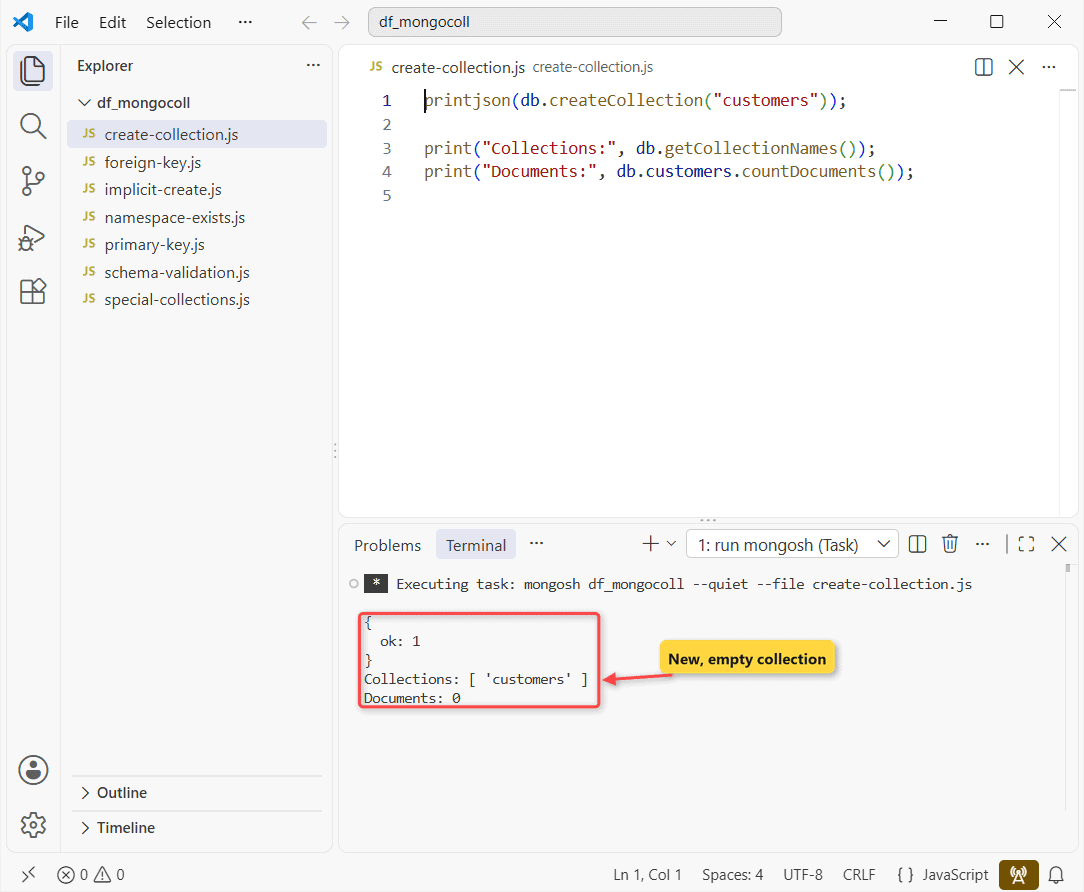
Check your work with show collections in the shell (db.getCollectionNames() in a script). Run it again with the same options and it still returns ok.
MongoDB create collection with schema validation
A plain collection accepts any shape. For required columns, pass a $jsonSchema validator. Same customers collection, now with rules and a bad insert:
db.createCollection("customers", {
  validator: { $jsonSchema: {
    bsonType: "object",
    required: ["name", "email", "state"],
    properties: {
      email: { bsonType: "string", pattern: "@" },
      state: { enum: ["CA", "NY", "TX", "WA", "FL"] }
    }
  } },
  validationAction: "error"
});
try {
  db.customers.insertOne({ _id: 2, name: "Alex Wilber", state: "OR" });
} catch (e) {
  print(e.message);
  e.errInfo.details.schemaRulesNotSatisfied.forEach(r => print(" -", r.operatorName,
    r.missingProperties || r.propertiesNotSatisfied.map(p => p.propertyName)));
}
print("Saved:", db.customers.countDocuments());
Output:
Document failed validation
 - properties [ 'state' ]
 - required [ 'email' ]
Saved: 0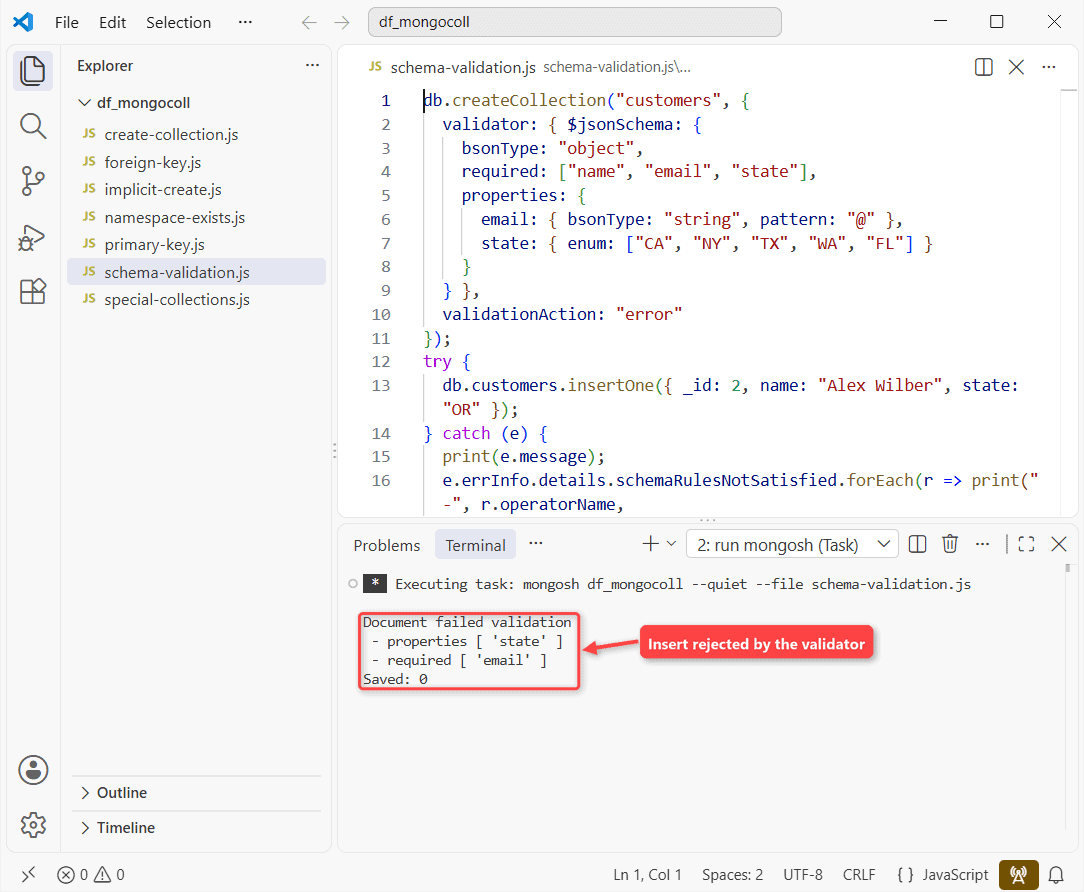
errInfo.details names both broken rules. Nothing was saved.
"error" is the default action; "warn" logs violations but keeps the write.
The _id primary key and unique indexes
For the rest of the post, load five customers and three orders (customer _id 1 to 5, orders 101 to 103):
db.dropDatabase();
db.customers.insertMany([
  { _id: 1, name: "Megan Bowen", email: "megan@example.com" },
  { _id: 2, name: "Alex Wilber", email: "alex@example.com" },
  { _id: 3, name: "Adele Vance", email: "adele@example.com" },
  { _id: 4, name: "Diego Siciliani", email: "diego@example.com" },
  { _id: 5, name: "Nestor Wilke", email: "nestor@example.com" }
]);
db.orders.insertMany([
  { _id: 101, customerId: 1, total: 249.99 },
  { _id: 102, customerId: 2, total: 1180.00 },
  { _id: 103, customerId: 1, total: 89.50 }
]);
Every document gets an _id. Leave it out and mongosh generates an ObjectId. For a second unique column, like email, create a unique index:
db.customers.createIndex({ email: 1 }, { unique: true });

const r = db.customers.insertOne({ name: "Lee Gu", email: "lee@example.com" });
print("Auto _id type:", r.insertedId.constructor.name);

const tryInsert = (doc) => {
  try { db.customers.insertOne(doc); }
  catch (e) { print(e.code, e.message); }
};
tryInsert({ _id: 1, name: "Copy", email: "copy@example.com" });
tryInsert({ _id: 7, name: "Megan B.", email: "megan@example.com" });
mongosh prints:
Auto _id type: ObjectId
11000 E11000 duplicate key error collection: df_mongocoll.customers index: _id_ dup key: { _id: 1 }
11000 E11000 duplicate key error collection: df_mongocoll.customers index: email_1 dup key: { email: "megan@example.com" }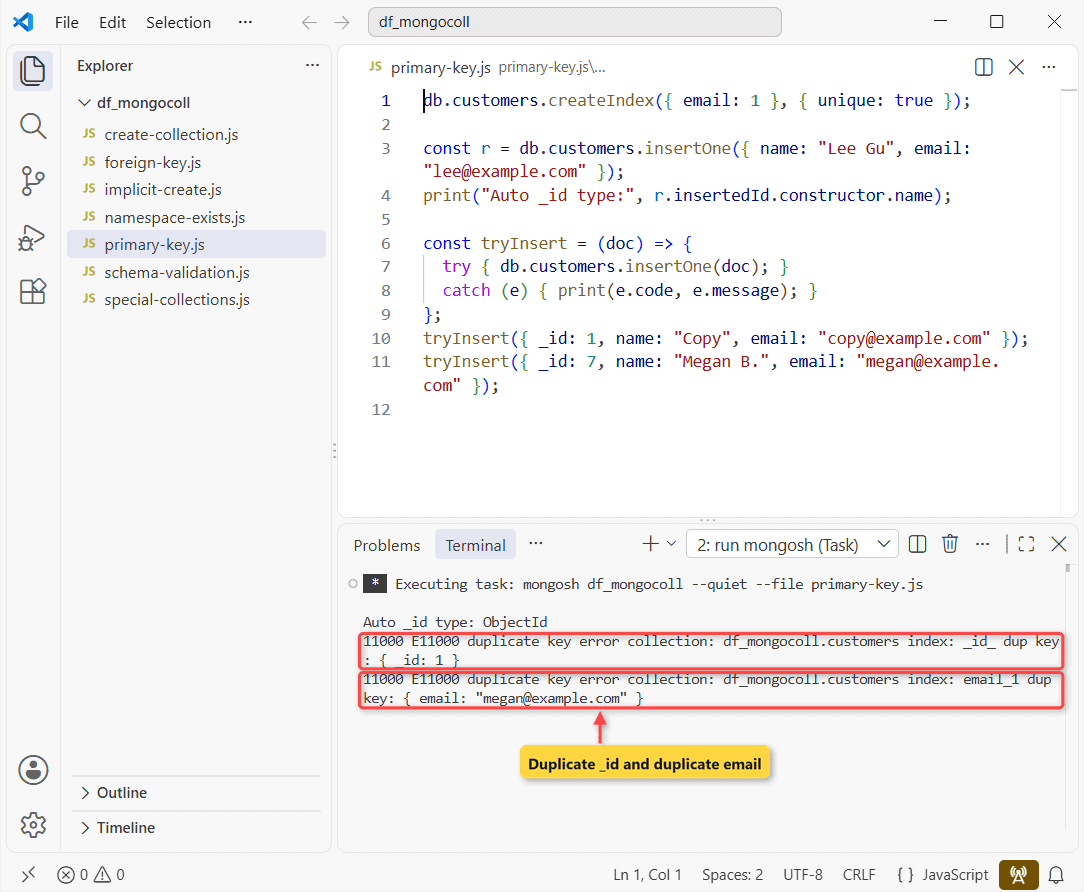
Lee Gu got an ObjectId, the duplicate _id: 1 hit the _id_ index, and the second Megan hit email_1. If you’d rather have 1, 2, 3, see auto-increment IDs in MongoDB.
How do you create a foreign key in MongoDB?
Not in the SQL sense. You store the parent’s _id in the child and join at read time. Same data, plus one order for a customer that doesn’t exist:
// No such customer 99, and MongoDB accepts it anyway
db.orders.insertOne({ _id: 104, customerId: 99, total: 50.00 });

db.orders.aggregate([
  { $lookup: { from: "customers", localField: "customerId",
               foreignField: "_id", as: "customer" } },
  { $project: { total: 1, name: { $first: "$customer.name" } } }
]).forEach(o => print(o._id, o.total, o.name ?? "(no customer)"));
Output:
101 249.99 Megan Bowen
102 1180 Alex Wilber
103 89.5 Megan Bowen
104 50 (no customer)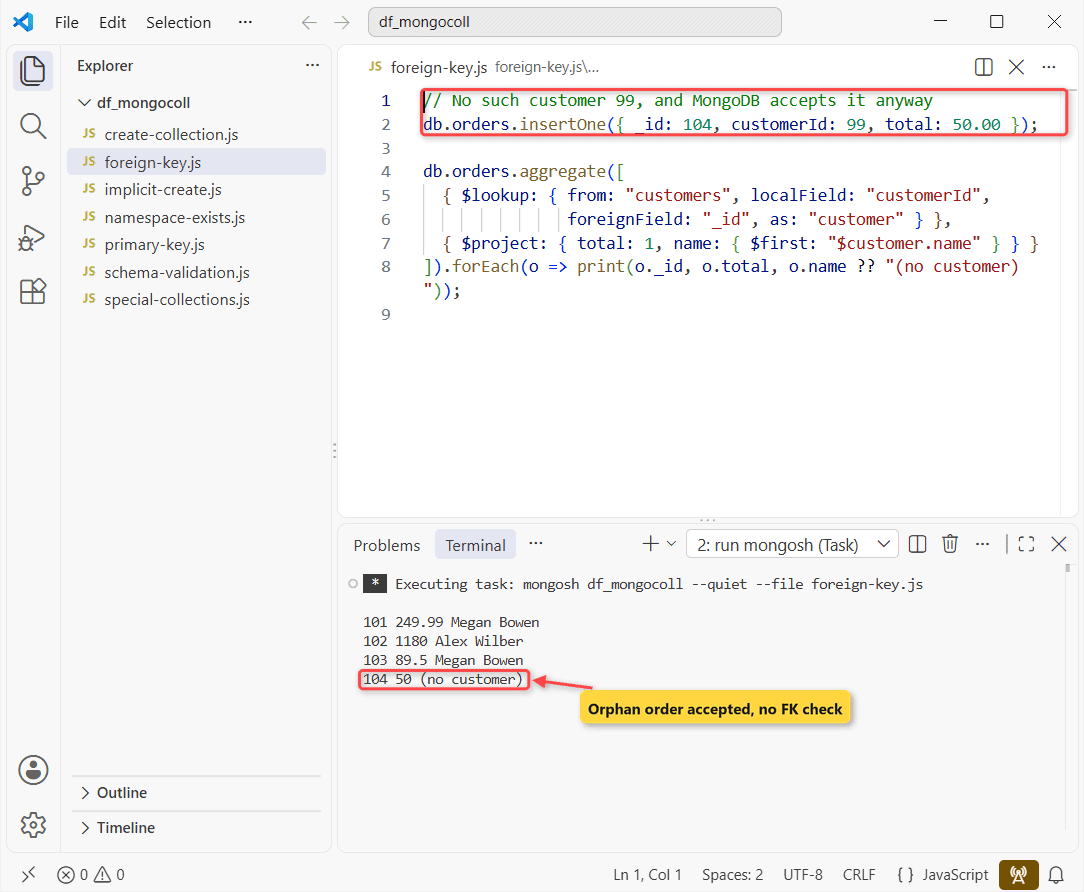
Orders 101 to 103 show their customer; 104 shows (no customer). No cascade, no orphan check. Joining two collections with $lookup covers more join shapes.
Capped, clustered and time series collections
These options only work at creation time. One script, three collections:
db.createCollection("auditLog", { capped: true, size: 1048576, max: 1000 });

db.createCollection("ordersByKey", {
  clusteredIndex: { key: { _id: 1 }, unique: true }
});

db.createCollection("sensorReadings", {
  timeseries: { timeField: "ts", metaField: "sensor", granularity: "minutes" }
});

db.getCollectionInfos()
  .sort((a, b) => a.name.localeCompare(b.name))
  .forEach(c => print(c.name, "|", c.type, "|", Object.keys(c.options).join(", ")));
Result:
auditLog | collection | capped, size, max
ordersByKey | collection | clusteredIndex
sensorReadings | timeseries | timeseries
Capped means fixed size, oldest documents overwritten; it needs size in bytes.
Clustered (MongoDB 5.3+) stores documents in _id order. Time series (5.0+) buckets readings by time, and each document needs a BSON date in timeField (see MongoDB date formats).
Create a collection in MongoDB Compass or Python
In Compass, open the database, click Create collection, type the name, pick any options under Additional preferences and confirm. If you don’t have it yet, install MongoDB Compass first.
In PyMongo, db.create_collection("customers") is the explicit call, and insert_one() creates it implicitly. I didn’t run this one; PyMongo isn’t installed on my test machine.
Common mistakes when you create a MongoDB collection
NamespaceExists (code 48)
Calling createCollection() on an existing name with different options fails:
db.createCollection("customers");
try {
  db.createCollection("customers", { capped: true, size: 4096 });
} catch (e) {
  print(e.codeName, e.code);
  print(e.message.split(":")[0]);
}
Error:
NamespaceExists 48
namespace 'df_mongocoll.customers' already exists, but with different options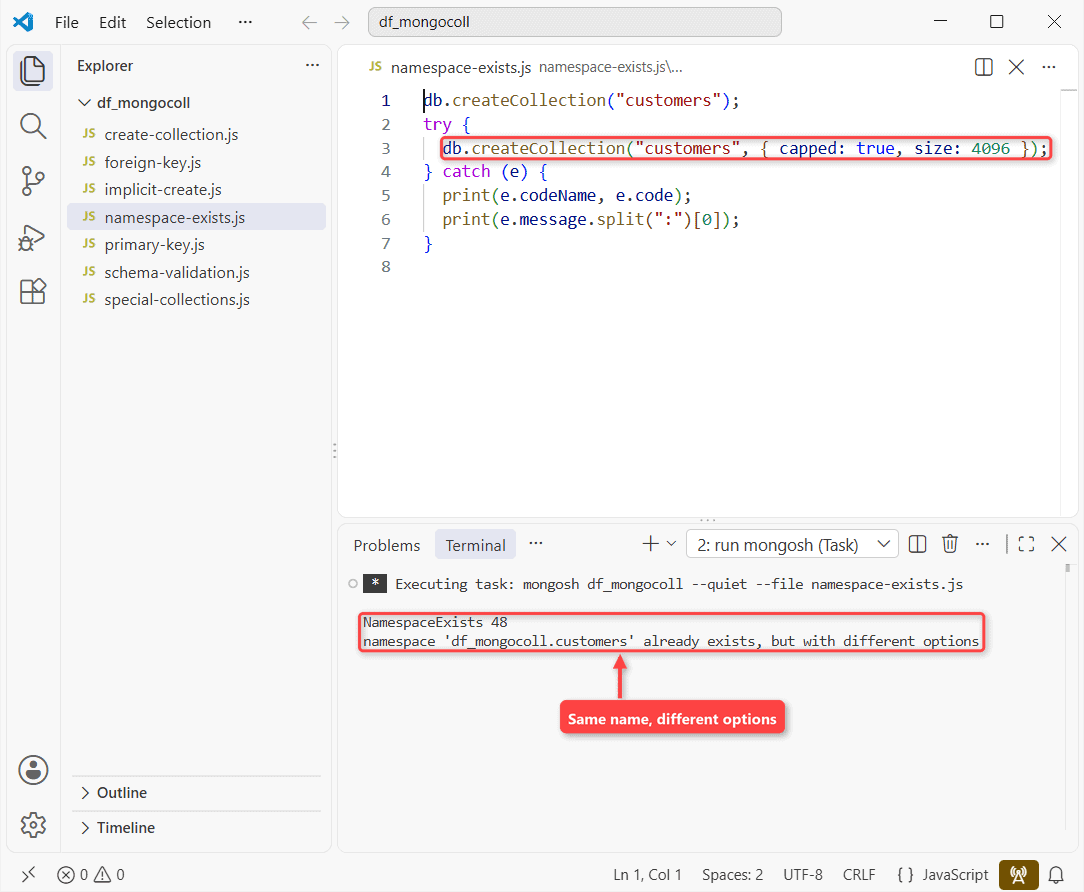
To change validation on an existing collection, use collMod. Capped or time series needs a new collection; rename the old one first if you want to keep its name.
A typo silently creates a second collection
Insert into db.cutomers by mistake and you get a new cutomers collection, no error. Verify names with show collections and drop the stray one.
Where to go next: fill the collection and query it.
- Load documents from a JSON file into the new collection
- Read the generated _id after an insert
- Find a document by its _id
- Doing the same job in PostgreSQL? CREATE TABLE there
Frequently Asked Questions
Can I add schema validation to an existing MongoDB collection?
Yes. Run db.runCommand({ collMod: "customers", validator: { $jsonSchema: {...} } }). Old documents are checked on their next update (schema validation docs).
What is validationLevel “constraint” in MongoDB 9.0?
A 9.0 level that guarantees every document meets the rules (db.createCollection() reference). strict is still the default.
How do I delete a collection in MongoDB?
Run db.customers.drop(); it removes documents and indexes. See how to drop a MongoDB collection.
How do I check how big a MongoDB collection is?
Run db.customers.totalSize(), or see getting a MongoDB collection’s size.

Kumar Saurabh is a freelance software engineer who builds web and mobile apps with Next.js, React, Flutter and Python. From 2021 to 2024, Saurabh worked as an IT analyst and developer at TSInfo Technologies, writing technical articles on SQL and PostgreSQL. Saurabh writes the PostgreSQL, MySQL, MariaDB and MongoDB tutorials on DatabaseFAQs.com and holds a Master of Computer Applications (MCA) from Chandigarh University.