
If you need a PostgreSQL export table to CSV file, run psql’s \copy. It works for any role that can read the table:
\copy customers TO 'C:/DatabaseFAQsDemo/csv_out/customers.csv' WITH (FORMAT csv, HEADER)Superusers can also use server-side COPY. I ran every COPY and psql command below on PostgreSQL 18.6 on Windows 11, errors included.
The sample customers table
Six US customers with the rows that break CSV files: leading-zero ZIP codes, a NULL balance, a comma and quotes in note, and an accented name. New to this? See how to create a table in PostgreSQL.
CREATE TABLE customers (
    customer_id int PRIMARY KEY,
    full_name   text NOT NULL,
    state       char(2) NOT NULL,
    zip         text NOT NULL,
    balance_usd numeric(10,2),
    note        text);
INSERT INTO customers VALUES
    (1, 'Hannah Brooks',  'MA', '02108', 1250.00, NULL),
    (2, 'Tyler Reed',     'NJ', '07102',  310.50, 'Net 30, call first'),
    (3, 'Grace Miller',   'TX', '78701',    0.00, NULL),
    (4, 'Marcus Bennett', 'CO', '80202',    NULL, 'Asked for "paper" bills'),
    (5, 'José Ramirez',   'CA', '92101',  875.25, NULL),
    (6, 'Olivia Carter',  'ME', '04101',   42.99, NULL);
GRANT SELECT ON customers TO report_user;
Method 1: COPY TO a CSV file with HEADER (server-side)
Use it when you’re postgres and the file can sit on the database server. Shortest syntax there is.
COPY customers
TO 'C:/DatabaseFAQsDemo/csv_out/customers.csv'
WITH (FORMAT csv, HEADER);

\! type C:\DatabaseFAQsDemo\csv_out\customers.csv
Output:
COPY 6
customer_id,full_name,state,zip,balance_usd,note
1,Hannah Brooks,MA,02108,1250.00,
2,Tyler Reed,NJ,07102,310.50,"Net 30, call first"
3,Grace Miller,TX,78701,0.00,
4,Marcus Bennett,CO,80202,,"Asked for ""paper"" bills"
5,José Ramirez,CA,92101,875.25,
6,Olivia Carter,ME,04101,42.99,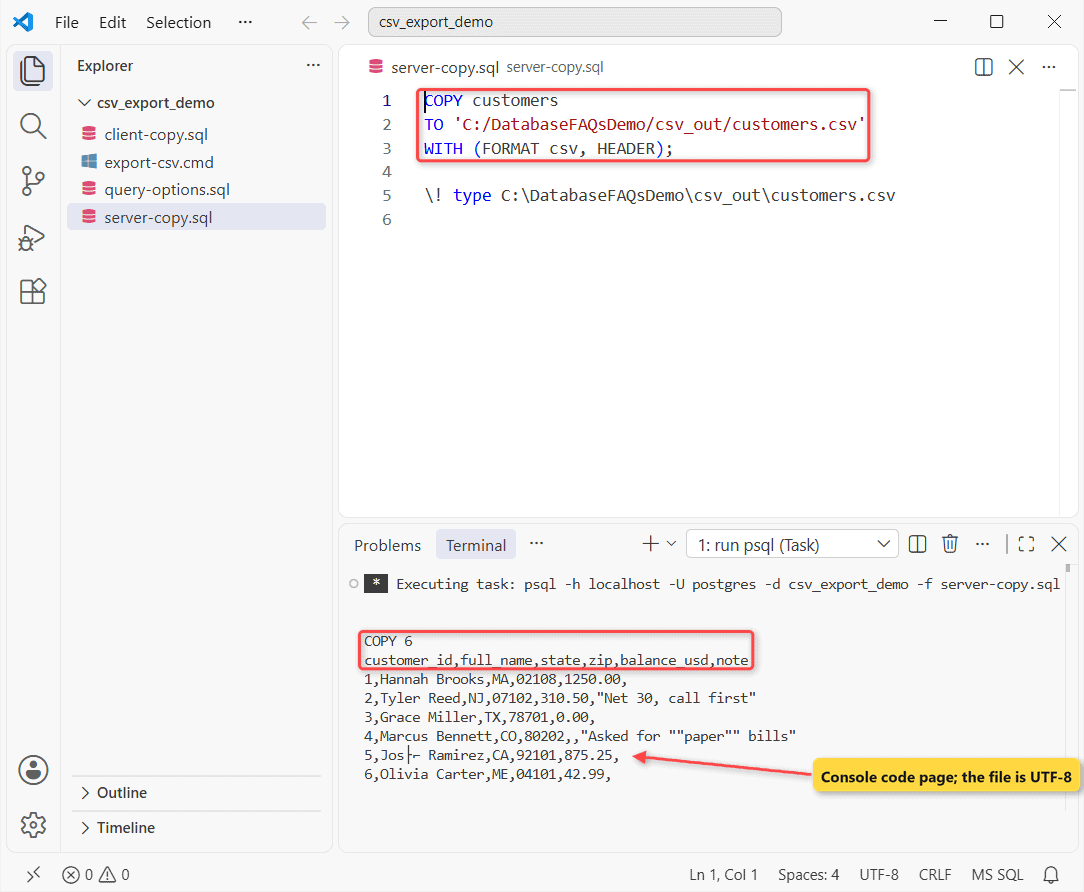
How does this work?
The server writes the file, so the path is on the server and must be absolute. HEADER adds the column names.
CSV mode quoted Tyler’s comma, doubled Marcus’s quotes and wrote his NULL balance as an empty field. Garbled José? That’s the console; the file is UTF-8.
Method 2: psql \copy for normal roles (Recommended)
Same customers table, now as report_user, a role with SELECT only. One \copy, then the same export with COPY:
SET ROLE report_user;

\copy customers TO 'C:/DatabaseFAQsDemo/csv_out/client.csv' WITH (FORMAT csv, HEADER)

COPY customers
TO 'C:/DatabaseFAQsDemo/csv_out/server.csv'
WITH (FORMAT csv, HEADER);
Output:
SET
COPY 6
psql:client-copy.sql:7: ERROR:  permission denied to COPY to a file
DETAIL:  Only roles with privileges of the "pg_write_server_files" role may COPY to a file.
HINT:  Anyone can COPY to stdout or from stdin. psql's \copy command also works for anyone.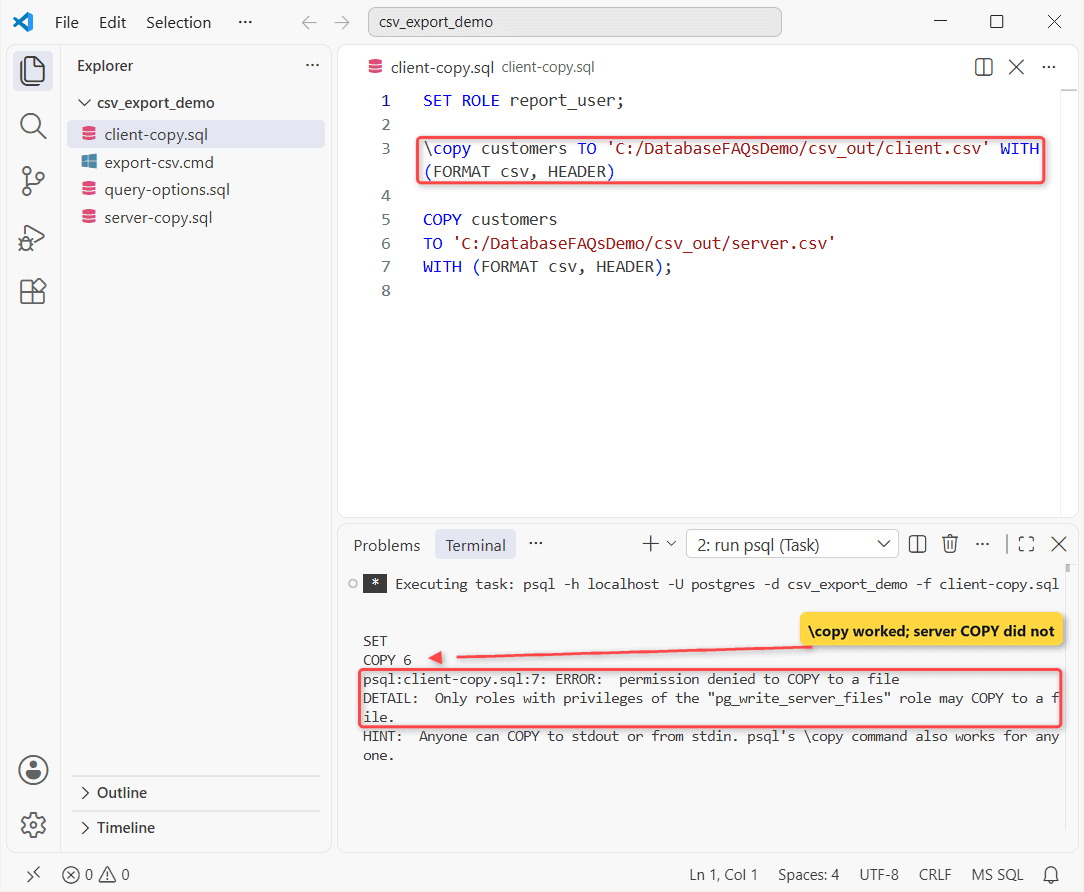
How does this work?
\copy sends COPY TO STDOUT and psql writes the file, so your Windows account needs the folder, not a server role. Keep it on one line.
To let a role use server-side COPY, run GRANT pg_write_server_files TO report_user; and check it when you list PostgreSQL users.
Method 3: Export a query result with DELIMITER, NULL and FORCE_QUOTE
Need some columns or rows? Put a SELECT in parentheses, filtered like any PostgreSQL WHERE clause. Same table, Texas left out:
COPY (SELECT full_name, state, zip, balance_usd
      FROM customers
      WHERE state <> 'TX'
      ORDER BY balance_usd DESC NULLS LAST)
TO STDOUT
WITH (FORMAT csv, HEADER, DELIMITER ';',
      NULL 'N/A', FORCE_QUOTE (zip))
\g C:/DatabaseFAQsDemo/csv_out/balances.csv

\! type C:\DatabaseFAQsDemo\csv_out\balances.csv
Output:
COPY 5
full_name;state;zip;balance_usd
Hannah Brooks;MA;"02108";1250.00
José Ramirez;CA;"92101";875.25
Tyler Reed;NJ;"07102";310.50
Olivia Carter;ME;"04101";42.99
Marcus Bennett;CO;"80202";N/A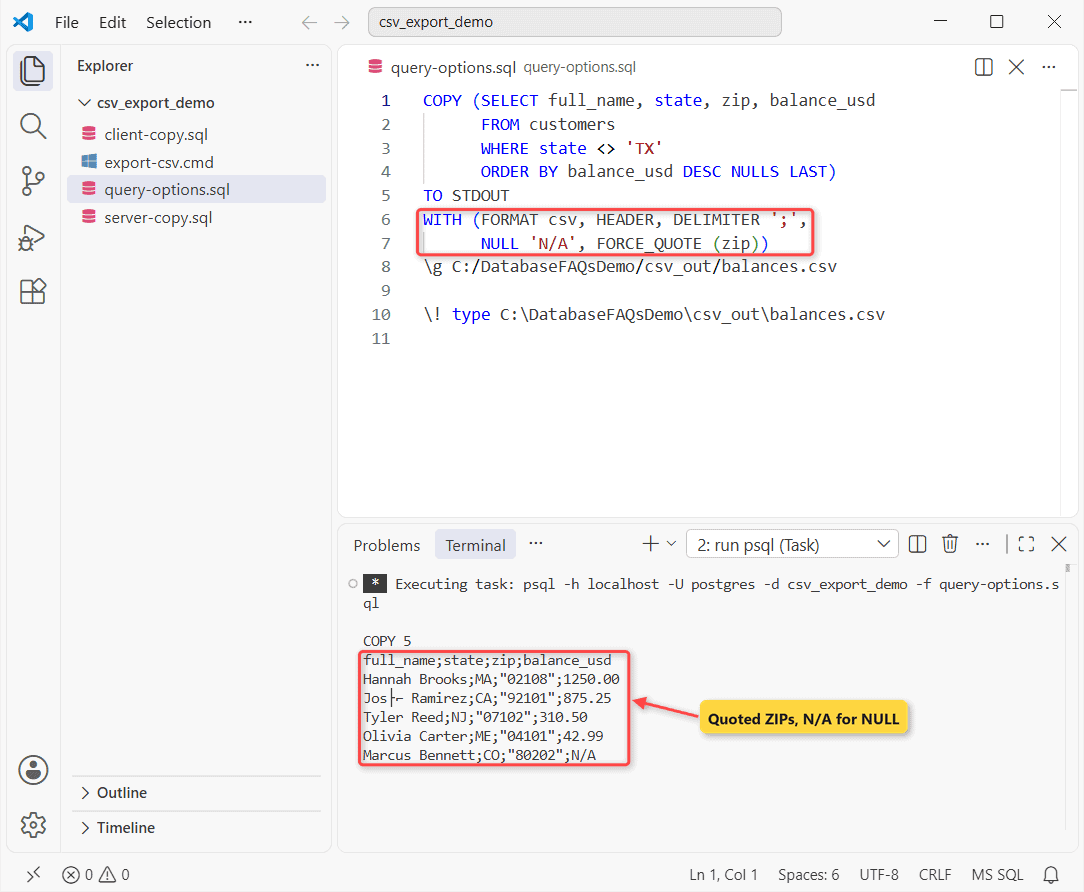
How does this work?
COPY (query) TO STDOUT ending in \g file is the multi-line form of \copy. FORCE_QUOTE (zip) quotes every ZIP, and NULL ‘N/A’ fills Marcus’s empty balance.
Method 4: psql -c one-liner for scripts and Task Scheduler
A batch file can run the same \copy through -c, or save any query’s result with –csv and -o:
@echo off
set OUT=C:\DatabaseFAQsDemo\csv_out
psql -h localhost -U postgres -d csv_export_demo -c ^
  "\copy customers TO '%OUT%\nightly.csv' WITH (FORMAT csv, HEADER)"
if errorlevel 1 (echo Export FAILED & exit /b 1)
psql -h localhost -U postgres -d csv_export_demo --csv -o %OUT%\low_balances.csv ^
  -c "SELECT full_name, balance_usd FROM customers WHERE balance_usd < 500 ORDER BY 2 DESC"
type %OUT%\low_balances.csv
Output:
COPY 6
full_name,balance_usd
Tyler Reed,310.50
Olivia Carter,42.99
Grace Miller,0.00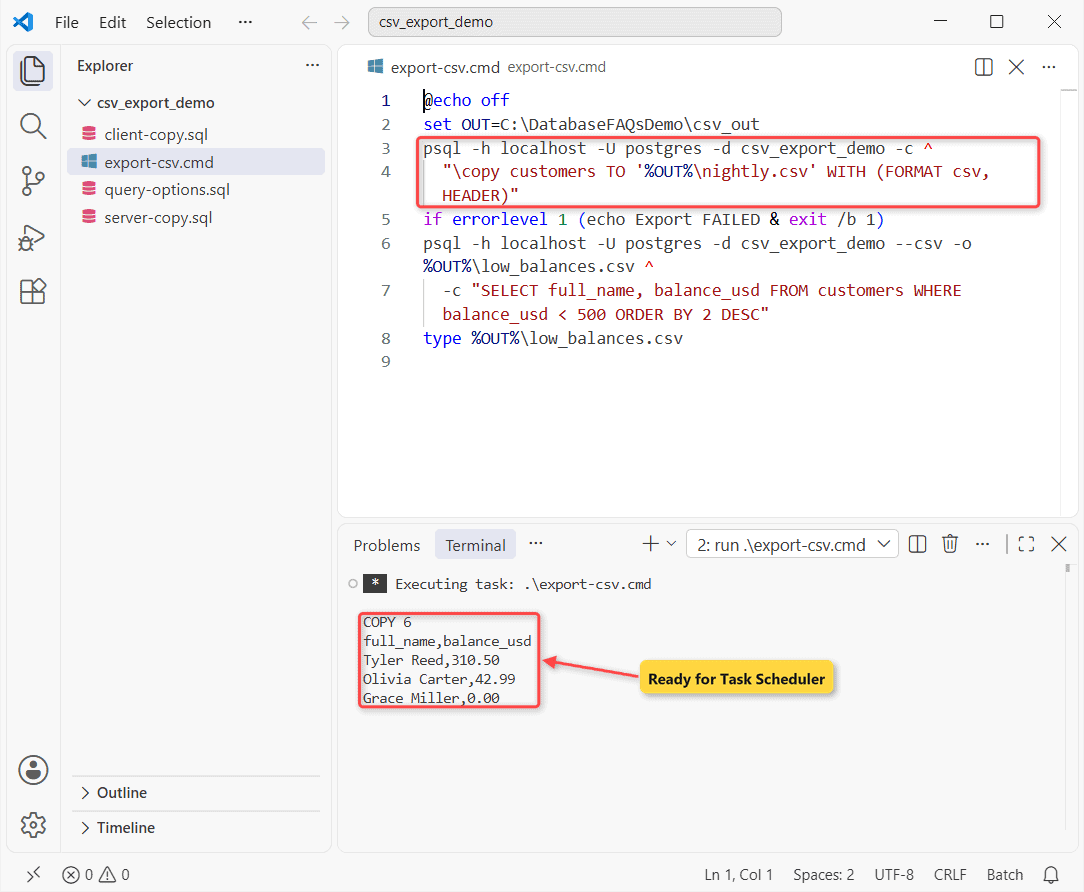
How does this work?
Each -c runs once and psql exits, so errorlevel catches a failure. Scheduled tasks can’t type a password; keep it in pgpass.conf like the nightly PostgreSQL backup script does.
Method 5: pgAdmin export to CSV
Once you connect to the PostgreSQL server in pgAdmin 4, select the table in the Object Explorer and choose Tools > Import/Export Data…. Then:
- Switch Import/Export to Export.
- Set Filename and pick csv under Format.
- On the Options tab, set Header to Yes and choose the Delimiter.
- Untick unwanted columns on the Columns tab, then click OK.
Why does COPY fail on a Windows path?
The PostgreSQL service account writes the file, NT AUTHORITY\NetworkService on my PC. Errors I hit:
| Error | Fix |
|---|---|
relative path not allowed for COPY to file | Use a full path |
could not open file ... for writing: Permission denied | Give the service account write access, or use \copy |
could not open file ... No such file or directory | Create the folder first |
Single backslashes worked for me since standard_conforming_strings is on, but forward slashes are safer. Can’t log in at all? Fix password authentication failed first.
Things to Keep in Mind
- Excel drops the leading zero in 02108. Import with Data > From Text/CSV and set zip to Text.
- Files use the client encoding (UTF8, no BOM). ENCODING ‘LATIN1’ wrote é as one byte.
- Server COPY wrote CRLF line endings on Windows; \copy wrote LF.
- Gotcha: FORCE_QUOTE in text mode fails with
COPY FORCE_QUOTE requires CSV mode.
Other engines:
- Import a CSV file into MariaDB
- Export MongoDB data to CSV
- Load a CSV into SQL Server with BULK INSERT
Frequently Asked Questions
Is \copy slower than COPY in PostgreSQL?
For big tables, yes. Every row passes through the client connection, so the psql docs suggest server-side COPY for large amounts of data.
Can I export a materialized view or partitioned table to CSV?
COPY TO accepts plain tables and populated materialized views. A partitioned table needs COPY (SELECT * FROM table) TO.
How do I load the CSV back into PostgreSQL?
Run COPY customers FROM the file with (FORMAT csv, HEADER). HEADER MATCH (PostgreSQL 15+) also checks the column names.

Kumar Saurabh is a freelance software engineer who builds web and mobile apps with Next.js, React, Flutter and Python. From 2021 to 2024, Saurabh worked as an IT analyst and developer at TSInfo Technologies, writing technical articles on SQL and PostgreSQL. Saurabh writes the PostgreSQL, MySQL, MariaDB and MongoDB tutorials on DatabaseFAQs.com and holds a Master of Computer Applications (MCA) from Chandigarh University.