
Need PostgreSQL to repeat a step for each number in a range, each row of a query or each item in an array? A FOR loop does that, but it lives in PL/pgSQL, so it runs inside a DO block, a function or a procedure.
Plain SQL doesn’t have a loop statement, which trips up people coming from scripting languages. And honestly, plenty of loops shouldn’t be loops at all.
In this tutorial, I’ll walk you through every PostgreSQL for loop form on one small orders table: integer ranges with REVERSE and BY, query results, FOREACH over arrays, plain LOOP with EXIT and CONTINUE, WHILE, and the set-based query you should often write instead.
Quick answer: wrap the loop in a DO block and print values with RAISE NOTICE: DO $$ BEGIN FOR i IN 1..3 LOOP RAISE NOTICE 'Up: %', i; END LOOP; END $$;
To loop over rows instead, declare a record variable and write FOR r IN SELECT ... LOOP.
What is a FOR loop in PostgreSQL?
A FOR loop is a PL/pgSQL control structure that runs the statements between LOOP and END LOOP once per value. You’ll use four shapes: an integer range, query rows, an array (FOREACH), and a plain LOOP or WHILE that runs until a condition changes.
All of them need PL/pgSQL around them. If the BEGIN / DECLARE / END layout is new to you, my guide to the PL/pgSQL block structure covers it in a few minutes.
Sample orders table for the loop examples
I use one eight-row orders table throughout, in a demo database called dfq_pgloop. It’s got US customers, state codes, 2026 order dates and USD totals.
CREATE TABLE orders (
  order_id   int PRIMARY KEY,
  customer   text NOT NULL,
  state      char(2) NOT NULL,
  order_date date NOT NULL,
  total      numeric(10,2) NOT NULL,
  status     text NOT NULL
);
INSERT INTO orders VALUES
 (1, 'Megan Bowen',     'TX', '2026-01-05',  249.99, 'Shipped'),
 (2, 'Alex Wilber',     'CA', '2026-01-09', 1180.00, 'Shipped'),
 (3, 'Adele Vance',     'WA', '2026-01-14',   89.50, 'Canceled'),
 (4, 'Lee Gu',          'TX', '2026-01-20',  615.25, 'Shipped'),
 (5, 'Lidia Holloway',  'CA', '2026-02-02',  432.10, 'Shipped'),
 (6, 'Diego Siciliani', 'NY', '2026-02-11',  958.40, 'Pending'),
 (7, 'Isaiah Langer',   'TX', '2026-02-18',   77.80, 'Shipped'),
 (8, 'Johanna Lorenz',  'NY', '2026-03-03',  310.00, 'Canceled');
If you want a refresher on the DDL itself, see how to create a table in PostgreSQL and how to insert multiple rows in one statement.
PostgreSQL FOR loop over an integer range (REVERSE and BY)
The integer form counts from a lower bound to an upper bound. Add REVERSE to count down, and BY to change the step from its default of 1.
DO $$
BEGIN
  FOR i IN 1..3 LOOP
    RAISE NOTICE 'Up: %', i;
  END LOOP;

  FOR i IN REVERSE 10..1 BY 4 LOOP
    RAISE NOTICE 'Down by 4: %', i;
  END LOOP;
END $$;
Output:
psql:for-integer.sql:10: NOTICE:  Up: 1
psql:for-integer.sql:10: NOTICE:  Up: 2
psql:for-integer.sql:10: NOTICE:  Up: 3
psql:for-integer.sql:10: NOTICE:  Down by 4: 10
psql:for-integer.sql:10: NOTICE:  Down by 4: 6
psql:for-integer.sql:10: NOTICE:  Down by 4: 2
DO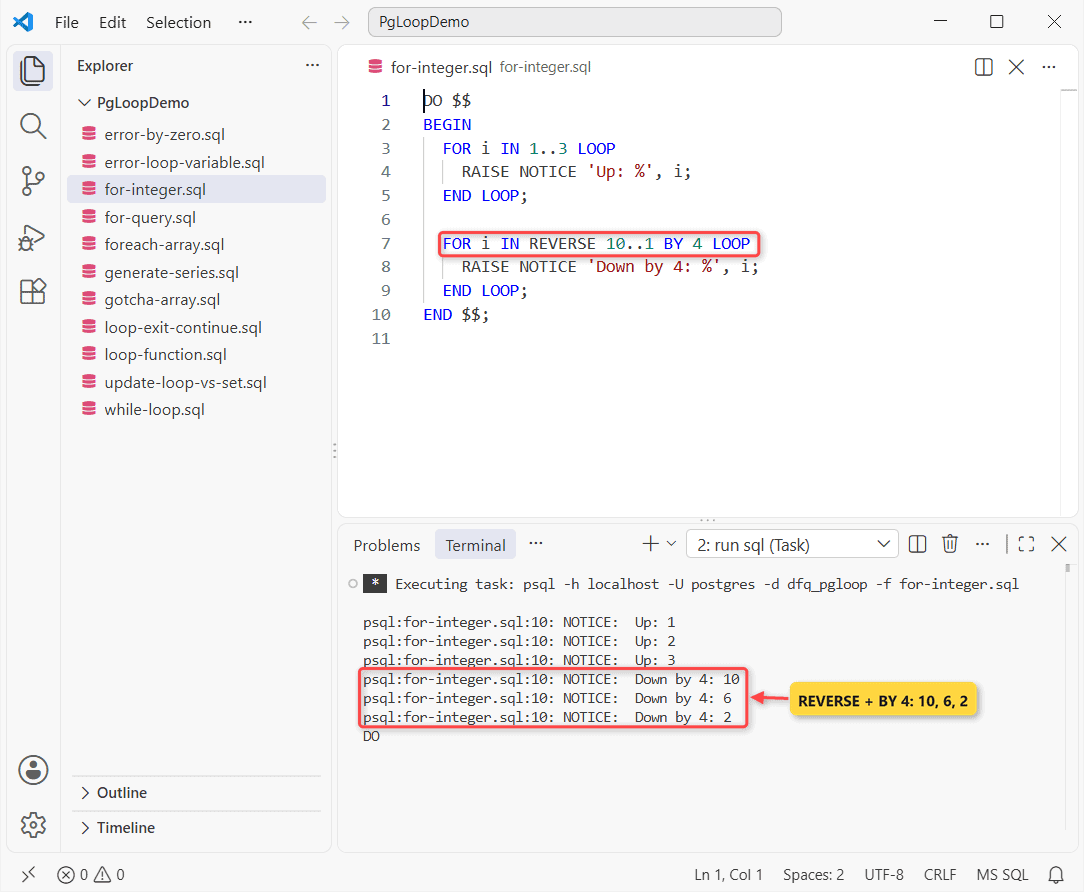
The first loop prints 1, 2 and 3. The second starts at 10 and subtracts 4, giving 10, 6 and 2; the next value (-2) is below the lower bound, so it stops.
You don’t declare i; it’s created as an integer that only exists inside the loop. The bounds and BY are evaluated once, and if the lower bound is already past the upper one, the body just doesn’t run.
Note: with REVERSE, write the bigger number first (REVERSE 10..1). REVERSE 1..10 runs zero times.
FOR loop over query results with a record variable
This is the form you’ll use most. Declare a record variable, put any SELECT after IN, and the loop body runs once per row. Here I walk the Texas orders by date and keep a running total.
DO $$
DECLARE
  r record;
  running numeric := 0;
BEGIN
  FOR r IN SELECT order_id, customer, total
           FROM orders
           WHERE state = 'TX'
           ORDER BY order_date
  LOOP
    running := running + r.total;
    RAISE NOTICE 'Order % | % | % | running %',
      r.order_id, r.customer, r.total, running;
  END LOOP;
END $$;
Output:
psql:for-query.sql:15: NOTICE:  Order 1 | Megan Bowen | 249.99 | running 249.99
psql:for-query.sql:15: NOTICE:  Order 4 | Lee Gu | 615.25 | running 865.24
psql:for-query.sql:15: NOTICE:  Order 7 | Isaiah Langer | 77.80 | running 943.04
DO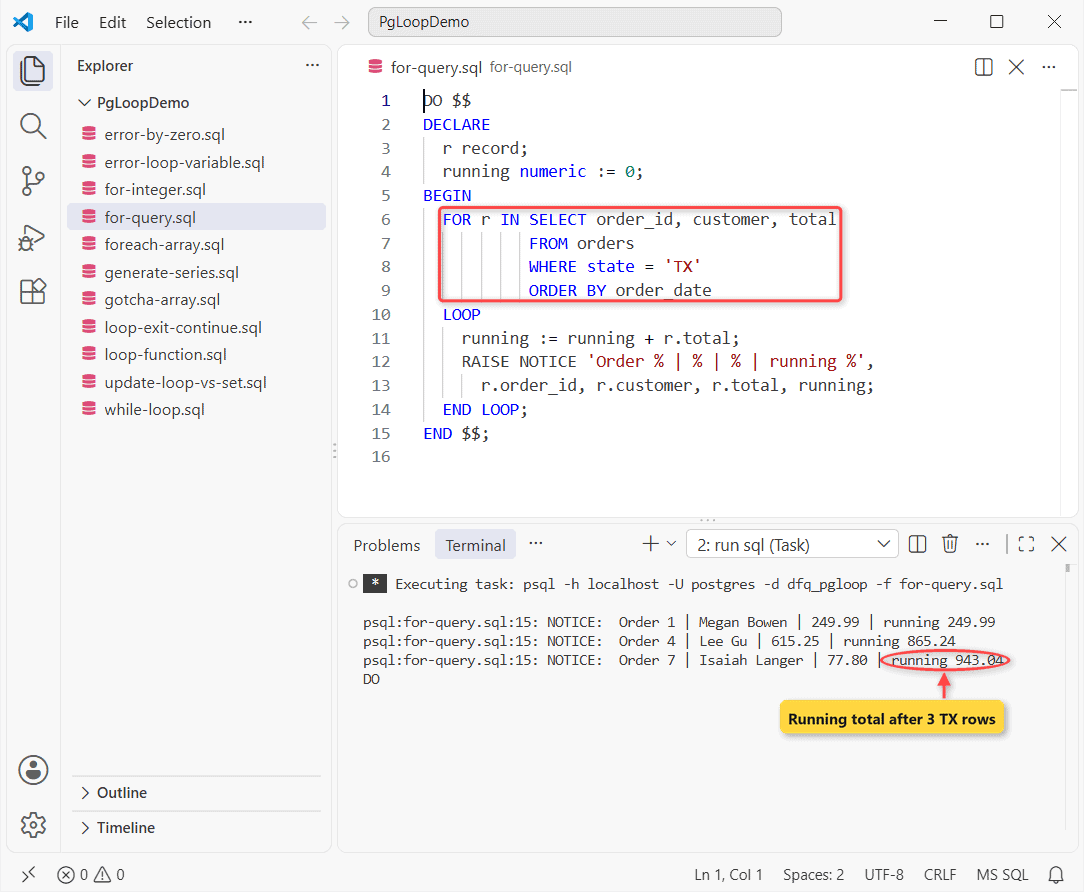
Three Texas orders come back, and the running total ends at $943.04. You read each column as r.column_name, and the ORDER BY clause decides the order the loop sees the rows in.
The target can also be a %ROWTYPE variable or a list of scalars, and an UPDATE, INSERT, DELETE or MERGE with RETURNING works in place of the SELECT.
When the query text is built at run time, the same loop works as FOR r IN EXECUTE sql_text USING .... Build the string with the format() function so identifiers get quoted safely.
FOREACH loop over an array (and a comma-separated string)
To loop through array elements, use FOREACH ... IN ARRAY rather than FOR. It also handles a comma-separated string: turn it into an array with string_to_array() first.
DO $$
DECLARE
  st text;
  n int;
  revenue numeric;
BEGIN
  FOREACH st IN ARRAY string_to_array('CA,NY,TX', ',')
  LOOP
    SELECT count(*), coalesce(sum(total), 0) INTO n, revenue
    FROM orders WHERE state = st;
    RAISE NOTICE '%: % orders, $%', st, n, revenue;
  END LOOP;
END $$;
Output:
psql:foreach-array.sql:13: NOTICE:  CA: 2 orders, $1612.10
psql:foreach-array.sql:13: NOTICE:  NY: 2 orders, $1268.40
psql:foreach-array.sql:13: NOTICE:  TX: 3 orders, $943.04
DO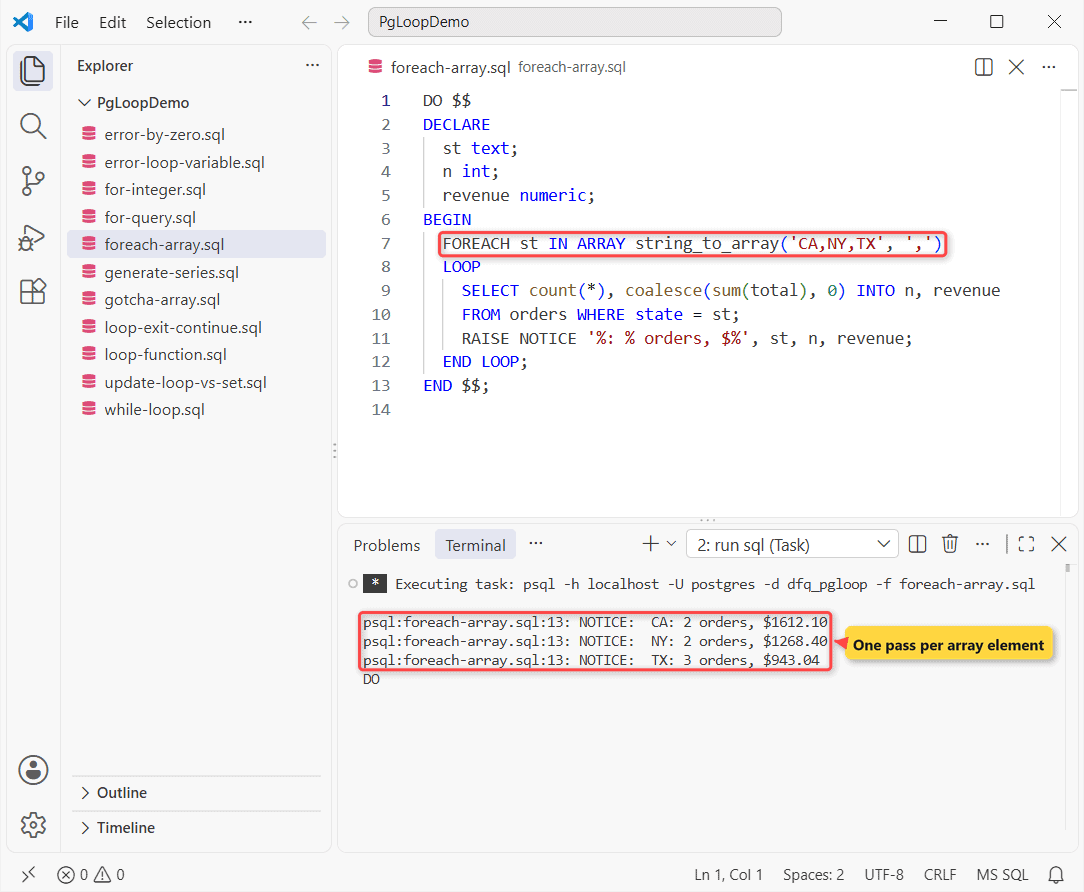
California has 2 orders worth $1,612.10, New York 2 worth $1,268.40, and Texas 3 worth $943.04. Any of the PostgreSQL array data types work the same way.
For multi-dimensional arrays, FOREACH x SLICE 1 IN ARRAY ... hands you one sub-array per pass instead of one element. The SLICE target must then be an array variable.
Basic LOOP with EXIT WHEN and CONTINUE
A bare LOOP repeats forever until an EXIT (or a RETURN in a function) stops it. CONTINUE skips the rest of the current pass and starts the next one.
DO $$
DECLARE
  n int := 0;
  o orders%ROWTYPE;
BEGIN
  LOOP
    n := n + 1;
    EXIT WHEN n > 5;
    SELECT * INTO o FROM orders WHERE order_id = n;
    CONTINUE WHEN o.status = 'Canceled';
    RAISE NOTICE 'Order %: % ($%)', n, o.customer, o.total;
  END LOOP;
END $$;
Output:
psql:loop-exit-continue.sql:13: NOTICE:  Order 1: Megan Bowen ($249.99)
psql:loop-exit-continue.sql:13: NOTICE:  Order 2: Alex Wilber ($1180.00)
psql:loop-exit-continue.sql:13: NOTICE:  Order 4: Lee Gu ($615.25)
psql:loop-exit-continue.sql:13: NOTICE:  Order 5: Lidia Holloway ($432.10)
DO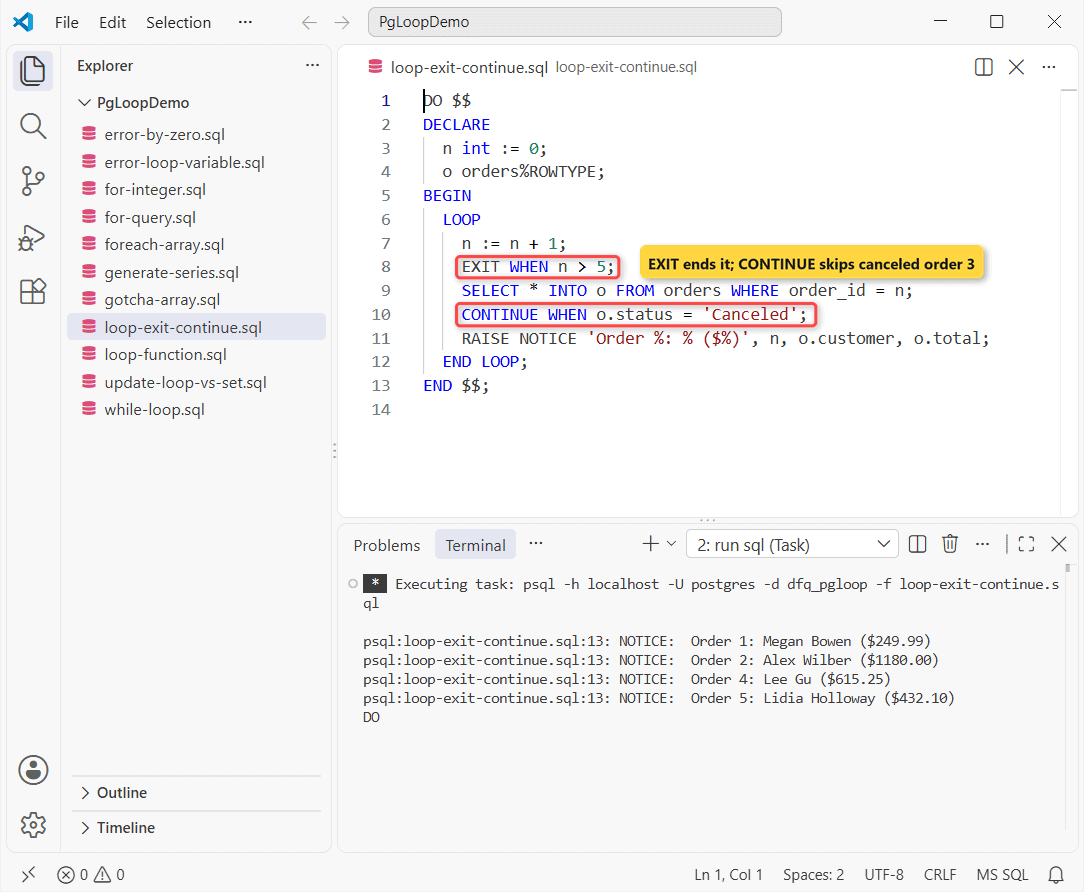
The loop prints orders 1, 2, 4 and 5. Order 3 (Adele Vance) is Canceled, so CONTINUE WHEN skips it, and EXIT WHEN ends the loop once n passes 5.
PL/pgSQL has no BREAK keyword; EXIT is the break. EXIT WHEN cond is shorthand for an IF … THEN EXIT; END IF block, and both EXIT and CONTINUE work in every loop type, not just plain LOOP.
EXIT inside a query FOR loop is handy too: if the loop ends with EXIT, the record variable still holds the last row it read, so you can report where it stopped.
In nested loops, put a label such as <<outer>> before the outer loop and write EXIT outer or CONTINUE outer to target it instead of the innermost loop.
WHILE loop in PostgreSQL: the short version
WHILE cond LOOP checks its condition before every pass. It’s handy for stepping through dates, since the integer FOR loop can’t count in days.
DO $$
DECLARE
  d date := '2026-01-05';
BEGIN
  WHILE d < '2026-02-01' LOOP
    RAISE NOTICE 'Week of %', to_char(d, 'MM/DD/YYYY');
    d := d + 7;
  END LOOP;
END $$;
Output:
psql:while-loop.sql:9: NOTICE:  Week of 01/05/2026
psql:while-loop.sql:9: NOTICE:  Week of 01/12/2026
psql:while-loop.sql:9: NOTICE:  Week of 01/19/2026
psql:while-loop.sql:9: NOTICE:  Week of 01/26/2026
DO
That prints the four Mondays from 01/05/2026 to 01/26/2026. I cover counters, nested WHILE loops and infinite-loop traps in the separate PostgreSQL WHILE loop tutorial, and date math in Postgres date ranges.
DO block vs function vs procedure for a loop
Where you put the loop decides what it can do. Here’s how the three containers compare in PostgreSQL 18.
| DO block | Function | Procedure | |
|---|---|---|---|
| Saved in the database | No (runs once) | Yes | Yes |
| Parameters | No | Yes | Yes |
| Returns rows | No | Yes (RETURN NEXT / RETURN QUERY) | No (OUT parameters only) |
| COMMIT inside the loop | Yes, if run at top level | No | Yes, when called with CALL |
| How you run it | DO $$ ... $$; | SELECT ... | CALL ... |
Use a DO block for one-off scripts like the ones above. When the loop result needs to come back as rows, put it in a function and emit each row with RETURN NEXT.
CREATE OR REPLACE FUNCTION running_totals(p_state text)
RETURNS TABLE (order_id int, total numeric, running numeric)
LANGUAGE plpgsql AS $$
DECLARE
  r record;
BEGIN
  running := 0;
  FOR r IN SELECT o.order_id, o.total FROM orders o
           WHERE o.state = p_state ORDER BY o.order_date
  LOOP
    order_id := r.order_id;
    total := r.total;
    running := running + r.total;
    RETURN NEXT;
  END LOOP;
END $$;

SELECT * FROM running_totals('TX');
Output:
CREATE FUNCTION
 order_id | total  | running
----------+--------+---------
        1 | 249.99 |  249.99
        4 | 615.25 |  865.24
        7 |  77.80 |  943.04
(3 rows)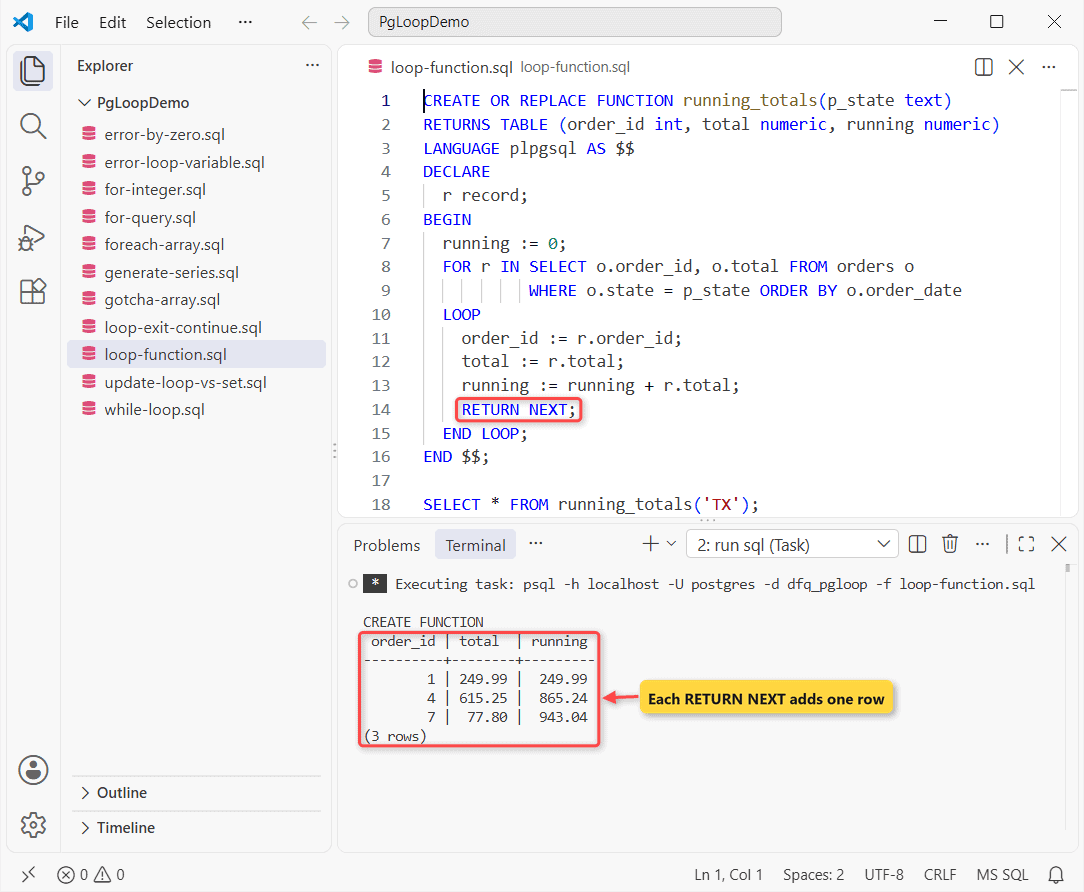
The function returns the same three Texas rows, now as a real result set. I qualified the columns with o. because the OUT columns order_id and total would otherwise be ambiguous.
To be fair, a window function such as SUM() OVER (ORDER BY order_date) gives the same running total without a loop. Here’s more on functions that return a table.
If you need to COMMIT in batches, the loop belongs in one of your stored procedures instead.
Where does RAISE NOTICE output show up?
RAISE NOTICE is the PL/pgSQL print statement; each % takes the next argument. psql shows it as NOTICE: lines and pgAdmin on the Messages tab.
Seeing nothing? Check client_min_messages. Its default is notice, so a session set to warning hides your loop output.
When is a loop the wrong tool? Set-based alternatives
Most row-by-row INSERT or UPDATE loops can be one SQL statement. Below, the first half raises California totals by 5% in a FOR loop; the second half uses one UPDATE. Both roll back, and -q -t trims psql’s output to the rows.
BEGIN;
DO $$
DECLARE r record;
BEGIN
  FOR r IN SELECT order_id FROM orders WHERE state = 'CA' LOOP
    UPDATE orders SET total = round(total * 1.05, 2)
    WHERE order_id = r.order_id;
  END LOOP;
END $$;
SELECT order_id, total FROM orders WHERE state = 'CA' ORDER BY 1;
ROLLBACK;

BEGIN;
UPDATE orders SET total = round(total * 1.05, 2)
WHERE state = 'CA' RETURNING order_id, total;
ROLLBACK;
Output:
        2 | 1239.00
        5 |  453.71

        2 | 1239.00
        5 |  453.71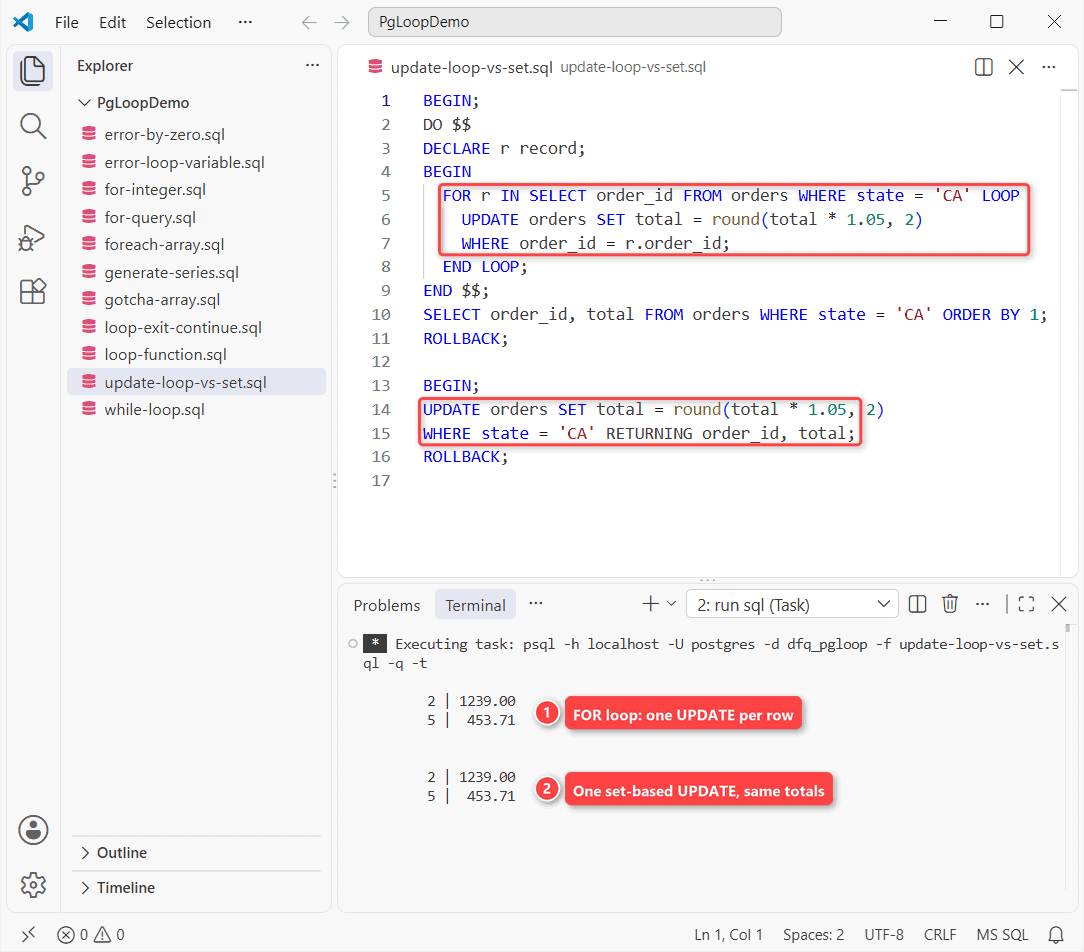
Both give 1239.00 and 453.71 for orders 2 and 5. The loop runs one UPDATE per row, while the UPDATE statement does it in one pass that the planner can optimize, and that gap grows with the row count.
Loops that only generate rows are the other common case. generate_series() builds the rows directly, so there’s nothing to loop over:
SELECT d::date AS order_day
FROM generate_series(date '2026-01-01', date '2026-01-05', interval '1 day') AS d;
Output:
 order_day
------------
 2026-01-01
 2026-01-02
 2026-01-03
 2026-01-04
 2026-01-05
(5 rows)
I still reach for a loop when each row needs its own dynamic statement, its own error handling, or a COMMIT every few thousand rows inside a procedure.
Common errors with PostgreSQL loops and how to fix them
ERROR: BY value of FOR loop must be greater than zero
DO $$
BEGIN
  FOR i IN 1..10 BY 0 LOOP
    RAISE NOTICE '%', i;
  END LOOP;
END $$;
Error:
psql:error-by-zero.sql:6: ERROR:  BY value of FOR loop must be greater than zero
CONTEXT:  PL/pgSQL function inline_code_block line 3 at FOR with integer loop variable
BY must be positive, even with REVERSE; the direction comes from REVERSE, not from a negative step. Change BY 0 (or BY -1) to a positive number.
ERROR: loop variable of loop over rows must be a record variable or list of scalar variables
DO $$
BEGIN
  FOR r IN SELECT customer FROM orders LOOP
    RAISE NOTICE '%', r.customer;
  END LOOP;
END $$;
Error:
psql:error-loop-variable.sql:6: ERROR:  loop variable of loop over rows must be a record variable or list of scalar variables
LINE 3:   FOR r IN SELECT customer FROM orders LOOP
              ^
Only the integer FOR loop declares its own variable. For a query loop, add r record; in a DECLARE section, as in the Texas example earlier.
FOR … IN SELECT array runs only once
DO $$
DECLARE
  states text[] := ARRAY['CA','NY','TX'];
  v text[];
BEGIN
  FOR v IN SELECT states LOOP
    RAISE NOTICE 'Got: %', v;
  END LOOP;
END $$;
Output:
psql:gotcha-array.sql:9: NOTICE:  Got: {CA,NY,TX}
DO
Selecting an array returns one row, so the loop runs once and prints the whole array. Use FOREACH v IN ARRAY states (or SELECT unnest(states)) to get one pass per element.
Important: a LOOP without a reachable EXIT runs until you cancel it, so set statement_timeout while you’re testing.
Which PostgreSQL loop should you use?
| You need to… | Use |
|---|---|
| Repeat something N times or over a number range | FOR i IN 1..N (REVERSE / BY as needed) |
| Process query rows one at a time | FOR r IN SELECT ... with a record variable |
| Walk an array or a comma-separated list | FOREACH x IN ARRAY ... |
| Stop on a condition you can’t count in advance | LOOP ... EXIT WHEN or WHILE |
| Change or create many rows | No loop: one UPDATE / INSERT … SELECT / generate_series() |
My rule of thumb: write the set-based statement first, and only fall back to a loop when each row truly needs different handling. The most common mistakes are a missing record declaration and a REVERSE range written backwards.
Once your loops work, these are the PostgreSQL topics people usually look up next:
- Writing conditional logic with PostgreSQL CASE
- Summarizing rows per state with GROUP BY
- PostgreSQL subquery examples
- Numbering rows with ROW_NUMBER()
Frequently Asked Questions
Can I use a FOR loop in plain SQL in PostgreSQL?
No. FOR, FOREACH, LOOP and WHILE are PL/pgSQL statements, so they only run inside a DO block, a function or a procedure. In plain SQL, use generate_series() or a set-based query instead.
Is there a BREAK statement in PL/pgSQL?
No. Use EXIT (or EXIT WHEN condition) to leave a loop and CONTINUE to skip to the next pass. Both work in every loop type, as the PostgreSQL 18 control structures documentation describes.
How do I loop through all rows of a table in PostgreSQL?
Declare a record variable and write FOR r IN SELECT * FROM my_table LOOP … END LOOP; inside a DO block or function. Read columns as r.column_name.
Can I COMMIT inside a loop in PostgreSQL?
Yes, in a procedure called with CALL or in a DO block run at the top level, but not in a function or inside a block with an EXCEPTION clause. The transaction management page lists the rules.
What is the difference between FOR and FOREACH in PostgreSQL?
FOR loops over an integer range or the rows of a query. FOREACH loops over the elements (or slices) of an array.

Kumar Saurabh is a freelance software engineer who builds web and mobile apps with Next.js, React, Flutter and Python. From 2021 to 2024, Saurabh worked as an IT analyst and developer at TSInfo Technologies, writing technical articles on SQL and PostgreSQL. Saurabh writes the PostgreSQL, MySQL, MariaDB and MongoDB tutorials on DatabaseFAQs.com and holds a Master of Computer Applications (MCA) from Chandigarh University.