
For a stored procedure for insert and update in SQL Server, you write two: an INSERT returning the new ID through an OUTPUT parameter, and an UPDATE by key that checks @@ROWCOUNT. For bulk rows, a table-valued parameter beat a loop 38 to 1.
Quick answer: SET @NewID = SCOPE_IDENTITY(); after the INSERT, and IF @@ROWCOUNT = 0 THROW ...; after the UPDATE.
Tested on SQL Server 2025 (17.0.1000.7) Developer, on my laptop:
CREATE TABLE dbo.Customers (
    CustomerID int IDENTITY(1001,1) PRIMARY KEY,
    Name       nvarchar(20) NOT NULL,
    State      char(2)      NOT NULL,
    Email      varchar(30)  NOT NULL
        CONSTRAINT UQ_Customers_Email UNIQUE,
    CreatedOn  date         NOT NULL DEFAULT SYSDATETIME()
);
INSERT INTO dbo.Customers (Name, State, Email) VALUES
(N'Megan Bowen',     'WA', 'megan@example.com'),
(N'Alex Wilber',     'TX', 'alex@example.com'),
(N'Adele Vance',     'CA', 'adele@example.com'),
(N'Diego Siciliani', 'TX', 'diego@example.com');Insert Stored Procedure With Parameters That Returns the New ID
CREATE OR ALTER PROCEDURE dbo.usp_InsertCustomer
    @Name  nvarchar(20),
    @State char(2),
    @Email varchar(30),
    @NewID int OUTPUT
AS
SET NOCOUNT ON;
INSERT INTO dbo.Customers (Name, State, Email)
VALUES (@Name, @State, @Email);
SET @NewID = SCOPE_IDENTITY();
GO
DECLARE @id int;
EXEC dbo.usp_InsertCustomer N'Lee Gu', 'NY', 'lee@example.com', @id OUTPUT;
SELECT CustomerID, Name, CreatedOn FROM dbo.Customers WHERE CustomerID = @id;
Output:
CustomerID  Name                 CreatedOn
----------- -------------------- ----------------
       1005 Lee Gu                     2026-10-27

(1 rows affected)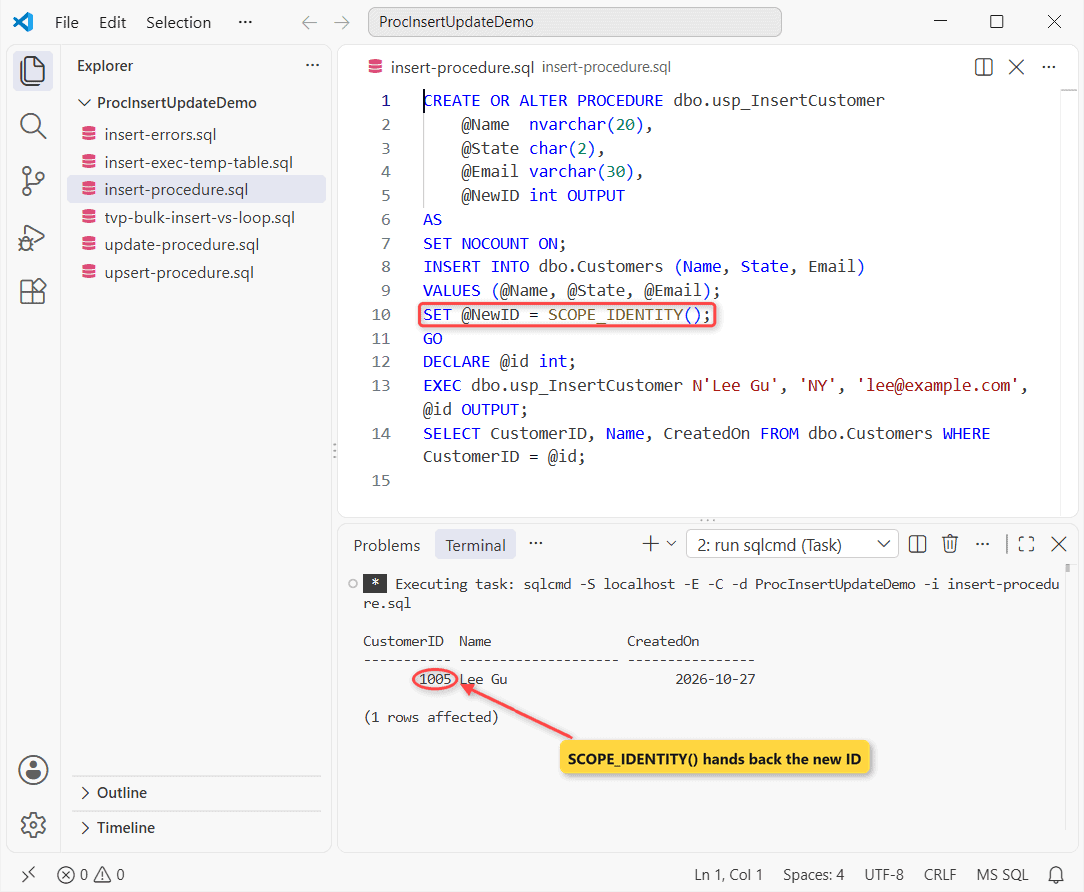
Lee Gu got ID 1005; DEFAULT SYSDATETIME() filled the date (use datetime2 to keep the time).
My verdict: SCOPE_IDENTITY() for one row; triggers can’t change it. OUTPUT INSERTED suits many rows, but fails without INTO if the table has a trigger. More on OUTPUT parameters.
Update Stored Procedure: What If No Row Matches?
An UPDATE that matches nothing still succeeds, so you check @@ROWCOUNT:
CREATE OR ALTER PROCEDURE dbo.usp_UpdateCustomerState
    @CustomerID int,
    @State      char(2)
AS
SET NOCOUNT ON;
UPDATE dbo.Customers SET State = @State WHERE CustomerID = @CustomerID;
IF @@ROWCOUNT = 0
    THROW 50001, 'Customer not found.', 1;
GO
EXEC dbo.usp_UpdateCustomerState 1002, 'FL';
BEGIN TRY EXEC dbo.usp_UpdateCustomerState 9999, 'FL'; END TRY
BEGIN CATCH PRINT CONCAT(ERROR_NUMBER(), ': ', ERROR_MESSAGE()); END CATCH;
Output:
50001: Customer not found.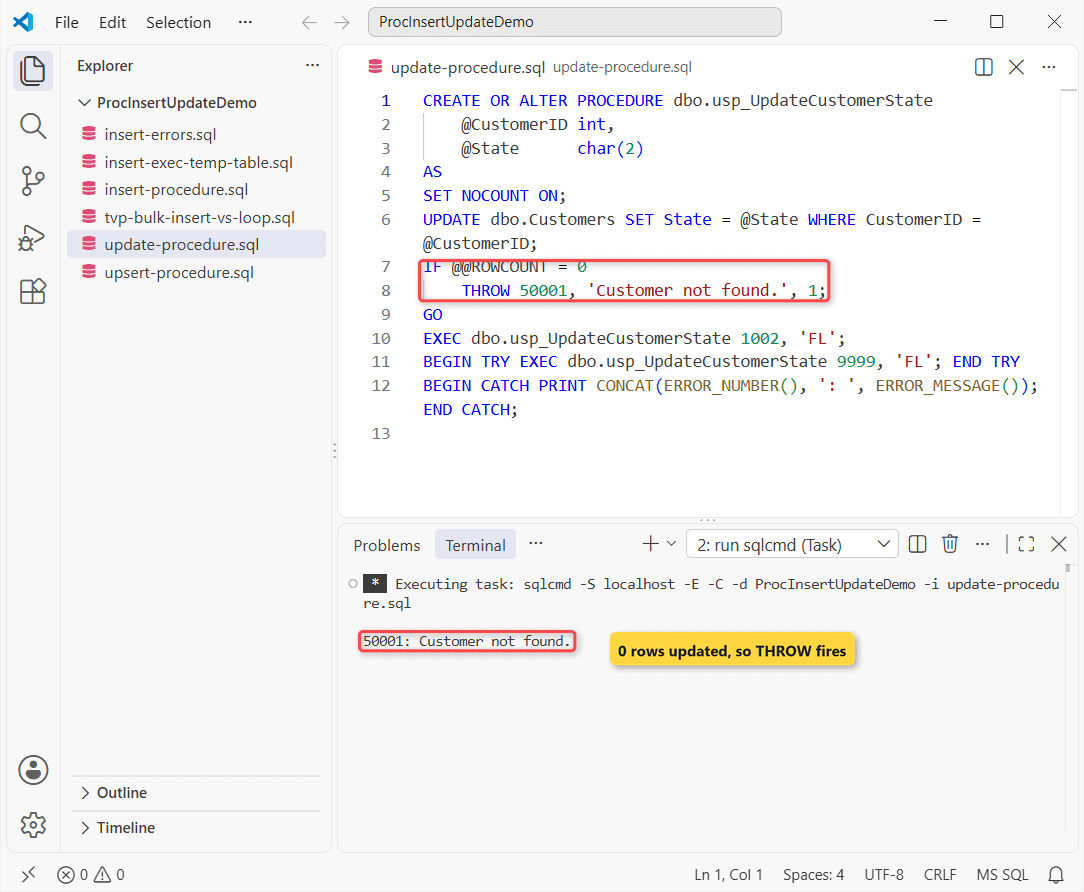
1002 updated quietly; 9999 raised 50001. See how to execute a stored procedure.
One Stored Procedure for Insert and Update (Upsert)
UPDATE first; if @@ROWCOUNT is 0, INSERT. UPDLOCK, HOLDLOCK in one transaction stops a duplicate insert:
CREATE OR ALTER PROCEDURE dbo.usp_UpsertCustomer
    @Name nvarchar(20), @State char(2), @Email varchar(30)
AS
SET NOCOUNT, XACT_ABORT ON;
BEGIN TRANSACTION;
UPDATE dbo.Customers WITH (UPDLOCK, HOLDLOCK)
SET Name = @Name, State = @State WHERE Email = @Email;
IF @@ROWCOUNT = 0
    INSERT INTO dbo.Customers (Name, State, Email) VALUES (@Name, @State, @Email);
COMMIT;
GO
EXEC dbo.usp_UpsertCustomer N'Adele Vance', 'NV', 'adele@example.com';
EXEC dbo.usp_UpsertCustomer N'Isaiah Langer', 'IL', 'isaiah@example.com';
SELECT Name, State FROM dbo.Customers WHERE CustomerID >= 1003;
Output:
Name                 State
-------------------- -----
Adele Vance          NV
Diego Siciliani      TX
Isaiah Langer        IL

(3 rows affected)
Adele moved to NV; Isaiah was inserted. MERGE needs HOLDLOCK too, per Microsoft’s docs, so it saves little. See IF EXISTS update else insert.
Insert Stored Procedure Results Into a Temp Table
CREATE OR ALTER PROCEDURE dbo.usp_CustomersByState @State char(2)
AS
SELECT CustomerID, Name FROM dbo.Customers WHERE State = @State;
GO
CREATE OR ALTER PROCEDURE dbo.usp_LoadTexas
AS
INSERT INTO #t EXEC dbo.usp_CustomersByState 'TX';
GO
SET NOCOUNT ON;
CREATE TABLE #t (CustomerID int, Name nvarchar(20));
INSERT INTO #t EXEC dbo.usp_CustomersByState 'TX';
BEGIN TRY INSERT INTO #t EXEC dbo.usp_LoadTexas; END TRY
BEGIN CATCH PRINT CONCAT(ERROR_NUMBER(), ': ', ERROR_MESSAGE()); END CATCH;
EXEC dbo.usp_LoadTexas;
SELECT * FROM #t;
Output:
8164: An INSERT EXEC statement cannot be nested.
CustomerID  Name
----------- --------------------
       1002 Alex Wilber
       1004 Diego Siciliani
       1002 Alex Wilber
       1004 Diego Siciliani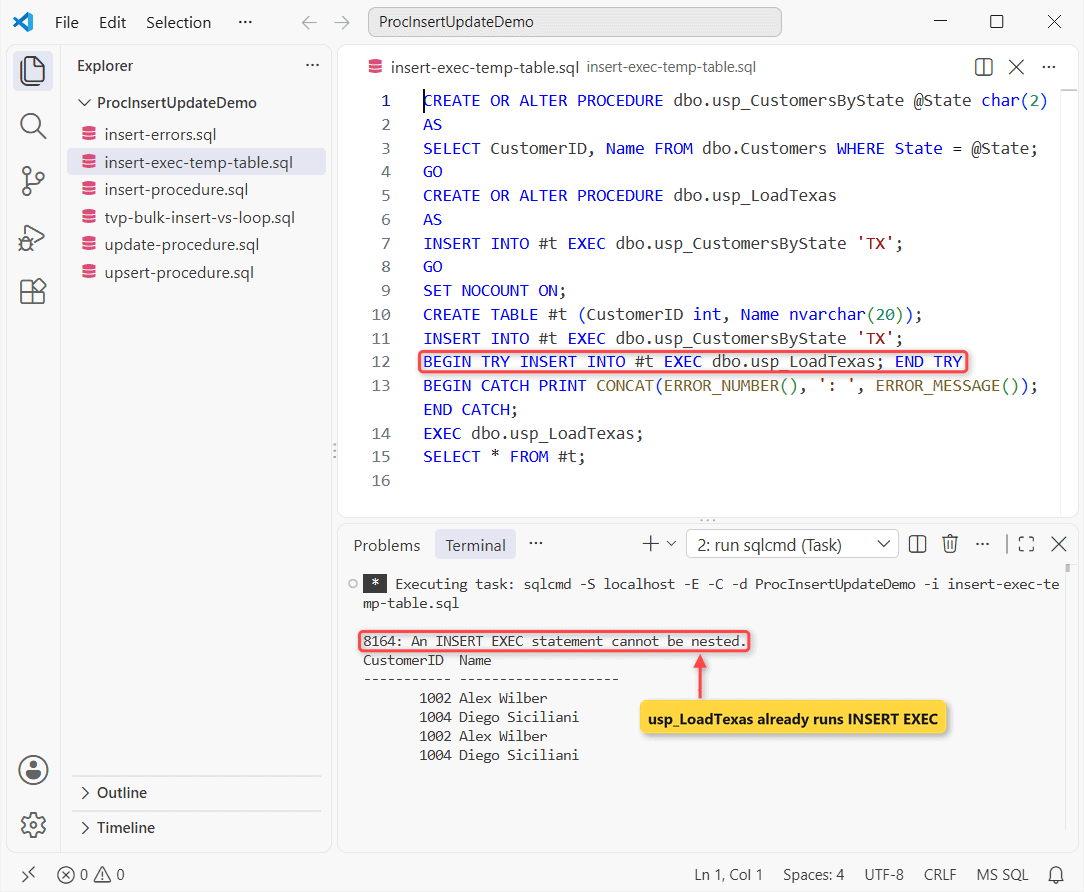
Nesting usp_LoadTexas in INSERT EXEC raised Msg 8164. A plain EXEC worked: a procedure can fill its caller’s #t (temp tables in stored procedures). You can use a table variable too.
Stored Procedure Bulk Insert: Table-Valued Parameter vs Loop
A table type passed READONLY (required) carries every row into one INSERT … SELECT. I timed 10,000 rows with SYSDATETIME(): Loop 1 autocommit, Loop 2 one transaction, then the TVP.
CREATE TYPE dbo.CustomerList AS TABLE (
    Name nvarchar(20), State char(2), Email varchar(30) PRIMARY KEY);
GO
CREATE OR ALTER PROCEDURE dbo.usp_BulkInsertCustomers
    @Rows dbo.CustomerList READONLY
AS
INSERT INTO dbo.Customers (Name, State, Email)
SELECT Name, State, Email FROM @Rows;
GO
SET NOCOUNT ON;
DECLARE @pass int = 1, @i int, @id int, @e varchar(30), @t datetime2;
DECLARE @list dbo.CustomerList;
WHILE @pass <= 2
BEGIN
    SELECT @i = 0, @t = SYSDATETIME();
    IF @pass = 2 BEGIN TRANSACTION;
    WHILE @i < 10000
    BEGIN
        SET @i += 1;
        SET @e = CONCAT('loop', @pass, '-', @i, '@example.com');
        EXEC dbo.usp_InsertCustomer N'Loop', 'TX', @e, @id OUTPUT;
    END;
    IF @pass = 2 COMMIT;
    PRINT CONCAT('Loop ', @pass, ': ', DATEDIFF(ms, @t, SYSDATETIME()), ' ms');
    SET @pass += 1;
END;
INSERT INTO @list
SELECT TOP (10000) N'TVP', 'TX', CONCAT('tvp', ROW_NUMBER() OVER (ORDER BY a.object_id), '@example.com')
FROM sys.all_columns a CROSS JOIN sys.all_columns b;
SET @t = SYSDATETIME();
EXEC dbo.usp_BulkInsertCustomers @list;
PRINT CONCAT('TVP:    ', DATEDIFF(ms, @t, SYSDATETIME()), ' ms');
DELETE FROM dbo.Customers WHERE Name IN (N'Loop', N'TVP');
GO 3
Output:
Loop 1: 6690 ms
Loop 2: 1921 ms
TVP:    182 ms
Loop 1: 8569 ms
Loop 2: 1176 ms
TVP:    211 ms
Loop 1: 7064 ms
Loop 2: 890 ms
TVP:    174 ms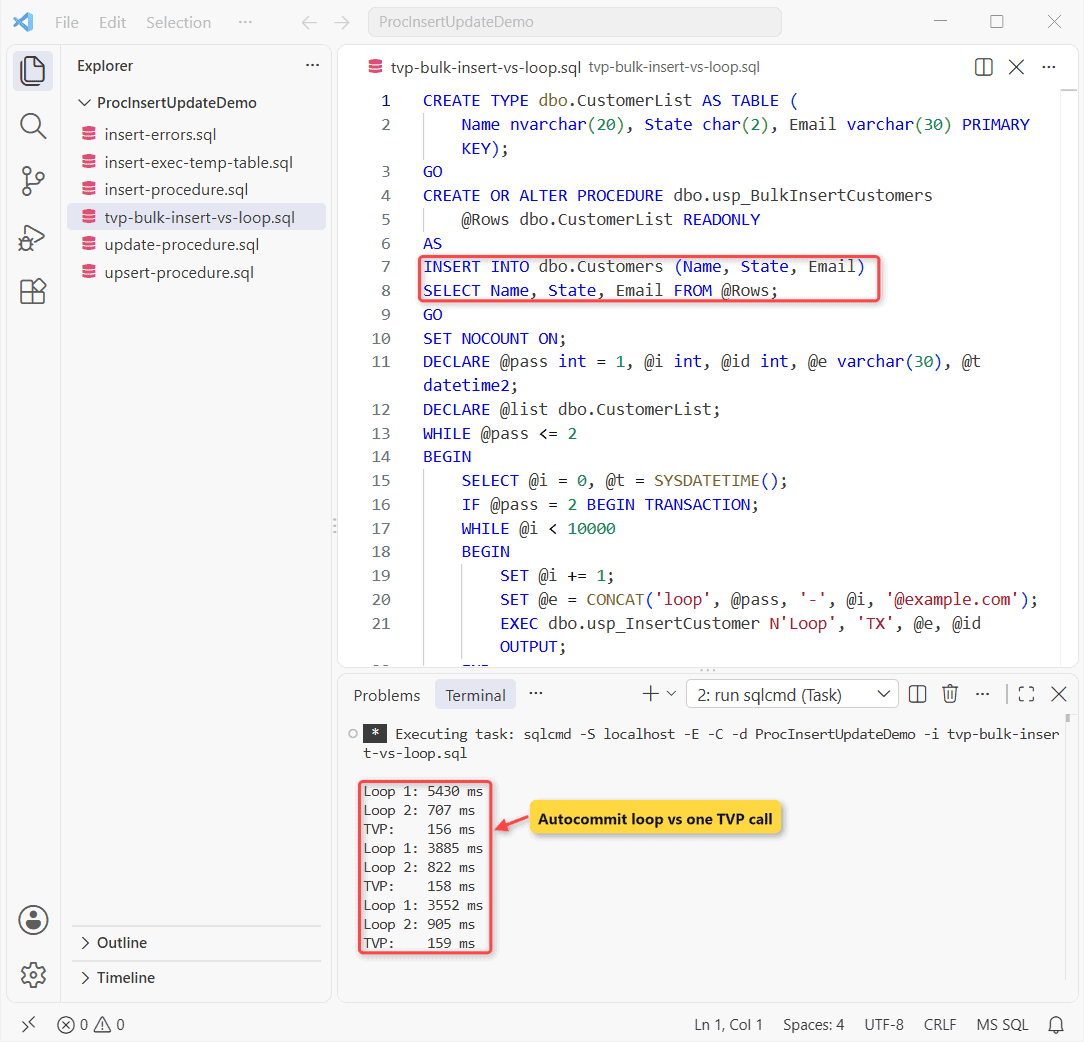
| 10,000 rows (best of 3) | Time |
|---|---|
| Loop, autocommit | 6,690 ms |
| Loop, one transaction | 890 ms |
| TVP, one call | 174 ms |
Rule of thumb: use a TVP when rows come in sets; it wasn’t close. The autocommit loop pays a log flush per row. One transaction narrowed it to 5.1 to 1.
Where the answer flips: at a few rows it’s milliseconds, and client loops add network trips. Other sessions shared the instance, so runs varied.
Common Errors in Insert Stored Procedures (Msg 2628, Msg 2627)
SET NOCOUNT ON;
DECLARE @id int;
EXEC dbo.usp_InsertCustomer N'Christina Montgomery-Hall', 'OR', 'christina@example.com', @id OUTPUT;
SELECT Name, LEN(Name) AS Chars FROM dbo.Customers WHERE CustomerID = @id;
BEGIN TRY
    INSERT INTO dbo.Customers (Name, State, Email)
    VALUES (N'Christina Montgomery-Hall', 'OR', 'c2@example.com');
END TRY
BEGIN CATCH PRINT CONCAT(ERROR_NUMBER(), ': ', ERROR_MESSAGE()); END CATCH;
BEGIN TRY EXEC dbo.usp_InsertCustomer N'Alex W', 'TX', 'alex@example.com', @id OUTPUT; END TRY
BEGIN CATCH PRINT CONCAT(ERROR_NUMBER(), ': ', ERROR_MESSAGE()); END CATCH;
Output:
Name                 Chars
-------------------- -----------
Christina Montgomery          20
2628: String or binary data would be truncated in table 'ProcInsertUpdateDemo.dbo.Customers', column 'Name'. Truncated value: 'Christina Montgomery'.
2627: Violation of UNIQUE KEY constraint 'UQ_Customers_Email'. Cannot insert duplicate key in object 'dbo.Customers'. The duplicate key value is (alex@example.com).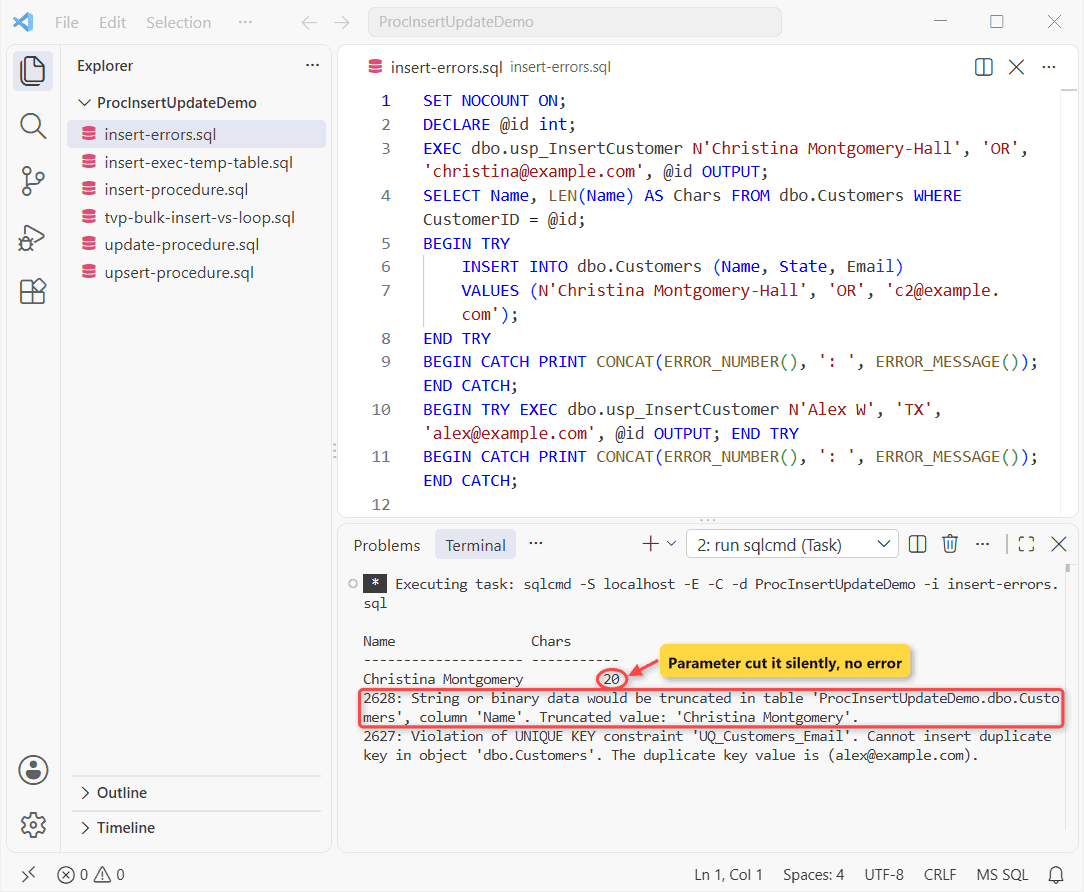
The surprise: the nvarchar(20) parameter silently cut the name. A direct INSERT raised Msg 2628, naming the column (2019+). Msg 2627 is the duplicate email.
A single INSERT is atomic, so you don’t need BEGIN TRANSACTION; add TRY…CATCH for logging.
Next Steps for Insert Procedures
Frequently Asked Questions
Can a stored procedure insert into multiple tables?
Yes: one INSERT per table in a transaction, passing the parent’s SCOPE_IDENTITY() to the child rows.
Can a table-valued parameter be the target of INSERT EXEC?
No, per the table-valued parameters docs, and SQL Server keeps no statistics on its columns.
How do I bulk update with a stored procedure?
Pass the same table type and run UPDATE … FROM a join on the key, as in update with a join.

Shivam Dogra is a cloud database developer and Team Lead at TSInfo Technologies, where he has worked since June 2021. He writes the SQL Server and Oracle tutorials on DatabaseFAQs.com, covering queries, joins, stored procedures, triggers and permissions. Shivam holds a Master of Computer Applications (MCA) from Chandigarh University.